- 15 -
STC8H Series Manual
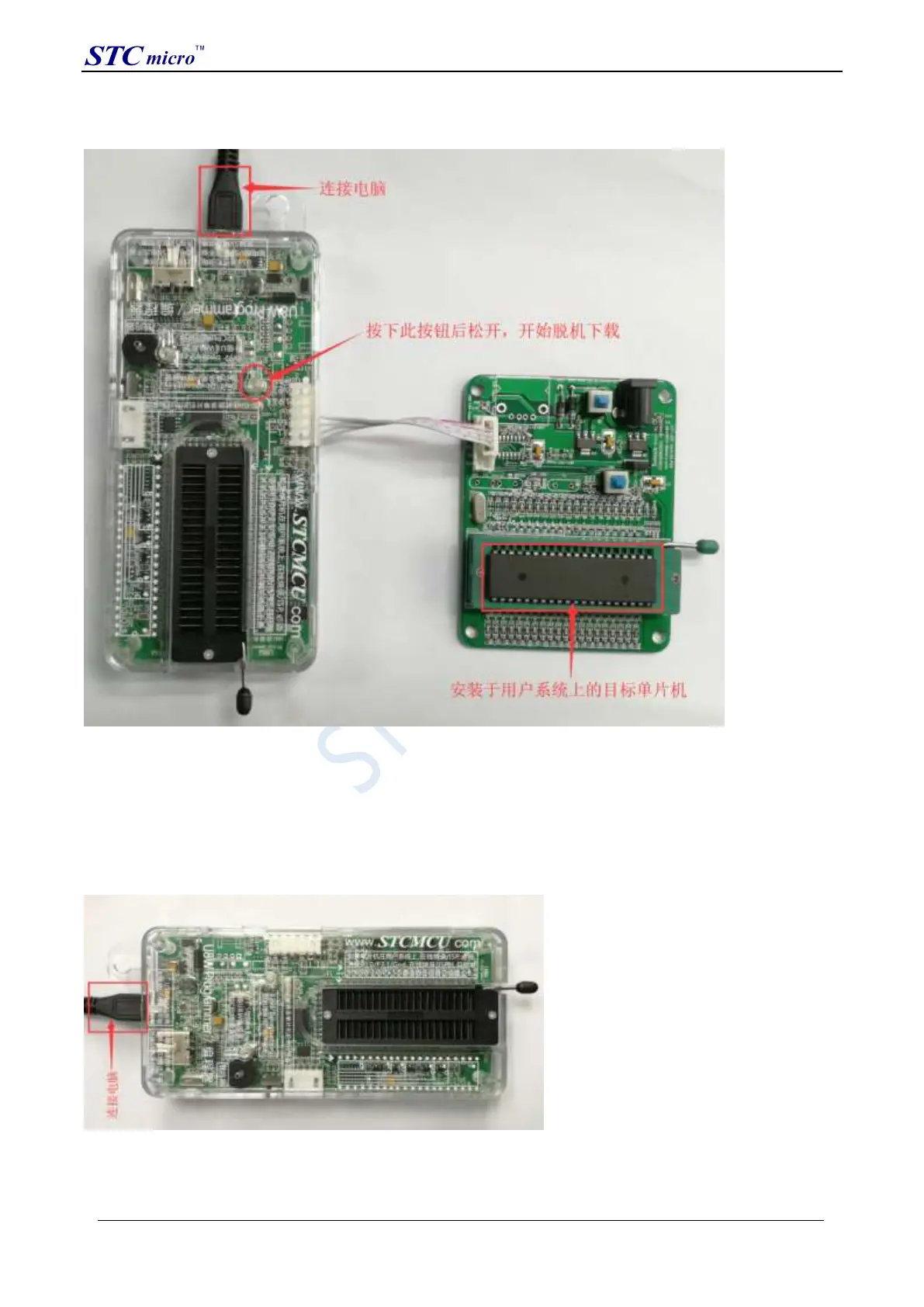
(3) Then use the cable to connect the computer, connect the U8W download tool and the user system (target MCU) as
shown in the figure below, and press the button shown in the figure and release it to start offline downloading:
During the downloading process, the 4 LEDs on the U8W download tool will be displayed in marquee mode. After
the download is complete, if the download is successful, the 4 LEDs will be on and off at the same time; if the
download fails, all the 4 LEDs will be off.
The target chip is connected to U8W by the user system lead, and the user system supplies power to U8W for
offline download
(1) Firstly, use the USB cable provided by STC to connect the U8W download board to the computer, as shown
below:
(2) Set up in the STC-ISP download software according to the steps shown in the figure below:
It is recommended that users use the latest version of STC-ISP to download the software (please always pay
attention to the updates of the STC-ISP download software on the STC official website
STC Tool Instruction Manual



 To Next Page