- 20 -
STC8H Series Manual
Programming interface: According to different power supply methods, use different download cables to connect the
U8W-Mini download board and the user system.
U8W-Mini update system program button: used to update U8W-Mini tools. When there is a new version of U8W
firmware, you need to press this button to update the U8W-Mini main control chip (note: you must first select
update/download The toggle switch on the interface is moved to the upgrade tool firmware).
Offline download user program button: Start offline download button. First, the PC downloads the offline code to the
U8W-Mini, and then uses the download cable to connect the user system to the U8W-Mini, and then press this button
to start the offline download (the user will also start downloading immediately every time the power is turned on
Code).
Update/download selection interface: When you need to upgrade the underlying firmware of U8W-Mini, you need to
move this toggle switch to the firmware of the upgrade tool. When you need to program the target chip through U8W-
Mini, you need to Toggle the switch to burn the user program. (Please refer to the figure above for the connection of
the toggle switch)
USB interface: The USB interface has the same function as the Micro-USB interface. Users can connect one of them
to the computer as needed.
3.6 U8W-Mini online download instructions
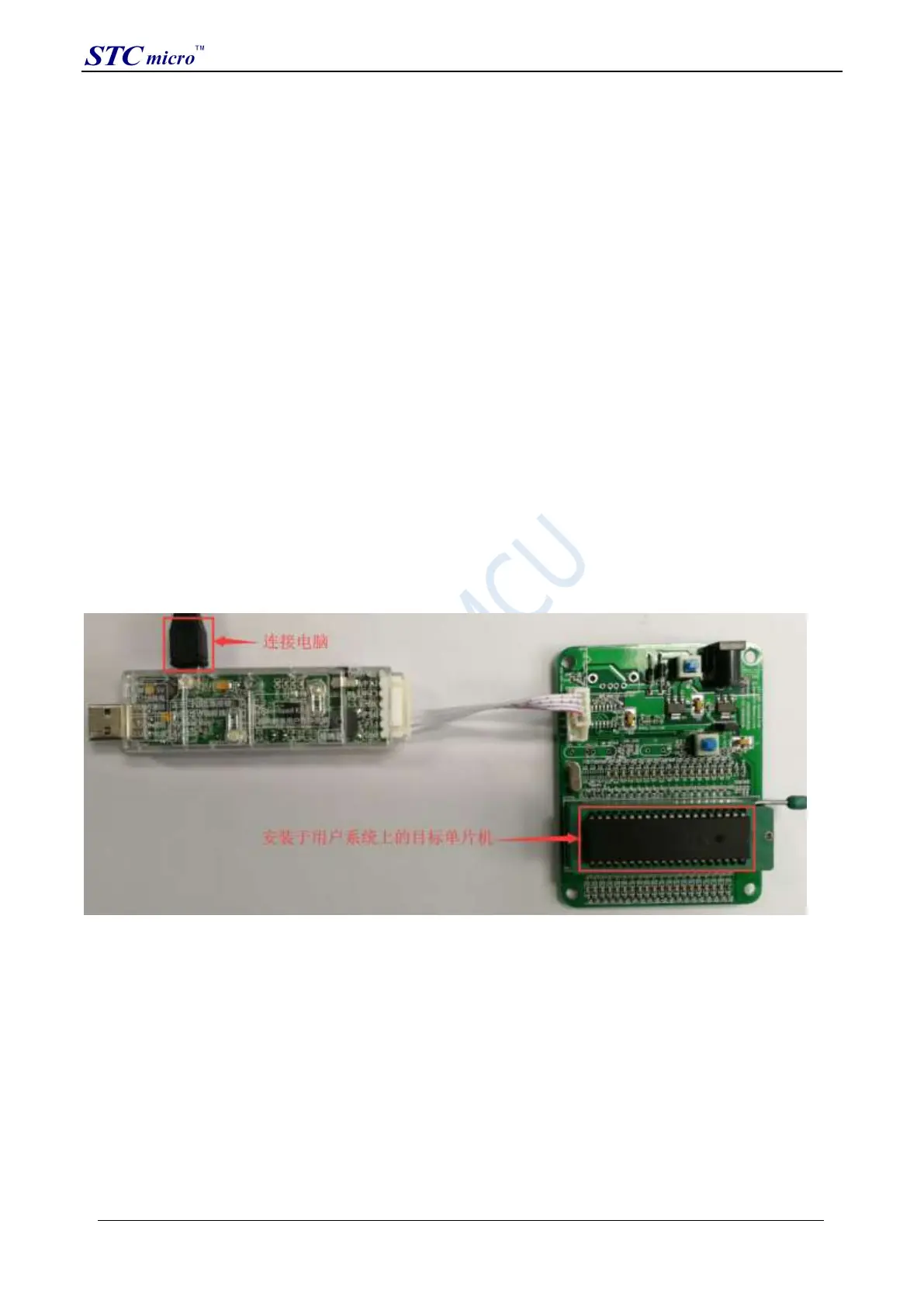
The target chip is connected to the U8W-Mini through the user system lead, and the U8W-Mini is connected to
the computer for online download
Firstly, use the USB cable provided by STC to connect the U8W-Mini to the computer, and then connect the U8W-
Mini to the target MCU of the user system through the download cable. The connection method is shown in the
following figure:
Then use STC-ISP to download the software to download the program, the steps are as follows:
STC Tool Instruction Manual



 To Next Page