- 30 -
STC8H Series Manual
2. After U8W/U8W-Mini is powered on, it is in normal download mode. At this time, press and hold the Key1
(download) button on the tool and do not release it. Press the Key2 (power) button again, and then release the
Key2 (power) button. Then release the Key1 (download) button, U8W/U8W-Mini will enter the USB to serial
port pass-through mode. (Press Key1→ Press Key2 → Release Key2 → Release Key1);
3. The U8W/U8W-Mini tool that enters the pass-through mode is just a simple USB to serial port and does not have
the offline download function. If you need to restore the original functions of U8W/U8W-Mini only need to
press the Key2 (power) button separately again.
3.10 Reference circuit of U8W/U8W-Mini
USB online/offline download board U8W/U8W-Mini provides users with the following common control interfaces:
Download communication
pin
Serial port RXD, connect to the TXD of the target chip
(P3.1)
Serial port TXD, connect to RXD of target chip (P3.0)
External serial Flash
control pin
Automatic burning tool
Sorter signal
ERROR signal (defective product signal)
High effective (sound at high level)
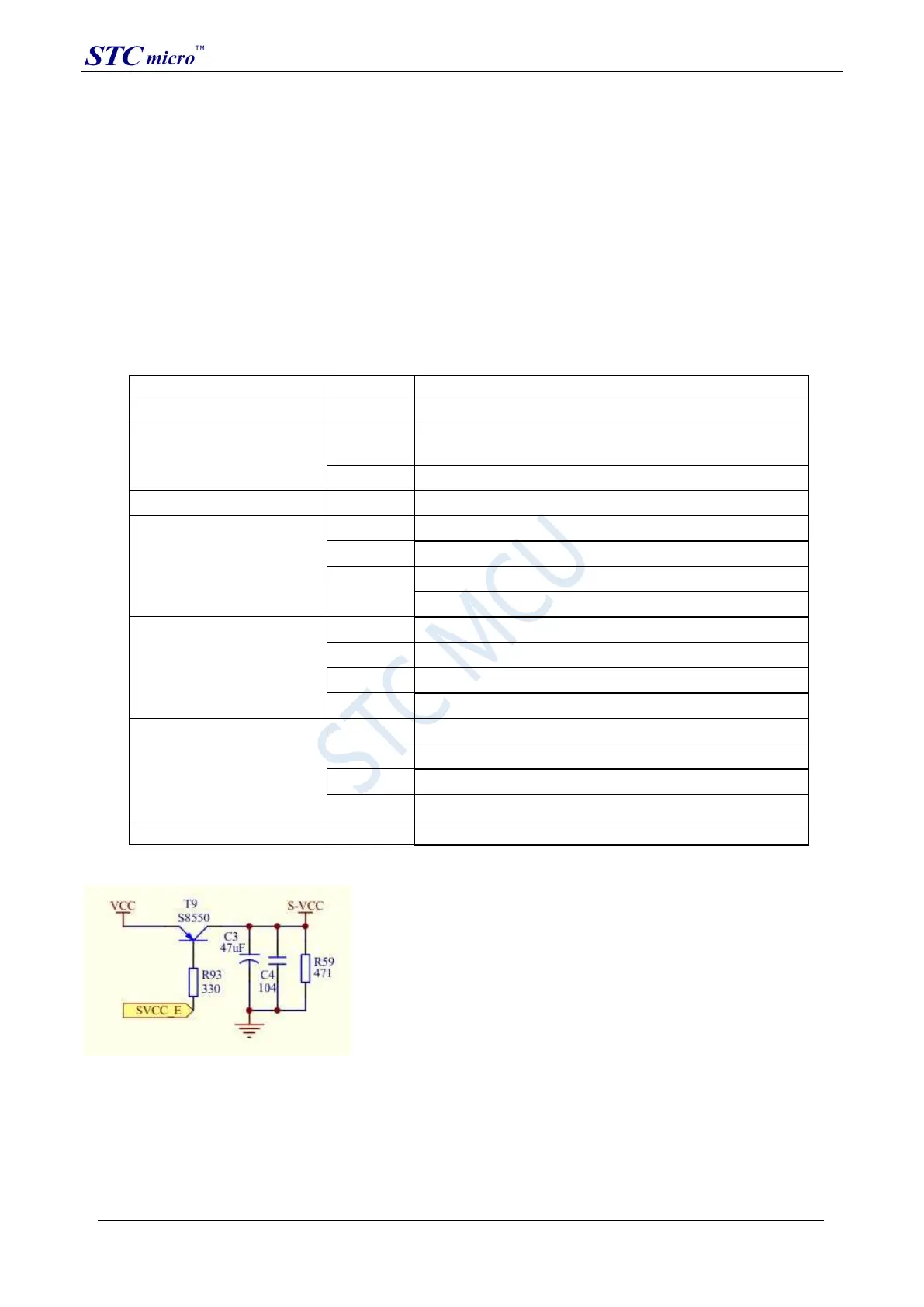
Reference circuit diagram for power control part:
Reference circuit diagram of Flash control part:
STC Tool Instruction Manual



 To Next Page