- 19 -
STC8H Series Manual
During the downloading process, the 4 LEDs on the U8W download tool will be displayed in marquee mode. After
the download is complete, if the download is successful, the 4 LEDs will be on and off at the same time; if the
download fails, all the 4 LEDs will be off.
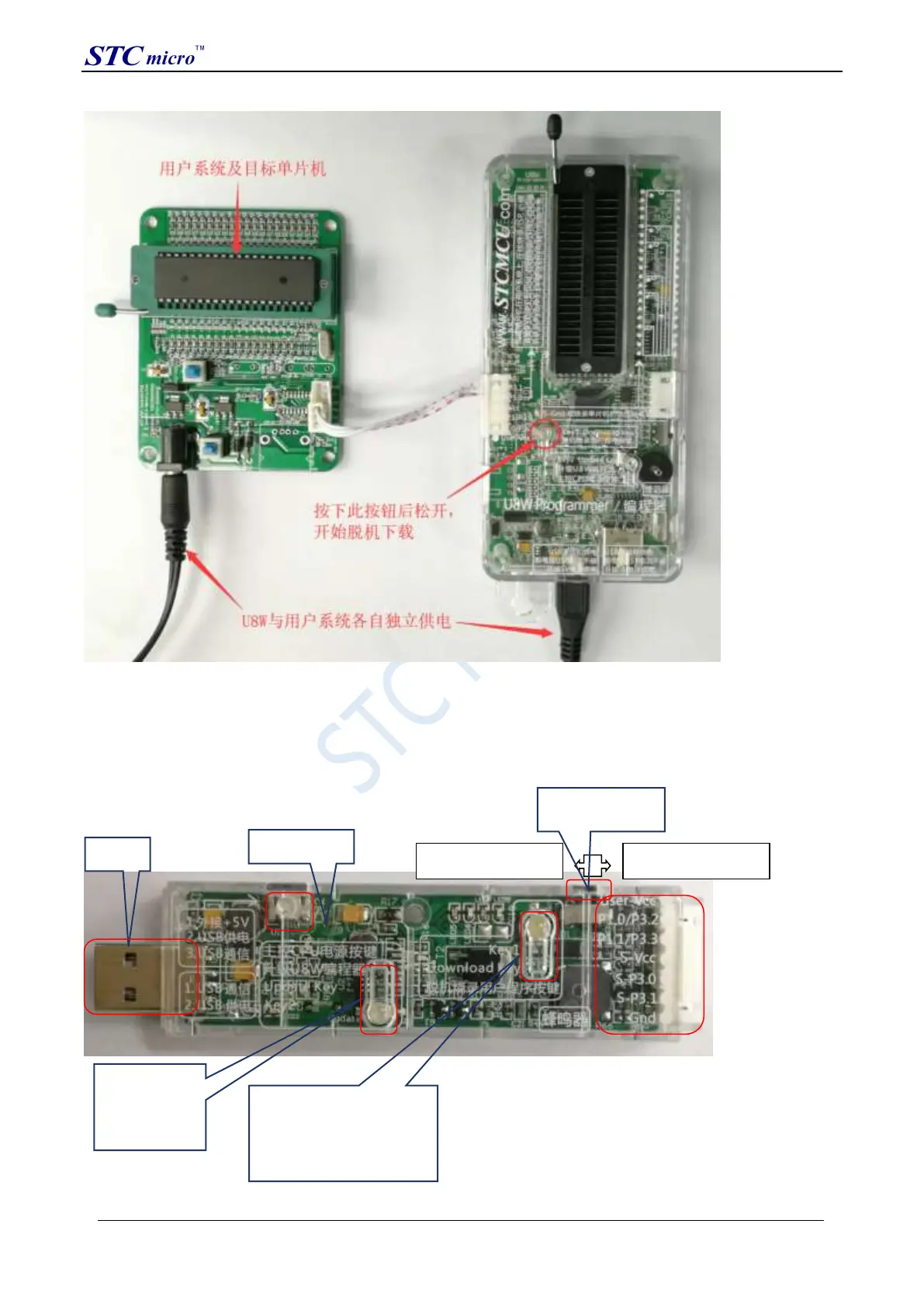
3.5 U8W-Mini's function introduction
The main interfaces and functions of the U8W-Mini tool are described in detail below:
U8W-Mini
update
System
program
button
Programming interface
User-Vcc: Only power the tool from
the user system
P1.0/P3.2: Ground (used when
setting pin programming protection)
P1.1/P3.3: Ground (used when
setting pin programming protection)
S-Vcc: Only supply power to user
system from this tool
-
Gnd: Ground
Offline programming
User program button
STC Tool Instruction Manual



 To Next Page