- 43 -
STC8H Series Manual
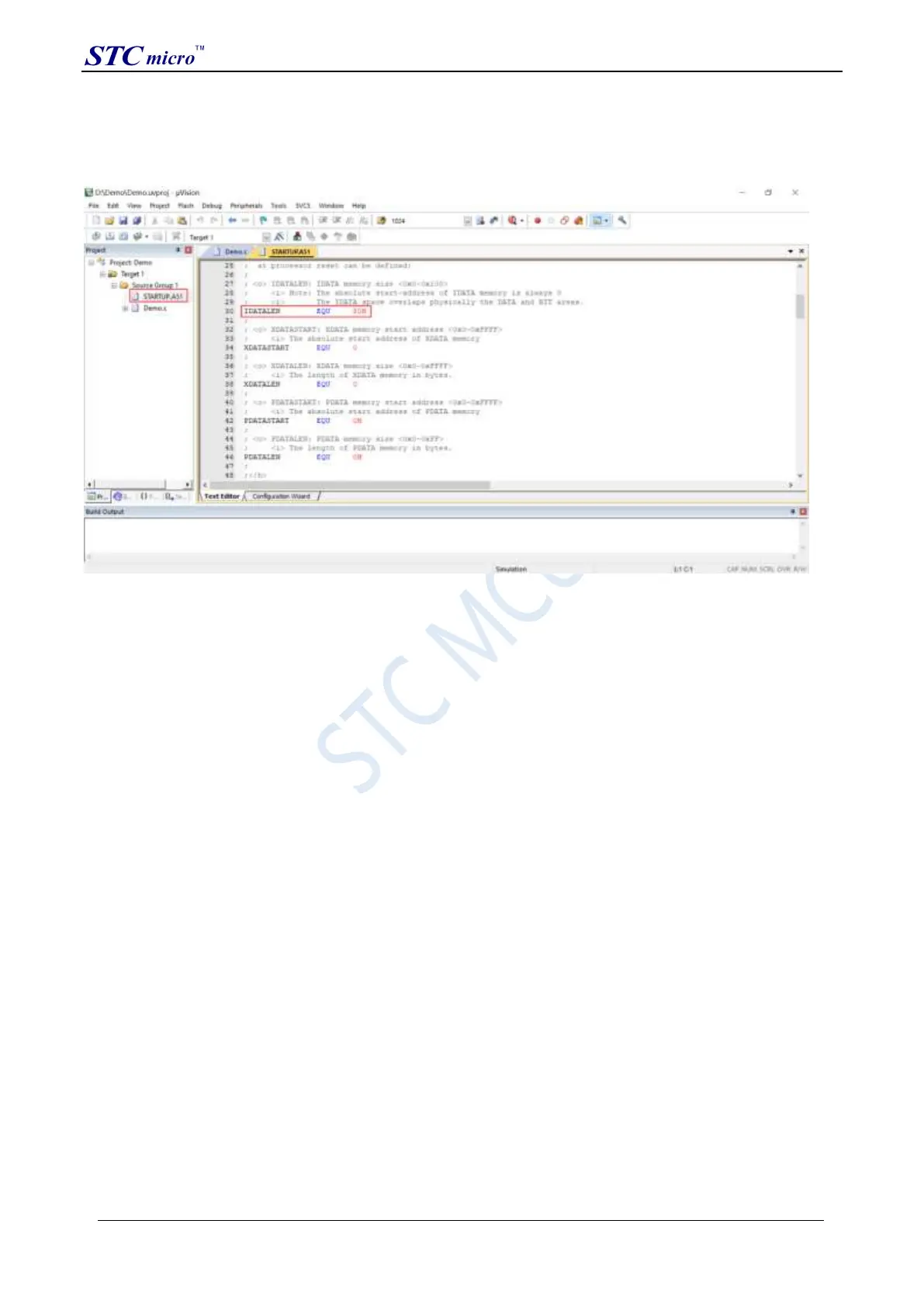
definition named "IDATALEN", which is used to define the size of IDATA. The default value is 128, which is 80H
in hexadecimal, and it is also the size of IDATA that needs to be initialized to 0 in the startup file. So when IDATA is
defined as 80H, the code in STARTUP.A51 will initialize the RAM of 00-7F of IDATA to 0; similarly, if IDATA is
defined as 0FFH, it will initialize the RAM of 00-FF of IDATA to 0.
The IDATA size of the STC8H series microcontroller we selected is 256 bytes (00-7F DATA and 80H-FFH IDATA),
but because the last 17 bytes of RAM have written ID numbers and related test parameters, If users need to use this
part of data in the program, they must not define IDATALEN as 256.
Press the shortcut key "Alt+F7" or select "Option for Target ‘Target1’" in the menu "Project" to configure the project
in the "Option for Target ‘Target1’" dialog box:
Step 1. Enter the project setting page and select the "Debug" setting page;
Step 2. Select the hardware emulation "Use …" on the right;
Step 3. Select "STC Monitor-51 Driver" item in the simulation driver drop-down list;
Step 4. Click the "Settings" button to enter the serial port settings screen;
Step 5: Set the port number and baud rate of the serial port. The serial port number should be the serial port
corresponding to the STC universal USB to serial port tool. The baud rate is generally 115200 or 57600.
Make sure to complete the simulation settings.
The detailed steps are shown in the figure below:
STC Tool Instruction Manual



 To Next Page