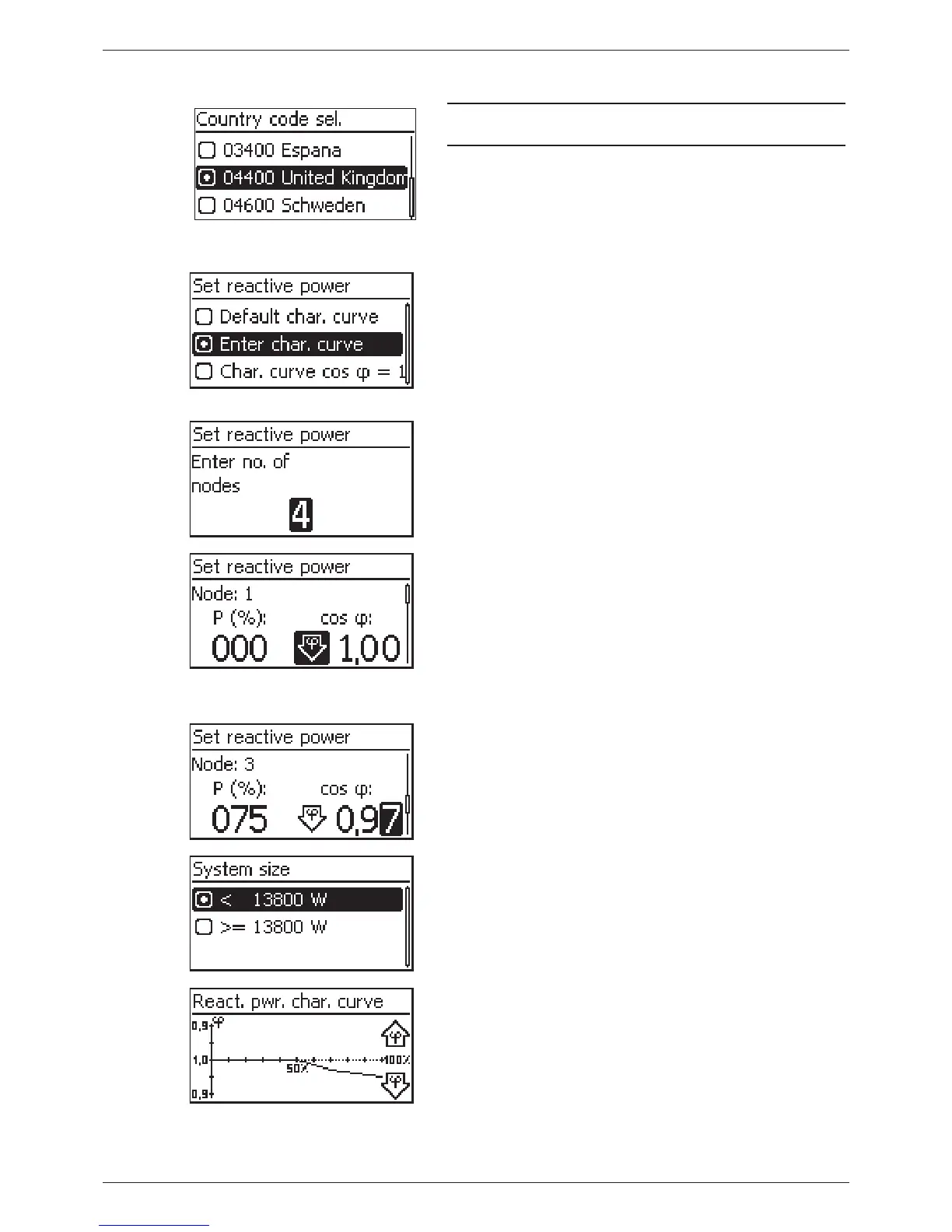
Setting the country and reactive power characteristic curve
Note
The country can only be set once!
1. Press to select a country.
2. Press SET briefly.
3. Press SET for a longer time.
If a reactive power characteristic curve is not prescribed
for the selected country then finish initial commission-
ing (see Finishing initial commissioning).
4. Press to select the reactive power characteristic
curve according to the local regulations.
5. Press SET briefly. The characteristic curve is adopted.
6. Press SET for a longer time.
– If Default char. curve was selected in step 4 then
continue with step 18.
– If Char. curve cos φ = 1 was selected in step 4 then
continue with step 19.
7. Press SET briefly. The setting value flashes.
8. Press to change the number of nodes.
9. Press SET briefly. The value is adopted.
10. Press SET for a longer time.
11. Press to select a setting value for the first node. P%
has predefined fixed values for the first and last node
(000%, 100%).
12. Press SET briefly. The setting value flashes.
13. Press to change the value.
14. Press SET briefly. The change is adopted.
15. Repeat steps 11 to 14 for the other setting value as
required.
16. Press SET for a longer time.
17. Repeat steps 11 to 16 for the setting values of the re-
maining nodes.
18. Press to select the maximum overall apparent out-
put power
1)
of the system (!).
1)
Total of the maximum apparent output power values
of all inverters of the system.
19. The characteristic curve is displayed graphically (example
in fig. left).
20. Press SET for a longer time.
64
744.378 | 12.13
EN








 To Next Page