72
8 Configuration
The regulator is factory set so that it can be used for most applications without changing the
parameters. If parameters are changed by mistake, they can be reset to the factory presetting using
the function "factory settings" (in the menu 'Settings' -> 'Service' -> 'Manual operation' -> 'factory
settings'). To do this, hold the OK button down for 2 seconds.
Note:
Please note here that individually adjusted setting parameters and selected
functions will have to be adjusted again later to be in tune with the corresponding
system. If you are not confident enough to configuring the regulator yourself please
contact your specialist dealer. No liability shall be assumed for any damage caused
by incorrectly set regulators!
9 System Expansion
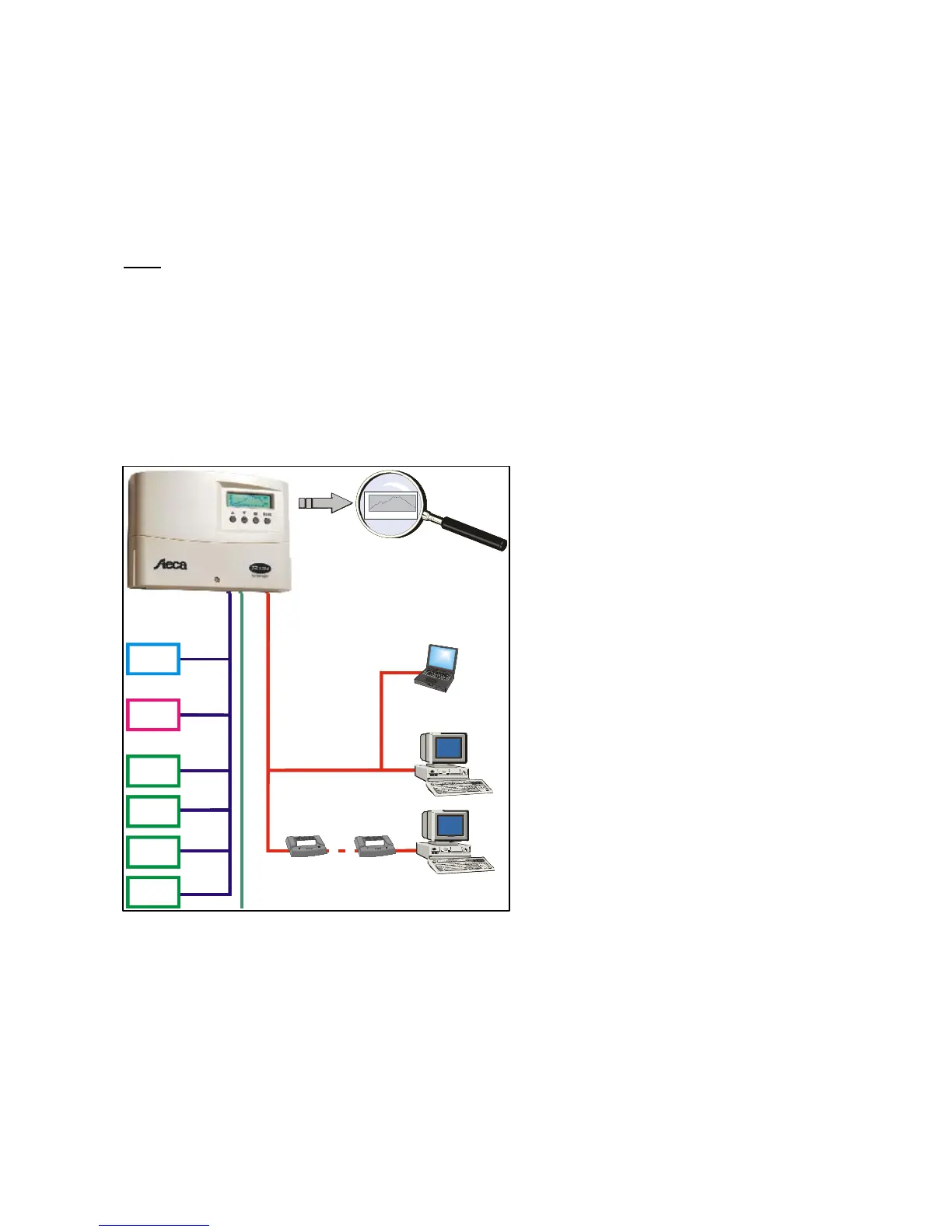
The system regulator can be expanded
modularly depending on system size
and the required monitoring expenditure.
The company-specific IS bus is for
connecting external add-on modules to
the system regulator. Peripheral
equipment distances of up to 25m are
easily possible with this bus system.
For connecting the regulator to a PC,
laptop or modem there is an RS232
interface.
The regulator also has two additional
open-collector outputs for actuating
external relays and a potential-free error
message output to connect
corresponding signaling devices.
0
20
40
60
80
08 : 00
08 : 40
09 : 20
10 : 00
10 : 40
11 :2 0
12 : 00
12 : 40
13 : 20
14 : 00
14 : 40
15 : 20
16 : 00
0
20
40
60
80
08 : 00
08 : 40
09 : 20
10 : 00
10 : 40
11 :2 0
12 : 00
12 : 40
13 : 20
14 : 00
14 : 40
15 : 20
16 : 00
Graphics-capable displayGraphics-capable display
Remote displayRemote display
Bus interfaceBus interface
Remote data acquisitionRemote data acquisition
Measured data
acquisition
Measured data
acquisition
M
o
d
e
m
M
o
d
e
m
M
o
d
e
m
M
o
d
e
m
RS 232
serial data
bus
IS-busIS-bus
Fault signal
output
Fault signal
output
I/O-expansionsI/O-expansions
Remote
data display
Remote
data display
1. I/O -
module
2. I/O -
module
3. I/O -
module
4. I/O -
module
CAN-bus
converter
CAN-bus
converter



 To Next Page