10
PLAYING COMPACT DISCS
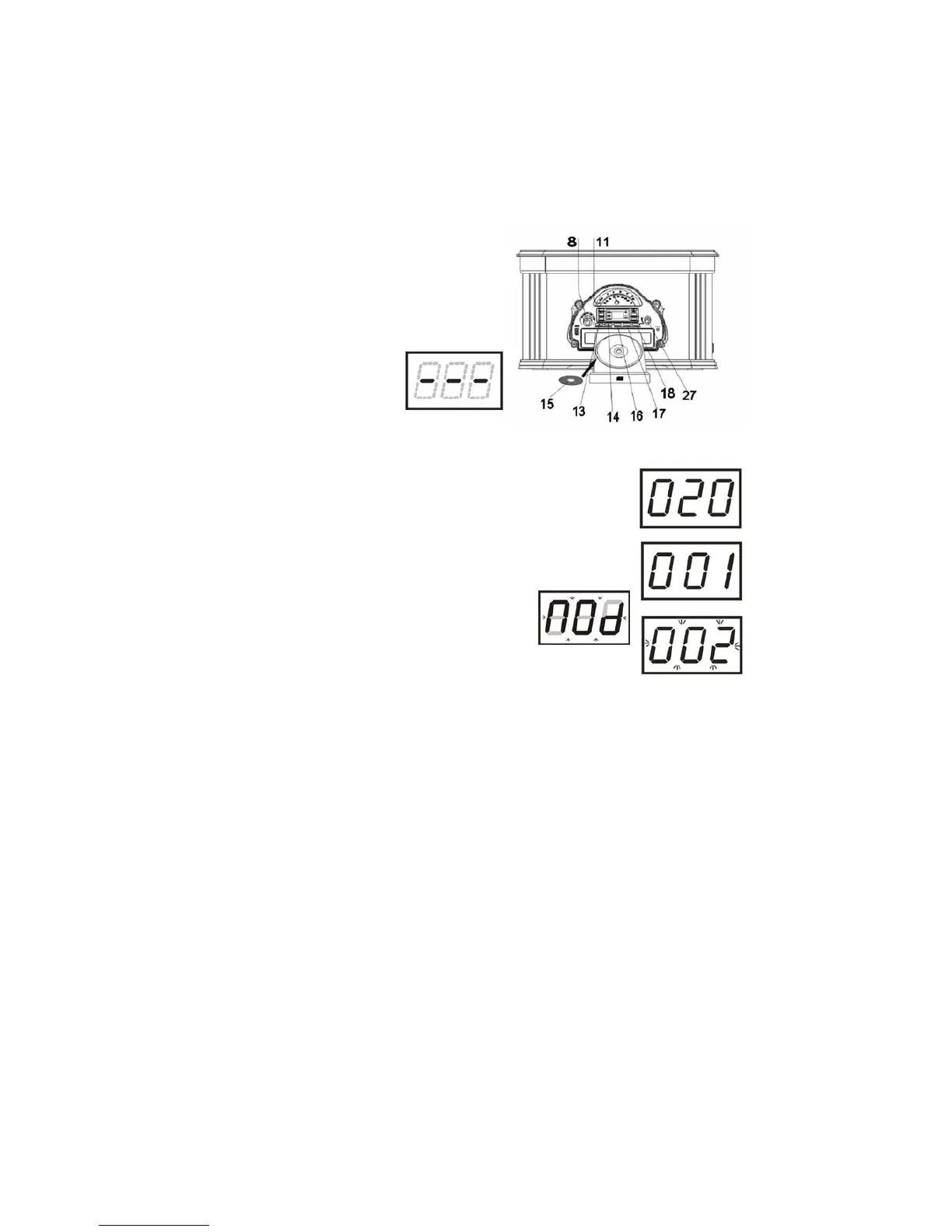
1) Turn the system on by turning the
OFF/VOLUME control knob (27)
clockwise until a ‘click’ is heard, and
set the volume to a medium level.
2) Set the (AM/FM/PH/CD/TAPE)
Function Selector (8)
to the CD position, the
CD Track number
display “- - - “ will show
on the LED Display.
3) Press the CD OPEN/CLOSE button (18/R1) to open the CD drawer - <OP>
will show on the LED display.
4) Place a CD or MP3 CD (15) in the drawer with printed label
side facing up.
5) Press CD OPEN/CLOSE (18/R1) once more to close the
drawer, <CLO> will show on LED Display. The disc will
spin for a few seconds while the player reads the disc, the
disc stops, the display will show the total number of tracks
(e.g. “020”) on the disc and then track number “001”.
6) If in CD Mode no disc is detected in the CD
Tray, ‘ - - -’ flashes briefly on the display
and then shows ’Nod’.
7) Playback will start automatically and will
continue until the end of the disc. When the disc ends, the
display again shows the total number of tracks on the disc.
8) Press the STOP button (14/R7) at any time to stop play.
9) To pause momentarily during playback, press the CD PLAY/PAUSE button
(13/R4). Playback stops, but the disc continues to spin and the Track
Number display flashes.
10) Press the PLAY/PAUSE button again to cancel Pause mode and resume
playback. The Play indicator stops flashing.
11) Press the SKIP FWD Button (17) or UP/FF (R6) or SKIP REV Button (16)
or DN/FB (R5) to play the next or the previous track.
12) Press and hold SKIP FWD/UP/FF Button (17/R6) or SKIP REV/DN/FB
Button (16/R5) to forward or rewind the track. Release the button,
playback will resume from that point.
13) Adjust the OFF/VOLUME control (27) to the get the desired volume level.
14) Playback will continue until the end of the disc. When the disc ends, the
display again shows the total number of tracks on the disc.
15) Press the CD STOP button (14/R7) at any time to stop playback.
Note:
a) A separate (powered) Subwoofer (not supplied) can be connected to the
unit to add extra Bass sound.


 To Next Page