15
Recording from Phono or Cassette
1. Set the AM/FM/PH/CD/TAPE Function Selector (8) to “PH” or “TAPE”.
2. In Phono or Tape Playback Mode, press the REC button (21/R2) twice to
start recording, play the music (on record/tape) to be recorded to USB/SD.
3. The PH and TAPE recording procedure from RADIO is similar.
RECORDING FROM CD
1) Set the AM/FM/PH/CD/TAPE Function Selector (8) to “CD” mode.
2) Place a CD or MP3 disc into the CD Drawer (15) - the CD will start playing
automatically. You can choose one track to be recorded or record the
whole CD/MP3 CD.
3) Connect a USB or SD card to the unit (not supplied)
4) Press the REC/RECORD button (21/R2) once, the unit displays “rEC” and
the REC LED lights up - press the REC/RECORD button (21/R2) again to
start recording to USB or SD - the REC indicator starts flashing and ‘rAD’
disappears from the display after three seconds.
5) To stop or cancel recording, press the STOP (14/R7) button.
DELETING USB/SD TRACKS
If you wish to delete a song on the USB device/SD Card that is playing:
1) Press and hold the STOP button on the main unit (14) for 2 seconds, or
2) Press and hold the DELETE button (R11)on the Remote Control for 2
seconds.
3) The LED displays <DEL> and the song will be deleted.
REPEAT PLAYBACK IN CD/MP3/USB/SD MODE:
Select CD/MP3/USB or SD play mode:
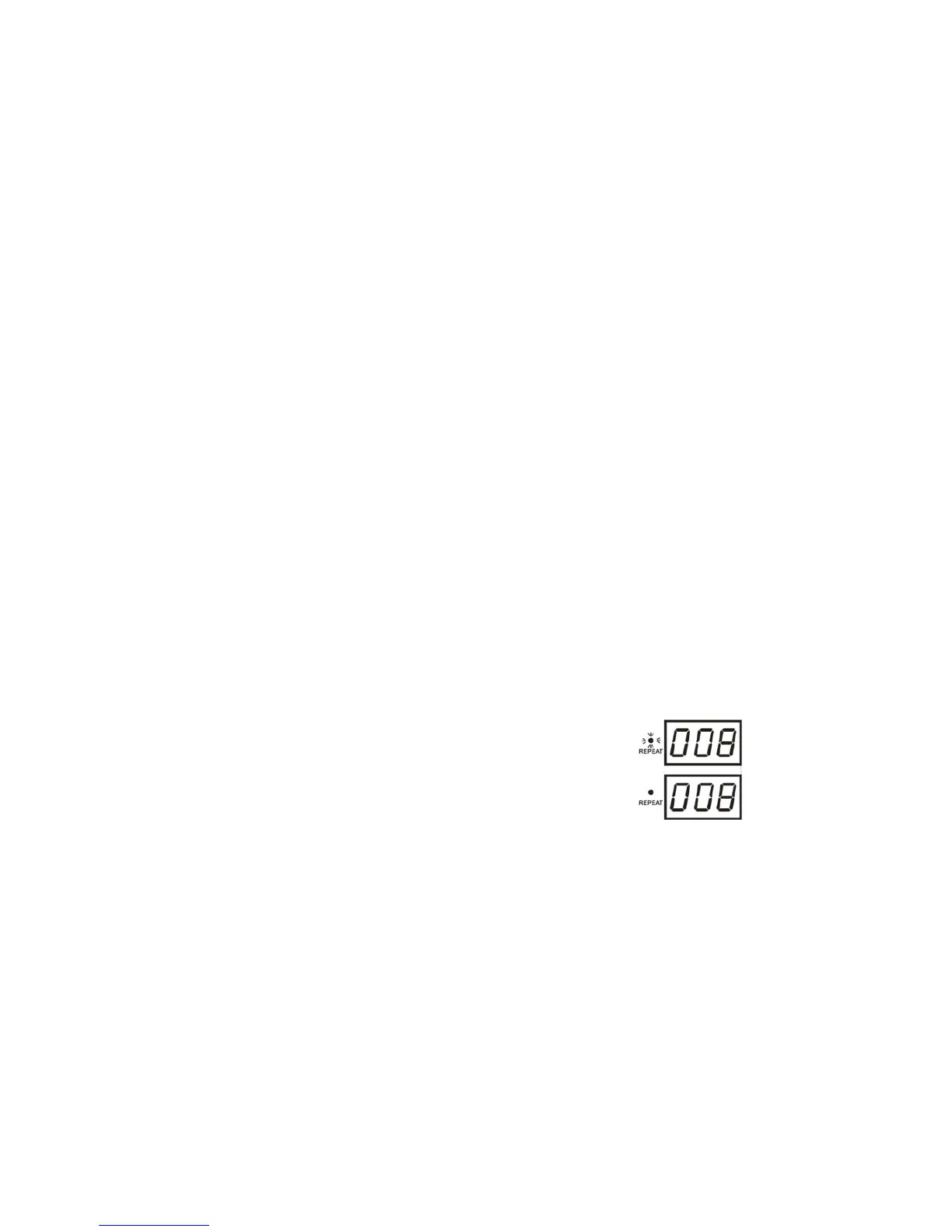
1) Press the REPEAT button (11/R3) once to repeat the track
currently playing - the REPEAT LED indicator light will flash
2) Press this button again to repeat all songs - the REPEAT
LED indicator stops flashing.
3) To cancel Repeat Playback, Repeat indicator light goes out
4) Repeat Playback is also cancelled by pressing the STOP
button (14/R7).
RANDOM PLAYBACK IN CD/MP3/USB/SD MODE
Select CD/MP3/USB or SD play mode.
1) Press the RANDOM button (10/R10) to start random playback of songs, the
RANDOM LED indicator lamp will show.
2) Press the RANDOM button again to cancel the Random function.


 To Next Page