16
PROGRAM FUNCTION IN CD/USB or SD MODE
This feature allows you to program up to 20 CD tracks and 99 MP3 (USB/SD)
tracks for playback in any order.
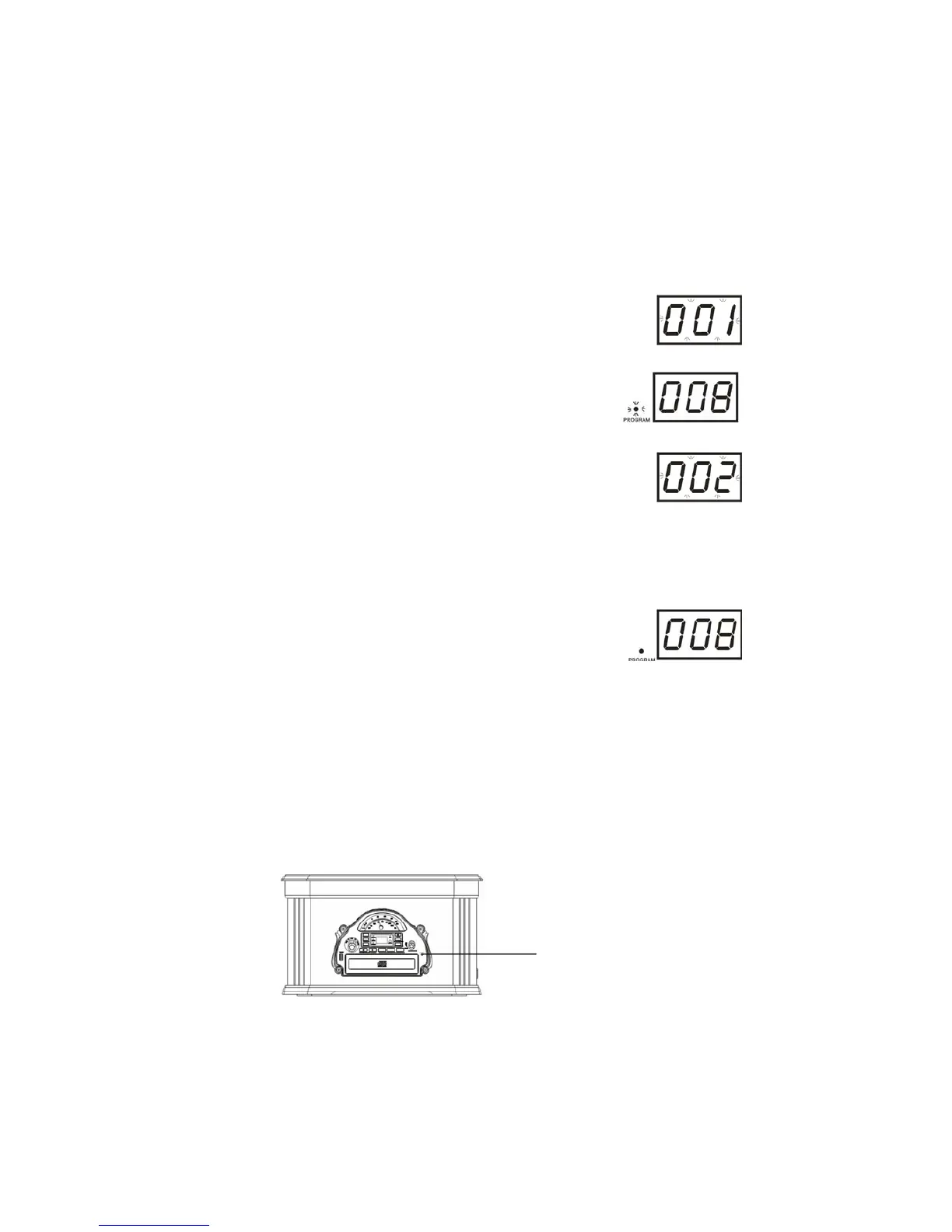
1) Press the PROGRAM button (12/R12) to enter the Program
Mode. The Program number briefly shows '0 0 1', and the
PROGRAM indicator light flashes on the display.
2) Press the SKIP FWD or SKIP REV button (17/16) or DN/FB
(R5) or UP/FF (R6) on the Remote Control to select the
first track number you wish to enter into the program
memory - for example: Track Number '008’.
3) When the desired track number appears on the display,
press the PROGRAM button (12/R12) again to memorize the
track. The program number briefly shows '0 0 2', the
PROGRAM indicator will flash on the display.
4) Repeat the same steps above to select a different track number
to be programmed into memory until you have entered up to 20
CD and 99 MP3 (USB or SD) tracks into memory.
Note: It is possible for the same track to be programmed to play multiple times
in the program sequence.
Press the PLAY/PAUSE (13/R4) button to start playback of
the programmed tracks. The PROGRAM indicator light stops
flashing. Playback will start with the first programmed track
and carries on until the last one has been played.
Cancel the programmed sequence by pressing the STOP button (14/R7) twice.
PHONES jack
Using Stereo Headphones (Not Included)
During playback of all modes, connect a set of stereo headphones with a 3.5mm
mini-plug to the “PHONES” or Headphone Jack (29) on the front panel.
Before putting on the headphones, always set the OFF/VOLUME (27) control to
a low level. Then put the headphones on and gradually increase the Volume to
a comfortable listening level. Sound from the built-in speakers automatically
cuts out when the headphones are connected.


 To Next Page