14
NOTE:
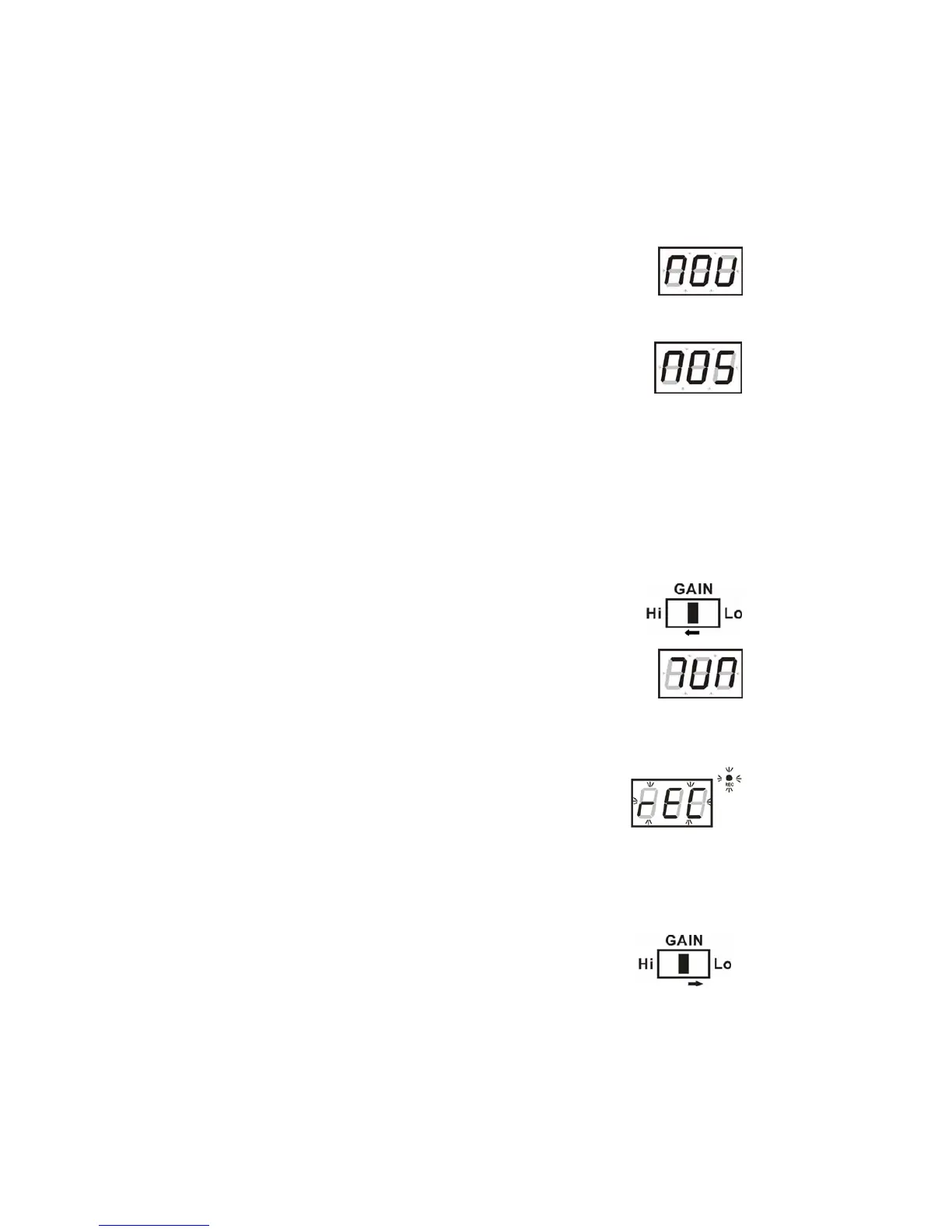
A) In USB mode - when there is nothing connected to the USB
Port, ‘- - -’ flashes for a moment on the LED display and then
shows “NOU“ (fig1).
B) In USB playback mode - ‘current track number - - USb - - folder
number’ (e.g. “F01”) will show every 2 seconds. In STOP mode,
‘total number, - - USb’ will show alternately every 2 seconds.
C) In SD mode - when no SD card has been inserted, ‘- - -’
flashes briefly on the display and then shows “NOS“ (fig2).
D) In SD card playback mode - ‘current track number - - Sd - -
folder number’ show alternately every 2 seconds.
In STOP mode, ‘total number - - Sd’ show alternately every 2 seconds.
MP3 ENCODING & RECORDING FUNCTION
This unit can encode from Radio, Vinyl, Cassette or CD into MP3 format and
record direct to either a USB device (MP3 Player/Flash Drive) or SD Card, max.
size up to 2GB.
RECORDING FROM RADIO, PHONO OR CASSETTE
Recording from Radio
1) Select the AM/FM function (8).
2) Insert a USB device (MP3 Player/Flash Drive) or SD card
(none supplied) into the appropriate socket.
3) Make sure the GAIN Hi-Lo Switch* (36) on the back panel is
in the “Hi” position, simultaneously the instruction “7UN” will
show on the LED display.
Important: *If the switch is in the “Lo” position this disables the
encoding/recording function and no music will be recorded to the USB device/
SD Card.
4) Turn the TUNING control knob (4) to tune into a station.
5) When a station with clear reception has been found,
press the REC/RECORD button(21/R2), ‘rEC’ shows on
the display and the REC indicator lamp lights up.
6) Press the REC/RECORD button once more, the ‘rEC’
indicator flashes, the display will show ‘rAD’ and after 3
seconds this will automatically change to ‘rEC’.
7) The word ’rEC’ and the ‘rEC indicator lamp will flash simultaneously and
recording to USB or SD card starts.
8) To stop or cancel recording, press the STOP button (14/R7) once.
Note: For clearer radio reception when listening to AM or FM
Radio broadcasting stations, make sure the GAIN Hi-Lo Switch
(36) on the back panel is in the “Lo” position.
fig1
fig2


 To Next Page