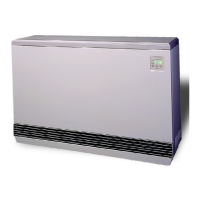
Comfort Plus Operation 1.03
Operation
ROOM TEMPERATURE CONTROL
The room temperature set point is adjusted at the wall thermostat. If room temperature drops below the thermo-
stat set point, the thermostat initiates a heat call and energizes the blowers in the Comfort Plus heating system.
The variable speed core blower(s) automatically adjust speed in relation to brick core temperature and duct
temperature to circulate room air through the brick core. The supply air blower then delivers the heated air into
the living area through the duct system to satisfy heating requirements.
In applications where a 2-stage room thermostat is being used, if the room temperature continues to drop, a stage
2 heat call is initiated. With a stage 2 heat call, the Comfort Plus system provides discharge air at its maximum
preset temperature.
When used to supplement heat pump systems, the Comfort Plus replaces the resistance strip heat, which is typi-
cally required as a supplement or back-up to the heat pump system. A duct sensor monitors the discharge air
temperature. If the demand for heat is at a point where the heat pump alone cannot maintain the desired duct
temperature, stored heat is used to supplement the heat pump and satisfy the heating requirements.
BRICK CORE CHARGE CONTROL
The amount of heat stored in the brick core of the Comfort Plus system is regulated automatically in relation to
outdoor temperature and the heating requirements. The outdoor sensor, supplied with the system, monitors
outdoor temperature and provides this information to the Comfort Plus. As the outdoor temperature decreases,
heating requirements increase and the system stores more heat accordingly.
CHARGE CONTROL OVERRIDE
The Comfort Plus is equipped with a charge control override feature that allows the user to force the system to
target a full core charge level. This override can be initiated or cancelled at any time. If an override is initiated,
the system targets a full core charge level during the next off-peak period. It continues to charge during off-peak
hours until the system achieves full (maximum) core charge or until the override is cancelled. Once full charge is
achieved or the override is cancelled, the system charges according to the standard configuration.
Initiating the Override Feature
Step 1 Press and hold the M, the up arrow, and the down arrow buttons at the same time.
Step 2 The faceplate will flash “FULL” and “ON”. Continue to hold all three buttons until “ON” displays
continuously.
Step 3 Release the buttons. The override is now enabled. The faceplate will return to displaying its standard
operating mode.
Manual Cancellation of the Override Feature
Step 1 Press and hold the M, the up arrow, and the down arrow buttons at the same time.
Step 2 The faceplate will flash “FULL” and “OFF”. Continue to hold all three buttons until “OFF” displays
continuously.
Step 3 Release the buttons. The override is now cancelled. The faceplate will return to displaying its standard
operating mode.
MAINTENANCE AND CLEANING
The Comfort Plus heating system is easily maintained. The air filter in the return air duct of the system should be
replaced on a regular basis to ensure proper operation and to maintain overall efficiencies. No additional routine
maintenance is required.
If utilizing a heat pump or air conditioning system with the Comfort Plus, the indoor coil of the device should be
cleaned periodically as dirt accumulation may reduce system efficiency. It is important to follow the
manufacturer’s maintenance and cleaning recommendations for these devices.


 To Next Page