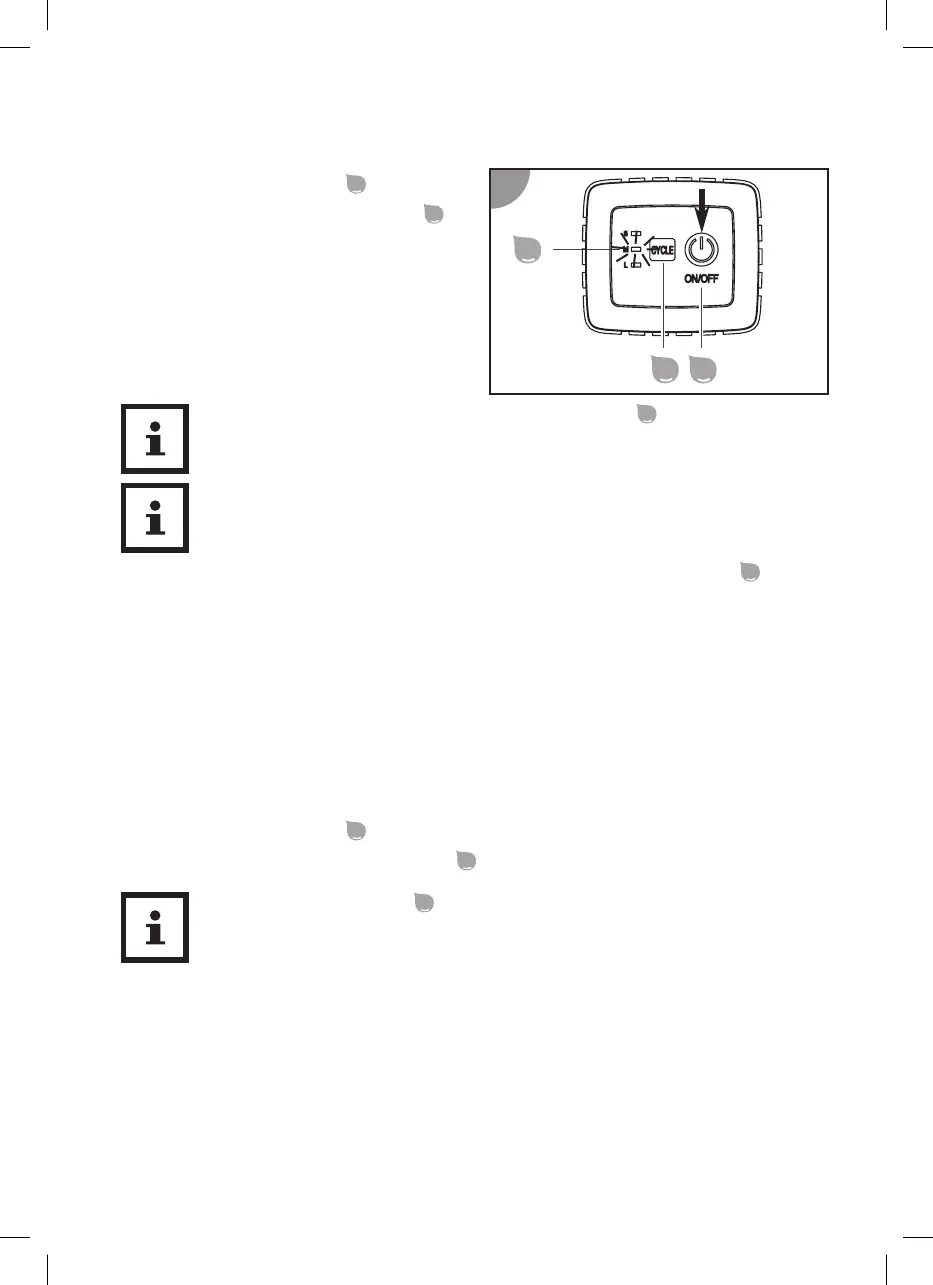
Starting cleaning
1. Press the ON/OFF buon
.
The device starts moving. The indicator
of the last selected cleaning cycle starts to
blink.
To change the cleaning cycle, press the CYCLE buon
.
It is normal that the device knocks against the pool wall. You can adjust the
speed of the device with the two nozzles, see secon "Basic sengs".
Cleaning stops automacally at the end of the set cleaning cycle. All indicators
blink.
Switching off the device
Proceed as follows to switch o the device:
1. Switch o the device aer the end of the cleaning program.
2. Disconnect the control unit from the power supply and the device.
3. Li the device out of the pool.
4. Clean the lter unit and the device.
Switching off the device
1. Press the ON/OFF buon
.
The device is switched o and all indicators
are o.
Press the ON/OFF buon
to stop cleaning the device before the me is
up.
40



 To Next Page