Turning the Power On and Off
Getting Started
11
ENGLISH
Tur ning the Power On and Off
Power Supply
1
Make sure that the [STANDBY/ON] switch of the
MR816 CSX/MR816 X is in the STANDBY posi-
tion.
WARNING
• Use only the included power adaptor (PA-30) or an equiva-
lent recommended by Yamaha). Use of a different adaptor
may result in equipment damage, overheating, or fire. Doing
so will also immediately void the product warranty, even if
the effective warranty period has not expired.
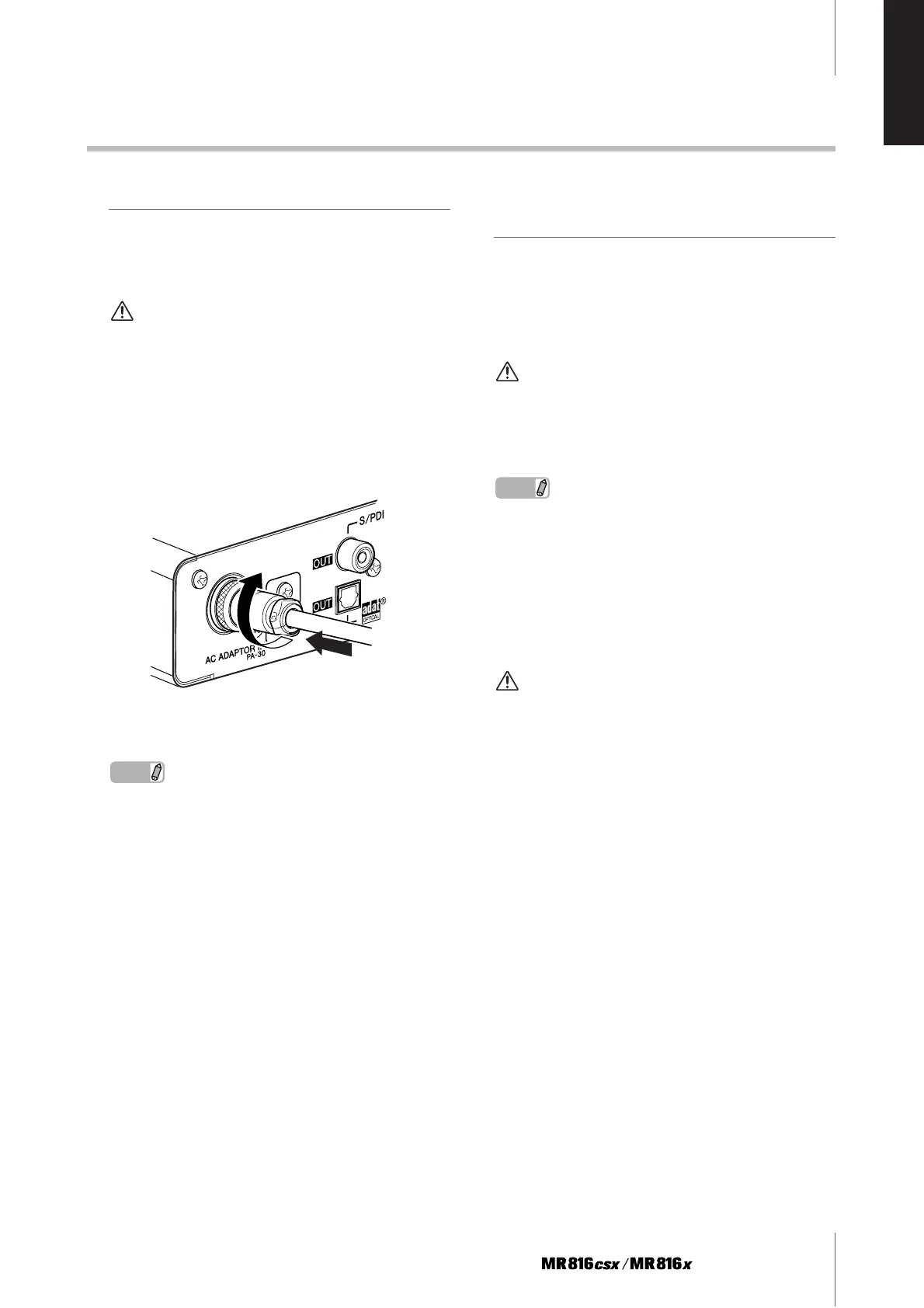
2 Connect the power adaptor to the AC ADAPTOR
IN jack (1) on the rear panel of the MR816 CSX/
MR816 X, then turn the fastening ring clockwise
(2) to secure the connection.
3 Plug the power adaptor into a standard house-
hold power outlet.
NOTE
· Be sure to unplug the adaptor from the outlet when you are not
using the MR816 CSX/MR816 X, or when lightning storms are
expected in your area.
· Make sure that there is adequate distance between the power
adaptor and the MR816 CSX/MR816 X. Otherwise, noise may
be generated.
Turning the Power On and
Off
1
To turn the power on, press the [STANDBY/ON]
switch to the ON position.
2 To turn the power off, press the [STANDBY/ON]
switch to the STANDBY position.
CAUTION
• Note that a small amount of current continues to flow while
the switch is in the STANDBY position. If you do not plan to
use the MR816 CSX/MR816 X for an extended period of
time, please be sure to unplug the adaptor from the wall out-
let.
NOTE
·To prevent sudden loud sounds from being produced from your
speakers, power-on your equipment starting at the audio
source (instrument, mic, CD player, etc.) and working down-
stream.
Example:
Instruments, microphines, CD players, and other peripheral
devices ➝ MR816 CSX/MR816 X ➝ Powered speakers (power
amps)
When turning the power off, reverse the above sequence.
WARNING
• Before you connect external devices to the MR816 CSX/
MR816 X, turn off the power to all devices. Before turning
the power on or off to all components, set all volume levels
to minimum (0). Otherwise, electrical shock or damage to
the components may occur.
1
2



 To Next Page