Software Installation
16 Getting Started
■ Windows Vista:
Preparing to install
1 Make sure that the power to the MR816 CSX/
MR816 X is turned off.
2 Using an IEEE1394 cable, connect the
MR816 CSX/MR816 X directly to the computer
(without using a hub), and disconnect all other
IEEE1394 devices from the computer.
3 Start the computer and log on to the Administra-
tor account.
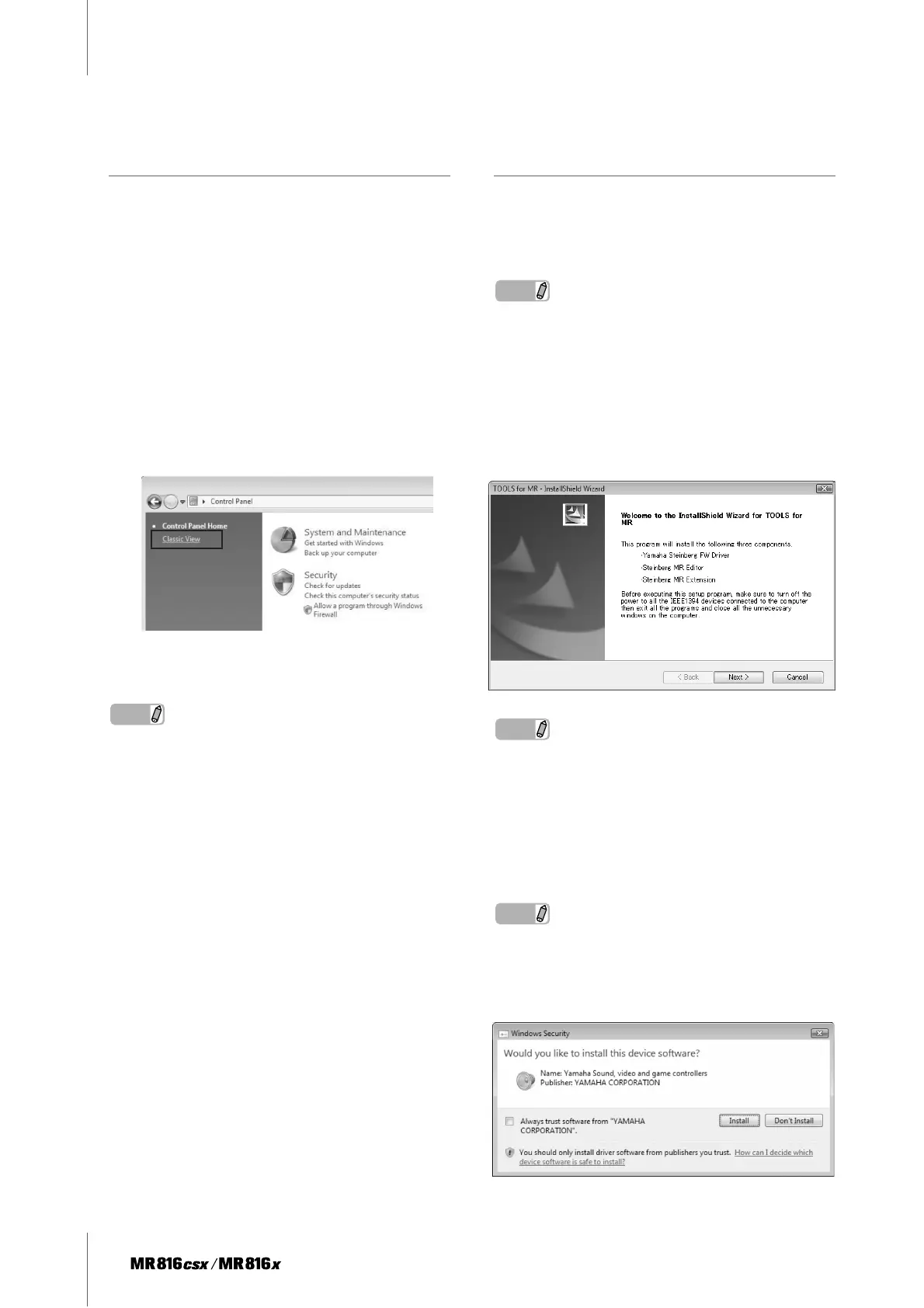
4 Select [Start] ➝ [Control Panel]. If the control
panel appears as shown below, click “Switch to
Classic View” in the upper left of the window.
All control panels and icons will be displayed.
5 Double-click the Device Manager icon.
NOTE
· If the “User Account Control” window appears, click [Continue].
A dialog box appears.
6 Check that no “!” or “x” marks appear next to
“IEEE1394 Bus host controllers.”
If one of these marks is shown, the IEEE1394/i.LINK
connection cannot be used. Refer to the owner’s
manual of your computer for details.
7 Click the Close button ([x]) at the top right of the
Device Manager window, then click the Close
button ([x]) at the top right of the Control Panel
window to close it.
8 Exit any open applications and close all open
windows.
9 Insert the TOOLS for MR CD-ROM into the CD-
ROM drive of your computer.
Software Installation
The installer will install the following three software com-
ponents to your computer.
· Yamaha Steinberg FW Driver
· Steinberg MR Editor
· Steinberg MR Extension
NOTE
· Use the Cancel button or Close button to quit the installation.
Quitting by using the [Ctrl]+[Alt]+[Delete] buttons or by turning
off the power while installation is in process can result in prob-
lems since the installation is terminated without performing a
proper uninstall.
10 Open the CD-ROM then double-click the file
“setup.exe.”
A “Welcome to the InstallShield Wizard for TOOLS
for MR” window appears.
NOTE
· If the “User Account Control” window appears, click [Continue].
A dialog box appears.
11 Click [Next].
12 Follow the on-screen instructions in the Setup
window for Yamaha Steinberg FW Driver, Stein-
berg MR Editor and Steinberg MR Extension
appearing in order.
NOTE
· If the same version of each software component has already
been installed in your computer, the installation window of the
corresponding software will not appear.
· If the “Windows Security” window appears, confirm that the
publisher is “YAMAHA CORPORATION,” then click [Install].



 To Next Page