Software Installation
Getting Started
15
ENGLISH
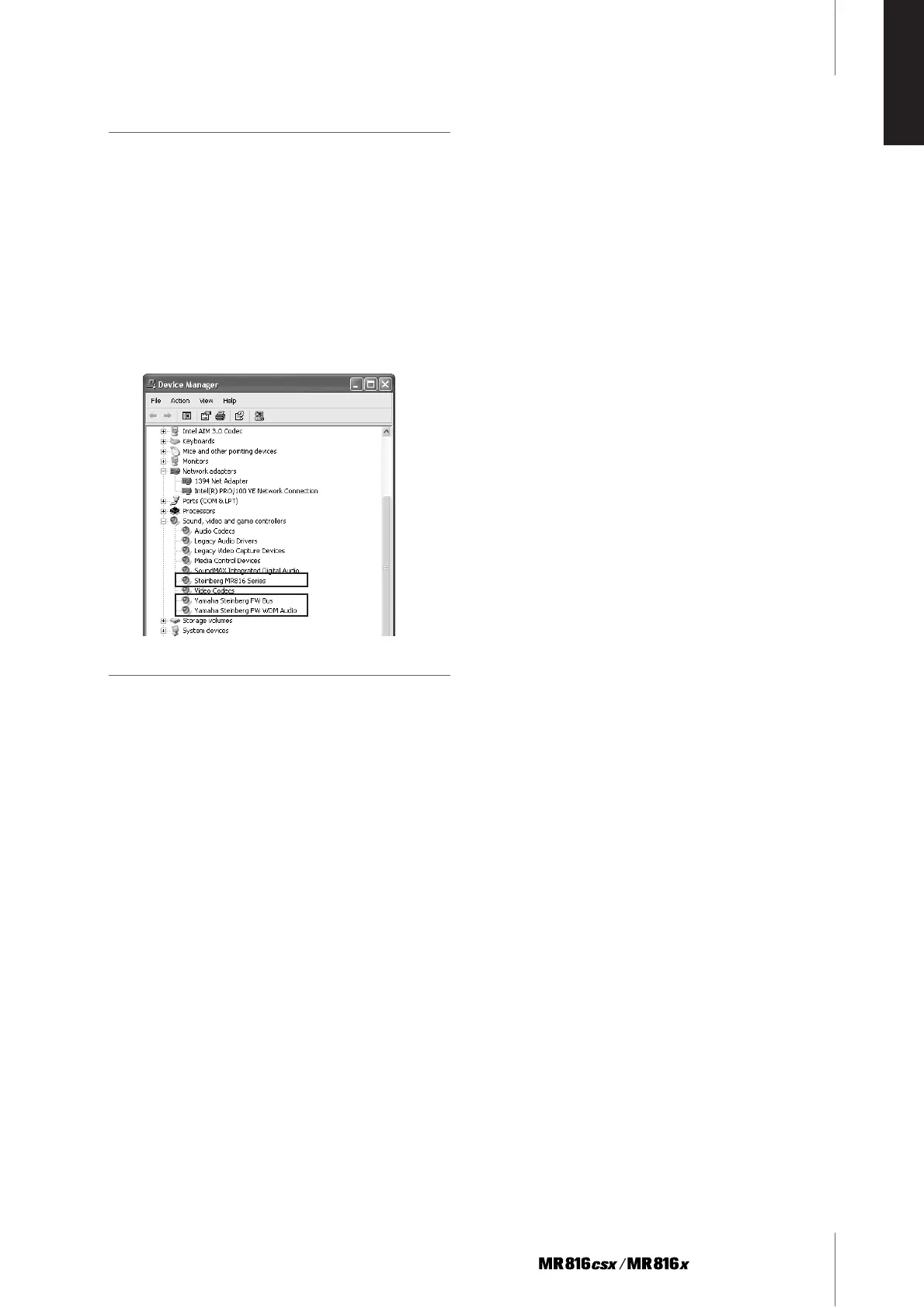
Confirming the installation
1 Select [Control Panel] from the Start menu.
2 Double-click on the System icon to call up the
System Properties window.
3 Select the Hardware tab and click [Device Man-
ager].
4 Click on the [+] mark next to “Sound, video and
game controllers,” and confirm that “Steinberg
MR816 Series,” “Yamaha Steinberg FW Bus” and
“Yamaha Steinberg FW WDM Audio” are listed.
Uninstalling the Software
To uninstall TOOLS for MR, you must remove the following
three software components:
· Yamaha Steinberg FW Driver
· Steinberg MR Editor
· Steinberg MR Extension
1 Make sure the POWER switch on the
MR816 CSX/MR816 X is set to OFF, exit from any
open applications and close all open windows.
2 From the Start menu, select ([Settings] ➝) [Con-
trol Panel] ➝ [Add or Remove Programs] to dis-
play the Add or Remove Programs panel.
3 Click “Change or Remove Programs” located in
the upper left, then select “Yamaha Steinberg FW
Driver,” “Steinberg MR Editor” and “Steinberg
MR Extension” from the list in the right panel.
4 To uninstall the software, click [Change or
Remove] / [Remove].
Follow the instructions to remove the software.



 To Next Page