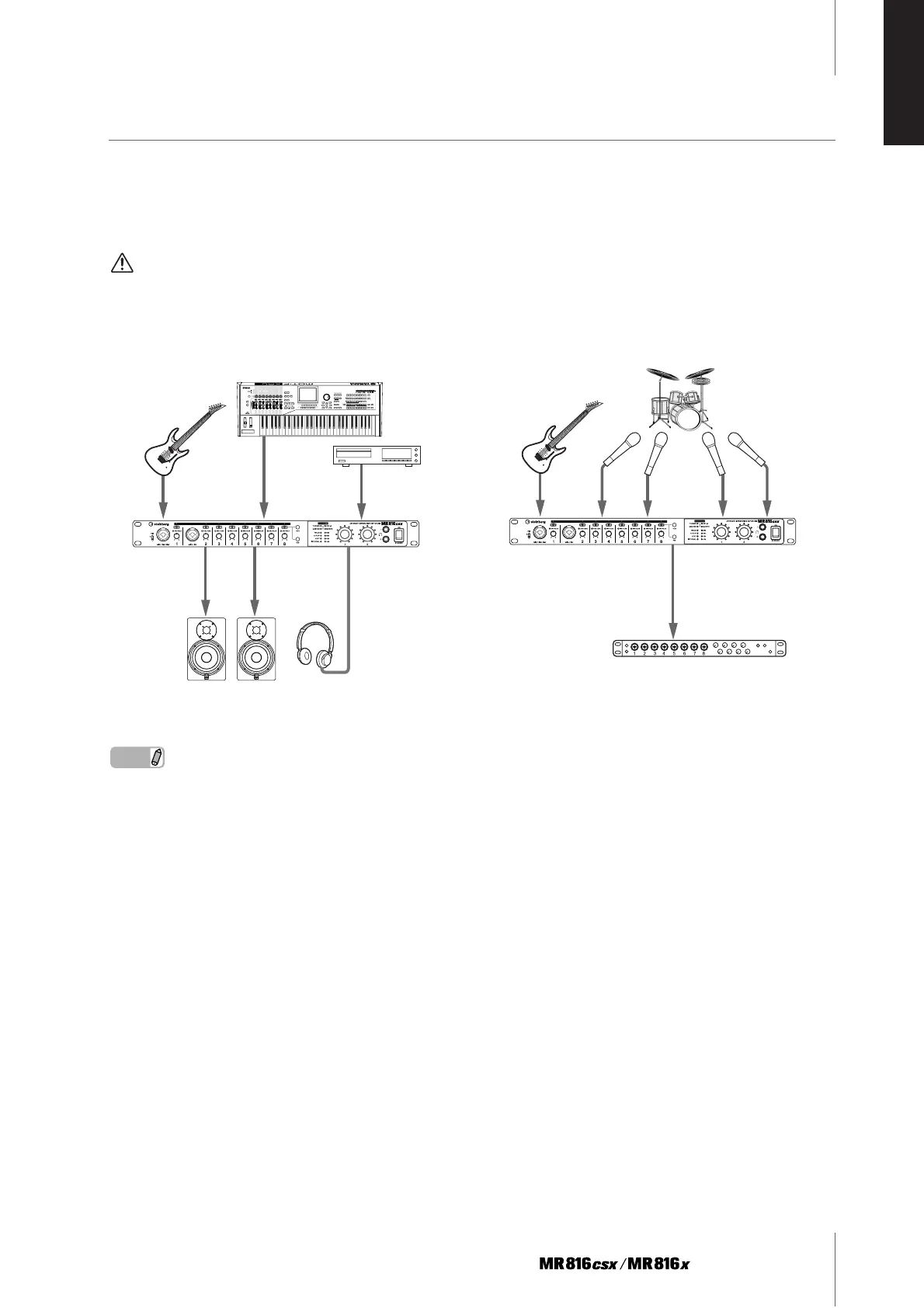
Connecting to an External Device
Getting Started
21
ENGLISH
Using the MR816 CSX/MR816 X without a computer
The settings of the internal mixer and system edited on the MR Editor can be stored to the MR816 CSX/MR816 X by storing
the settings as a Scene and recalling a Scene on the MR Editor on the computer. This means that the last settings stored or
recalled on MR Editor can be used even if the MR816 CSX/MR816 X is disconnected from the computer. Accordingly, you
can use the MR816 CSX/MR816 X as a mixer or D/A converter or A/D converter without a computer after the necessary set-
tings on the MR Editor or Cubase are completed.
WARNING
•Make sure to set all volume levels to minimum (0) before disconnecting the external device.
NOTE
· Up to three MR816 CSX/MR816 Xs (up to two when the Sample Rate is set to 88.2kHZ or 96kHz) can be used simultaneously by connect-
ing them in daisy-chain fashion to a computer via IEEE1394 cables. For details, refer to the Operation Manual (PDF file) included in the
accessory CD-ROM.
1
2
■ Using the MR816 CSX/MR816 X as a
mixer
■ Using the MR816 CSX/MR816 X as an
AD converter.
Digital I/O device



 To Next Page