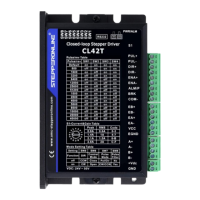
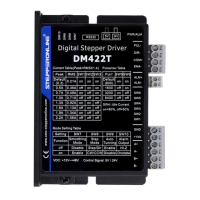
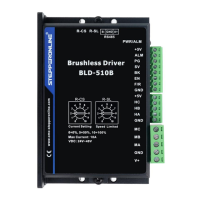
BLD-510B BLDC
B
r
u
s
h
l
e
ss
Driver
4. Function and Usage
4.1 Speed Adjustment Method
The driver offers the following three speed adjustment methods, one of which can be selected by the user as follows:
Inner potentiometer speed adjustment: turn the potentiometer on the drive panel counterclockwise to reduce the
motor speed and clockwise to increase it. The potentiometer must be set to minimum when the user uses an
external input for speed adjustment.
External input speed adjustment: connect the two fixed terminals of the external potentiometer to the GND and
+5v terminals of the driver respectively, and connect the adjustment terminal to the SV terminal to adjust the speed
using the external potentiometer (10K~50K), or through other control units (e.g. PLC, microcontroller, etc.) to input
the analogue voltage to the SV terminal to achieve speed adjustment (relative to GND), the SV port accepts a range of
DC 0V~+5V, corresponding to the motor rotation speed of 0~rated speed.
An external digital signal can also be used to regulate the speed: A pulse width digital signal (PWM) with amplitude of
5V and frequency of 1KHz to 2KHz can be applied between SV and GND for speed adjustment, and the motor speed is
adjusted linearly according to the duty cycle. In this case, the SV digital signal amplitude can be attenuated by
adjusting the R-SL potentiometer by a ratio of 0 to 1.0, usually by setting the R-SL to 1.0. No attenuation is applied to
the SV input digital signal.
The motor speed can also be changed by command via communication method.
When the speed control voltage is below 0.3V, the motor will stop. Therefore, the minimum speed of the motor is
approximately 5% of the rated speed, which is 150rpm.
4.2 Built-in
Potentiometer
Speed Control Wiring Diagram
Currently the driver has 2 versions, V2.0 and V2.4. For V2.0 Version, motor runs when the terminal is switched on and
conversely the motor stops. While for V2.4 version, motors only runs when the terminal is switched off and conversely
the motor stops.


 To Next Page