M2B+ Controller
2-7 Passwords and Security
The controller provides four levels of security. Depending on the security level, some or all of
the setup menus may be locked. The security level must be changed in order to unlock these
menus. The current security level is displayed in the lower right corner of the menu display.
The default security level is 3.
Security levels are changed by changing the password value using the Up and Down buttons
and pressing the Enter button. Values in the setup menus can be changed only when the
correct security level is set. Note that the security level value itself can be changed in any
security level.
Use the following procedure to change the security level:
1. Press the Index button three times to access the Secure menu.
2. Press the Enter button. The LCD screen will display the current security level.
3. Use the Up or Down buttons to change the value in the display line to the password
of the new desired security level.
4. Press the Enter button to select this new security level and retain the value in
EEPROM. The display will change from the password value to the selected security
level for that password.
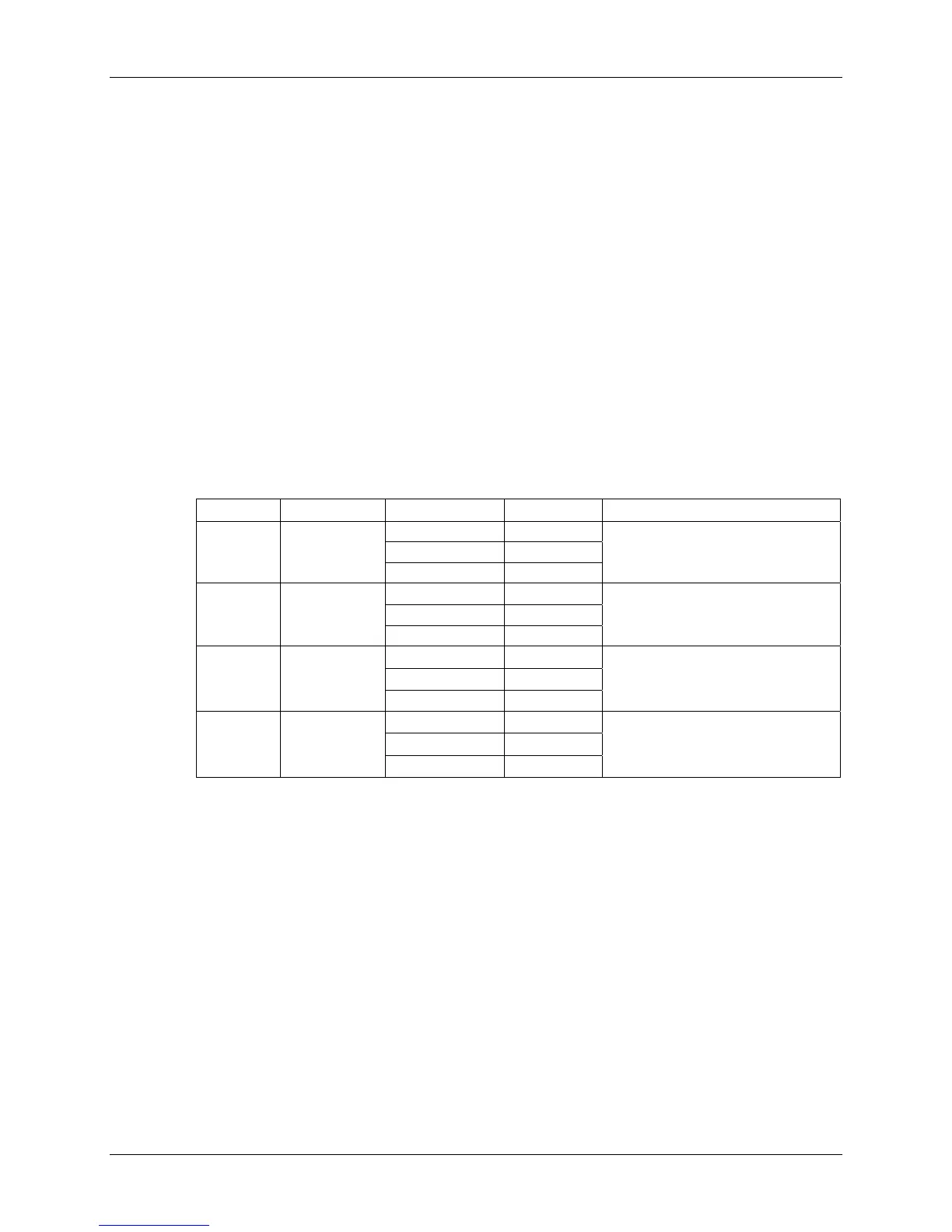
Level Password Menu Status Description
Primary Locked
Secondary Locked
1 110
Secure Locked
No parameter values can be
changed.
Setpoint cannot be changed.
Primary
Unlocked
Secondary Locked
2 101
Secure Locked
Only the primary menu values
can be changed.
Setpoint can be changed.
Primary
Unlocked
Secondary
U
nlocked
3 011
Secure Locked
Only the primary and secondary
menu values can be changed.
Setpoint can be changed.
Primary
U
nlocked
Secondary
U
nlocked
4 111
Secure
U
nlocked
All parameter values can be
changed.
Setpoint can be changed.
Chapter 2: Functional Description 17 of 65


 To Next Page