M2B+ Controller
Chapter 4: Basic Operation
4-1 Turning the Power On
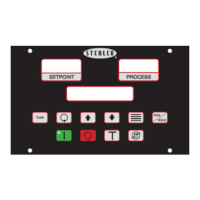
When AC power is first applied to the unit, the following sequence of events will occur:
1. The LCD backlight lights up.
2. The LCD displays dashes: LEDs have all segments on.
3. The LCD displays the PROM Rev/Date.
4. The LCD displays “SelfTest in Progress.”
5. If the ‘Debug’ parameter is enabled, the following messages about Option Cards can
be displayed:
• Re-Transmit Detected
• Cool Analog Detected
• Heat Analog Detected
• Serial Comm Detected
• None Installed
6. The LED segments turn off.
7. The LCD backlight turns off.
8. The LCD displays “Power Available/System OFF.”
At this point, a Manual Vent Operation can be initializeed for 8 seconds by pressing the Vent
button.
The unit is now in a standby mode of operation. No system process control will occur until
the Start button is pressed.
Chapter 4: Basic Operation 21 of 65


 To Next Page