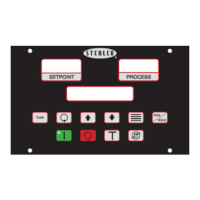
M2B+ Controller
Keypad
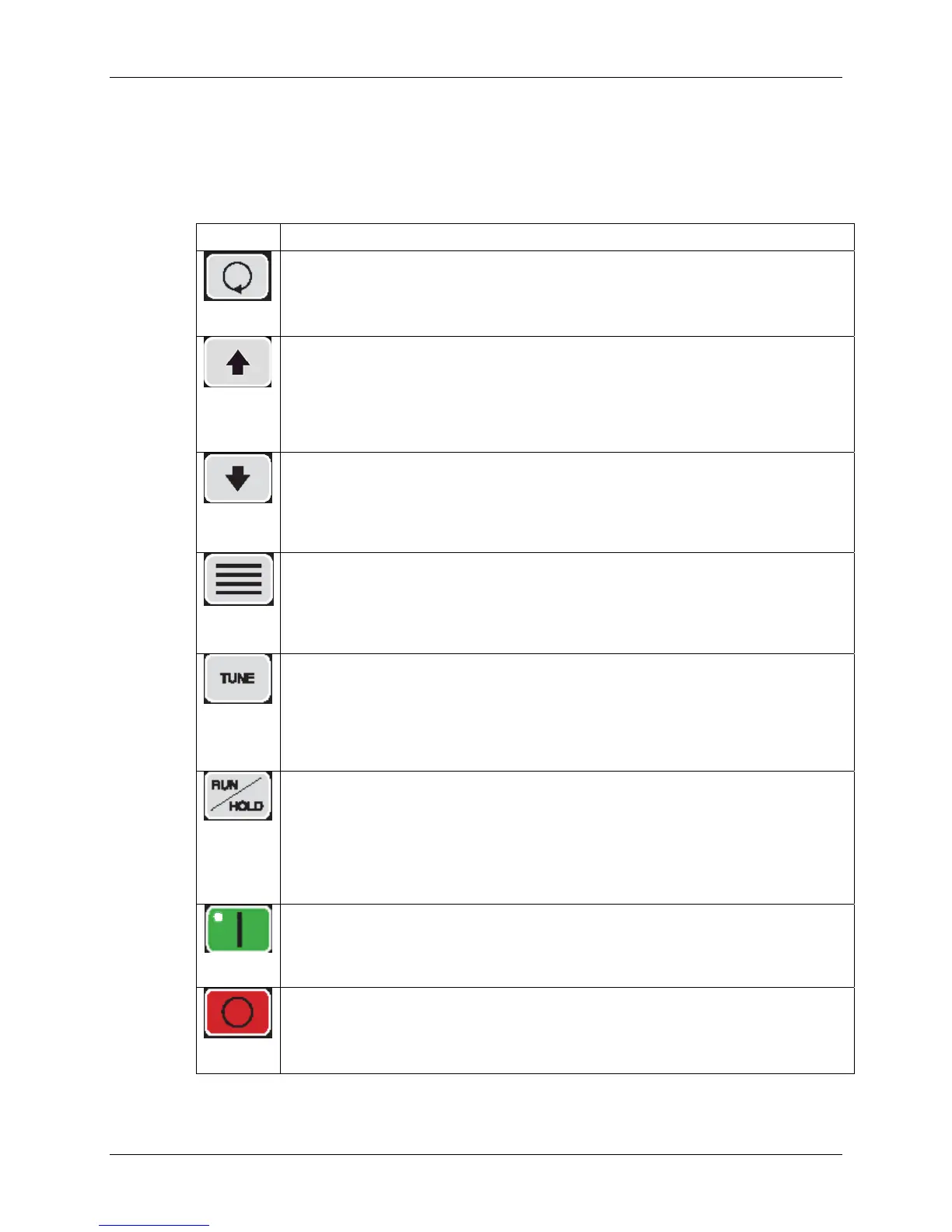
Four keys, ‘Index’, ‘Up’, ‘Down’, and ‘Enter’ are used primarily to gain access to the menu
structure and modify the controller’s parameters and features. The remaining six keys are
used to direct the controller to start or stop a process.
Button Function
Index
• Used to advance to one of the three setup menus.
• Used to advance to the next menu item when in a setup mode.
• Used in conjunction with the Down button to go back to a previous menu item when
in a setup mode.
• Used in conjunction with the Enter button at power-on to break into Factory mode.
Up
• Used to increment the current setpoint value while system is in the normal running
mode. Note that the rate speeds up when the key is held down.
• Used to increment the current parameter value when in a setup mode. Note that
the rate speeds up when the key is held down.
• If pressed when the oil unit is in the “PmpRev” Shutdown mode, the Vent Output
and the Alarm2 Output will be energized while the key is pressed. Use this function
to reverse the pump in order to purge the mold of hot oil.
Down
• Used to decrease the current setpoint value while the system is in the normal
running mode. Note that the rate speeds up when the key is held down.
• Used to decrease the current parameter value when in a setup mode. Note that the
rate speeds up when the key is held down.
• If pressed when the Index button is being held down, returns to the previous menu
item when in a setup mode.
Enter
• Used to select one of the three setup modes.
• Used to accept (save/write to EEPROM) the current indicated parameter value.
• Note: No save/write occurs unless the Enter key is pressed before going to the
next/previous item or Setup mode is terminated.
• Used in conjunction with the INDEX key at power-on to enter into the Factory
mode.
Tune
• If no Autotune operation is in progress, this button starts an Autotune operation. If
an Autotune operation is in progress, pressing this button will immediately stop the
Autotune operation. While the Autotune is running, the “Autotune” message is
displayed on the LCD in place of the normal “Running” message.
• This key will not function if the Security Level is less than 3.
• This key will not function if the Ramp/Soak operation is in progress.
• This key will not function while in the Factory mode.
Run/Hold
• This key controls the Ramp/Soak process. If no Ramp/Soak operation is in
progress, it starts the Ramp/Soak operation. When Ramp/ Soak is running, this key
puts the Ramp/Soak operation into a hold condition. While the Ramp/Soak is
running, the “Ramp/Soak” message is displayed on the LCD in place of the normal
“Running” message.
• This key will not function if the Security Level is less than 3.
• This key will not function if the Ramp/Soak operation is in progress.
• This key will not function while in the Factory mode.
• When system is powered-on, the controller initializes and then displays the
“[SYSTEM OFF]” message on the LCD. The controller is not functioning at this
point. Pressing this START key enables all controller functions and lights the green
power-on LED. After the system has been started, the “[Running]” message is
displayed on the LCD.
Start
Stop
• Stops all controller functions and turns off the green power-on LED (overrides
Remote Start input). After the system has been stopped, the “Stopped” message is
displayed on the LCD.
• This key will override an existing Remote Start input switch closure.
14 of 65 Chapter 2: Functional Description


 To Next Page