Battery Replacement
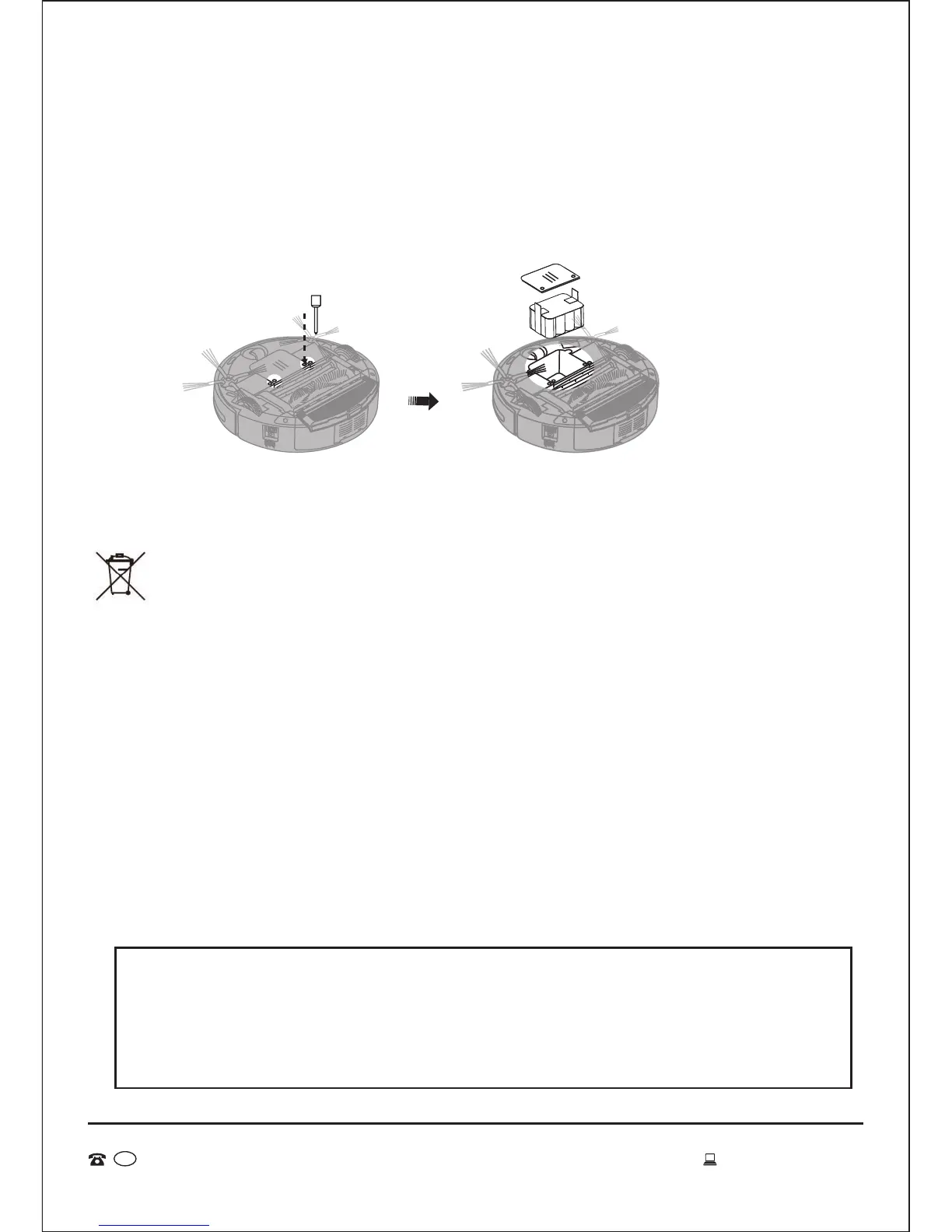
1. Release the cover with a screwdriver, open and then take out the battery
(Refer Fig. 1 and Fig. 2).
2. To replace the battery ensure the positive and negative electrodes are aligned
correctly.
• Please don’t forget to take out the battery before discarding the
vacuum.
• Please remember to turn off the switch before taking out the battery
from the vacuum and space isolater.
• Please don’t place the battery in a high-temperature environment
above 45˚C or in water.
• Please don’t exert external force to the battery.
• The battery should be recycled or disposed of safely.
• If the battery leaks, be careful to avoid battery liquid coming into
contact with skin and clothes.
• If the battery is low it will go to the docking station to recharge which
will be finished within 4-5 hours, then the robot will leave from the
docking station to restart working under “full go” mode. The robot
will work for more than 120 minutes after recharging. If the robot
overheats please allow to cool for more than 2 hours.
• If you do not use the machine for a long time, please charge it every
three months to avoid the battery life from shortening or damaging.
Other Useful Information Cont.
28
AFTER SALES SUPPORT
MODEL: EE-9248 PRODUCT CODE: 49631 06/2015
1800 898 750
AUS
service@wkfe.com.hk
Fig. 1 Fig. 2
NOTE: If you are experiencing problems with your battery or the
performance of the robot, or if the robot is beeping:
1. Take out the battery from the unit and wipe the contact plates.
2. Replace the battery and allow the robot to recharge overnight.
3. If problem still exists please contact the after sales service company.


 To Next Page