Need help?
Do you have a question about the Stirling A320 and is the answer not in the manual?
Instructions for correct usage of the vacuum cleaner, emphasizing private use and avoiding modifications.
Guidelines for connecting the vacuum to a power socket safely and ensuring easy access for disconnection.
Safety precautions regarding device repair, cable damage, inflammable materials, and safe handling of rechargeable batteries.
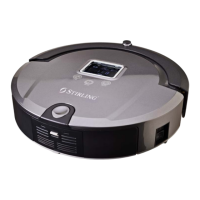
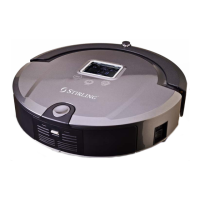
Identifies and explains the parts visible on the top surface of the robot vacuum cleaner.
Details the functions shown on the display screen and the direct operation keys on the device.
Identifies and explains the parts visible on the bottom of the vacuum and its accessories like remote, adapter, etc.
Step-by-step guide to pair the remote control with the vacuum cleaner for proper functionality.
Instructions for the initial charging of the vacuum cleaner for optimal battery performance.
Explains the robot's cleaning stages, Al functions, sensors, and how the cleaning system works.
Details the function of various sensors like level sensors, anti-fall sensors, and the bumper.
Instructions on how to attach and use the mop function, including where not to use it.
Explains the functions of each button on the remote control for operating the vacuum cleaner.
Details how to set up auto cleaning, spot cleaning, timing schedules, and the 'Full Go' function via the remote.
Explains speed selection, basic controls like turning on/off, direction control, and UV lamp usage.
Provides critical information on the remote control's operating range and potential issues with finding the docking station.
Describes the components and functions of the docking station and its indicators.
Guides on installing and connecting the docking station for automatic vacuum charging.
Instructions on how to manually charge the vacuum either directly or via the docking station.
Explains how to initiate charging via remote and interpret battery level indicators during charging.
Details the vacuum's automatic return to the docking station when the battery is low.
Details how to use the toggle switch to set different infra-red signal ranges for the space isolator.
Provides instructions for installing the space isolator, its placement, and important considerations for its use.
Step-by-step guide on how to remove, empty, and clean the dustbin and its filters.
Instructions on cleaning filters, changing dust filters, and replacing the mop base and pad.
Detailed steps for removing, cleaning, and re-installing the main brush and floor brush.
Instructions for cleaning the side brushes and the left/right wheels of the vacuum.
Guidance on cleaning the vacuum's sensors and infra-red transparent window for optimal performance.
Step-by-step instructions for replacing the vacuum cleaner's battery, including safety notes.
Addresses common problems like the vacuum not working, remote control issues, and charging problems.
Lists potential error codes, their causes, and suggested solutions for the robot vacuum.
Provides detailed technical specifications for the vacuum, remote, docking station, and space isolator.
Instructions on how to order replacement spare parts for the robot vacuum cleaner.
Information on the proper disposal of the packaging, device, and batteries for environmental protection.
Explains the process for product repair, potential data loss, and the use of refurbished parts.
 General
| Model | A320 |
|---|---|
| Category | Vacuum Cleaner |
| Type | Upright |
| Bagged or Bagless | Bagless |
| Power | 800W |
| Filters | HEPA |

 To Next Page