25
1800 898 750
service@wkfe.com.hk
Telephone:
Email:
Q.
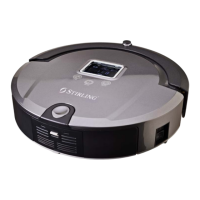
A. • Check whether the switch has been turned on.
• Check whether the dustbin, filter and air outlet is clean, and
whether the side brush works.
• Check whether the battery voltage declines quickly.
The vacuum doesn’t work or cleans poorly
Q.
A. • Check the dustbin and filter.
• Check whether the brush or side brush is dirty.
Increased noise while cleaning
Q.
A. • Check whether the adaptor is connected properly with the charger.
• Check whether the battery power is too low. If so, charge the vacuum
with the adaptor directly.
• Make sure there is no barrier in front of the docking station.
•
Use the remote control to direct the vacuum to go back to the docking station.
The vacuum cannot charge automatically
Q.
A. • Check the battery status of the remote control.
• Check the battery status of the robot vacuum.
• Check the code between the remote control and vacuum (see page 7).
• Check whether the remote control is within the available scope of the
signal transmitting.
Q.
A. • Check whether the set cleaning time is over.
• Check whether there are any failure codes on the display.
The vacuum stops working suddenly and rings intermittently
Q.
A. • Avoid use in sunlight or on dark coloured carpet.
• Pat the front bumper.
The vacuum backs off continuously
Q.
A. • Don’t disassemble the vacuum.
Please contact the after sale support number.
The vacuum has stopped working, but no error code is displayed
Q.
A. • Clean the ground detection sensors at the front bottom of the vacuum.
The vacuum drops from the stairs
Q.
A. • Use the adaptor to fully charge first.
The vacuum cannot Auto Charge after not using the appliance for a long time
The remote control doesn’t work
Other Useful Information Cont.
Trouble Shooting


 To Next Page