16
1800 898 750
service@wkfe.com.hk
Telephone:
Email:
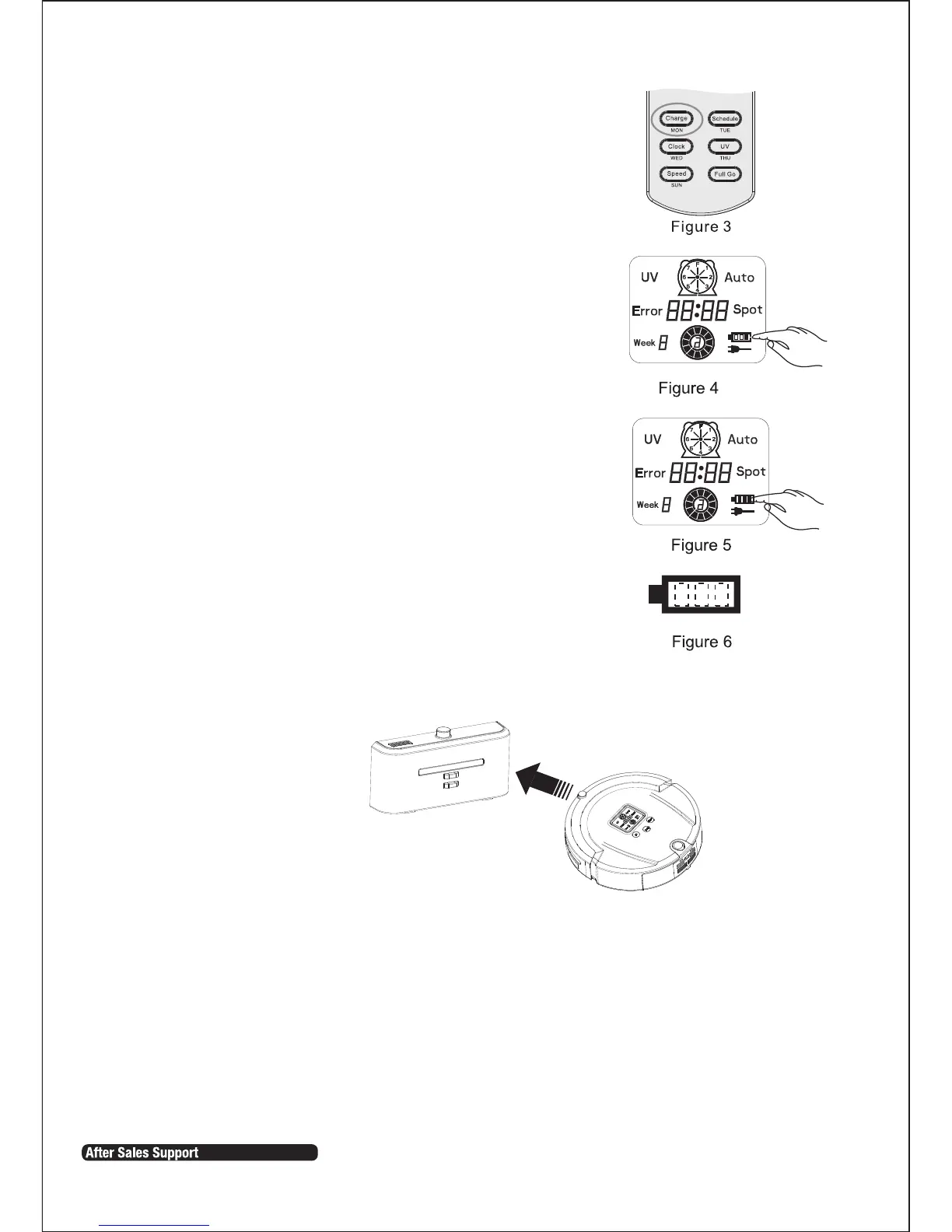
3. Press Charge on the remote control if you want to
charge. The vacuum will search for the
docking station automatically (Refer Fig 3).
4. Press any key on the vacuum, POWER OFF or Charge
keys on the remote control while the vacuum is
searching for the docking station and the search
will stop.
NOTE:
• When the battery is low the first bar on the
charging icon will flicker. The second and third
bar will flicker when the vacuum is charging.
When charging is completed it will stop flickering
(Refer Fig 4 and Fig 5).
• Three full bars indicate that the vacuum is fully
charged; one bar missing indicates decreased
power; and three bars missing indicates that the
vacuum needs to be fully charged (Refer Fig 6).
Automatic charging:
The vacuum will search the docking station to charge automatically when there is
low battery during cleaning.
1. The vacuum may fail to find the docking station due to an obstacle,
decreased battery power or other conditions. Ensure the docking station is
in a wide open area.
2. When the vacuum finishes cleaning, the temperature of the battery is very
high and charging time may take longer.
Instructions Cont.


 To Next Page