Instructions Cont.
Once the current time is set, you can schedule cleaning times.
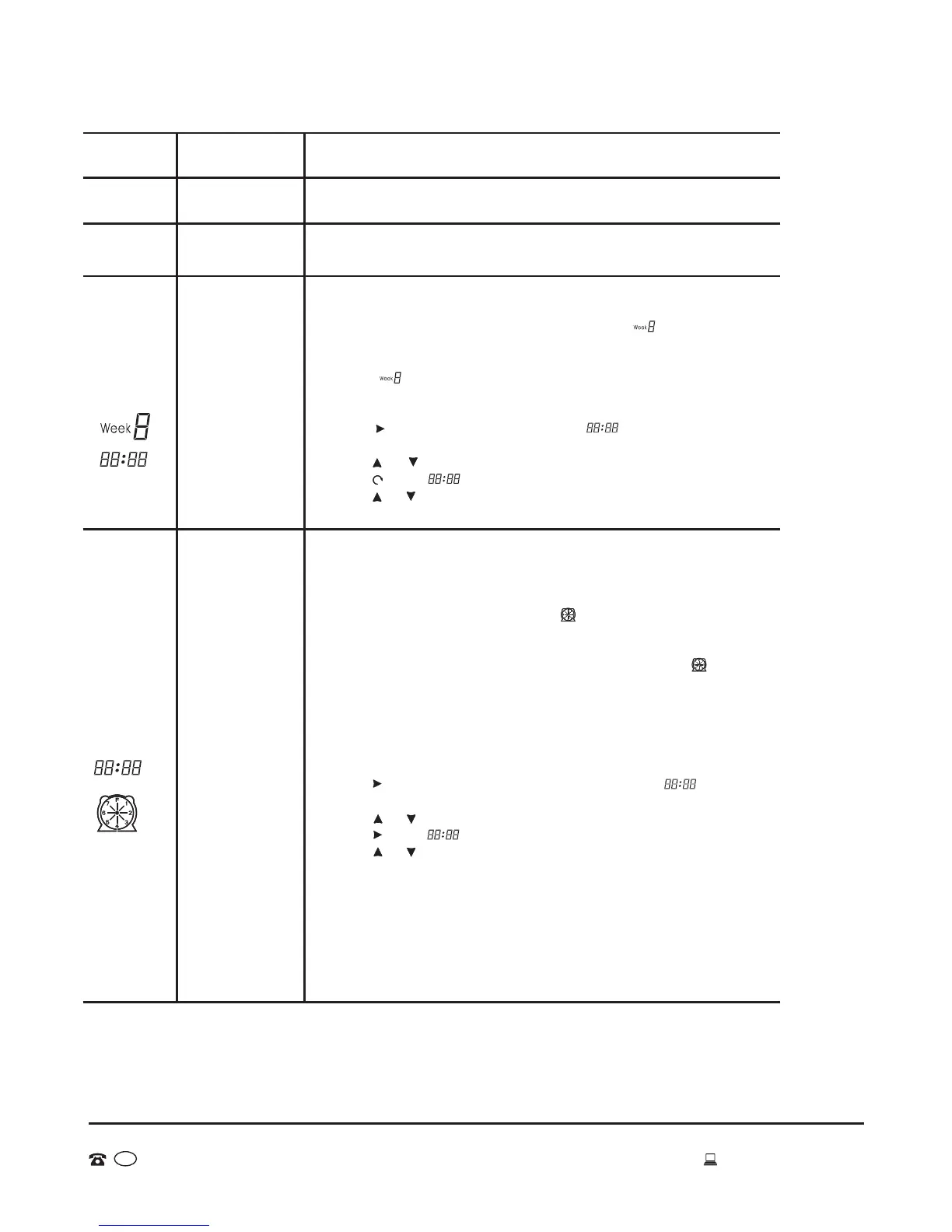
Cleaning settings for the Week:
1. Turn on the vacuum. You can pre-program up to 7 day settings at
one time.
2. Press Schedule 2 button - the icon on the LCD screen of the
vacuum will flicker.
3. Press the desired day/s which you would like the vacuum to clean
during the week. Once selected the day/s will flicker. In ,
1 means Monday, 2 means Tuesday, accordingly, 7 means Sunday.
4. If you want to cancel any setting day or days, just press the day/s
button again.
5. After you set the clean day of each week, it is possible to set the
starting time of cleaning.
Cleaning time setting:
1. Press to enter the cleaning time setting, the Icon in the LCD
screen of the cleaner will flicker.
2. Press or to select the timing cleaning hour.
3. Press again will flicker
4. Press or to set the timing cleaning minute.
5. After finishing Week & Time Setting, press “ENTER” to save it.
When the vacuum is connected to the docking station, at the set
time it will start cleaning automatically (when the battery is fully
charged); when the cleaning is finished or the battery is low, the
vacuum will go back to the docking station automatically. You can
only pre-program one cleaning session (that is, set a cleaning
function and a cleaning time); the robot will automatically start cleaning
at that time using th defined cleaning function.
This is used to set the current time on your vacuum cleaner.
1. Turn on the vacuum.
2. Press Clock 3 on the remote control, the icon in the LCD screen
of vacuum will flicker.
3. Press the day of the week button (MON/TUE.../SUN), the icon will
display , 1 means Monday, 2 means Tuesday, accordingly,
7 means Sunday.
4. After setting the correct day, then you can set the time.
5. Press to enter time setting, the Icon in the LCD screen of
the vacuum will flicker.
6. Press or to set the correct hour.
7. Press again will flicker.
8. Press or to set the correct minute.
9. After finishing Week & Time Setting, press “ENTER” to save it.
Press the key, the vacuum will clean in the auto cleaning mode;
press the key again, the vacuum cleaner will stop running.
Press the key, the vacuum will clean in the spot mode;
Press the key again, the vacuum will stop running.
Auto
Cleaning
Function
Button on
remote control
Instructions
Spot
Cleaning
Current
Week and
Time
Setting
Cleaning
Schedule
Setting
15
AFTER SALES SUPPORT
MODEL: EE-9248 PRODUCT CODE: 49631 06/2015
1800 898 750
AUS
service@wkfe.com.hk
Auto 5
Spot 6
Clock 3
Schedule 2


 To Next Page