18
Checking the level of battery power
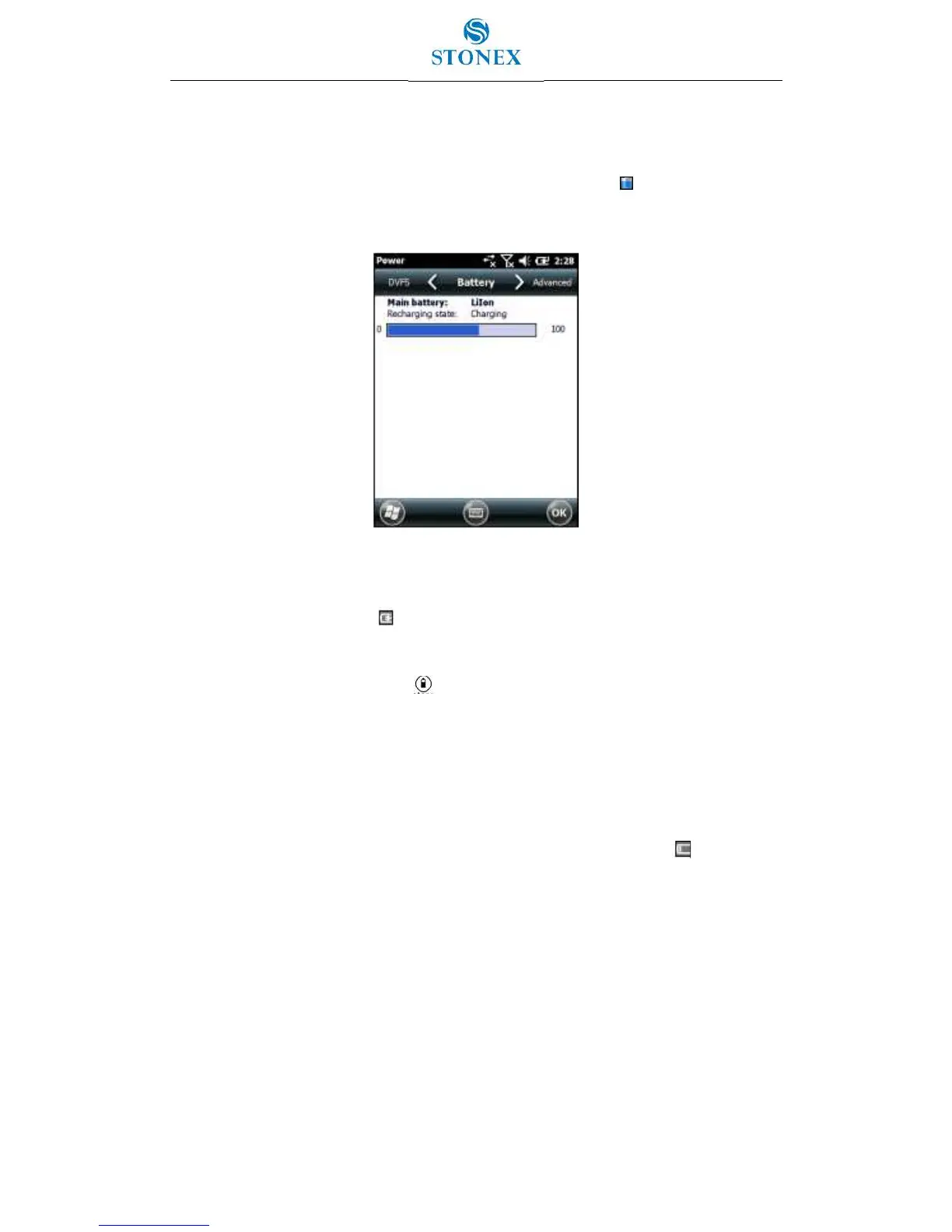
To check the level of battery power remaining at any time while the device is running, tap
the battery icon in the title bar of the Home screen and then tap in the pull-down list.
The Power control appears, displaying the Battery tab.
Figure 2.2.2 – Checking the level of battery power
When the handheld battery is recharging from an external power source, the battery icon in
the Home screen changes to . You can still tap the icon to view the level of battery
power.
To check the level of battery power remaining on a spare battery or one that is not inside
the handheld press the battery icon on the battery pack label.
The level of charge indicator will light up with the approximate level of battery power
remaining on the battery. Each LED represents a 20% increment in battery capacity.
Low battery indicators
When the battery level reaches:
15% the battery icon in the title bar of the Home screen changes to .
10% the Power LED on the handheld flashes red and the a warning message appears
on the handheld.
5% the battery charge is critical and a warning message appears on the handheld.
STONEX recommends that you recharge the battery when any of these indicators appear.


 To Next Page