48
4.4. Managing the connection using
ActiveSync technology
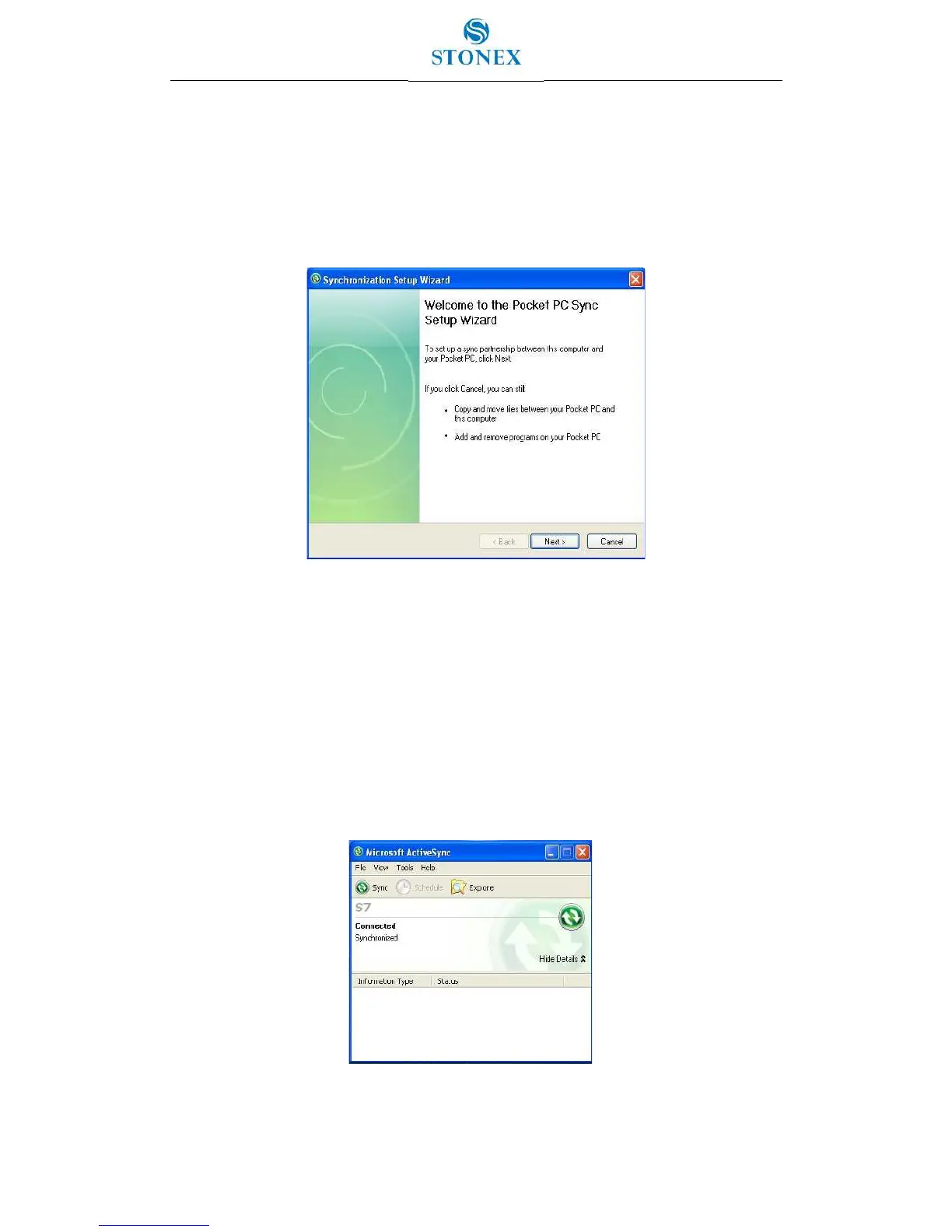
1. Connect the handheld to the PC. The Synchronization Setup Wizard appears:
Figure 4.4.1 – Pocket PC Sync Setup Wizard
Note: If the connection is not made automatically, check that the connection is enabled in
the ActiveSync technology and on the handheld.
2. Do one of the following:
- To synchronize files and data between the handheld and a PC, click Next and then
follow the instructions in the Synchronization Setup Wizard.
- To transfer data between the handheld and the PC without synchronizing the
devices, click Cancel to close the wizard.
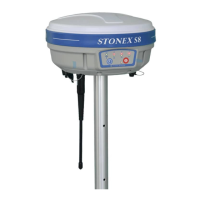
3. The Microsoft ActiveSync window displays the message Connected:
Figure 4.4.2 – Connected and Synchronized


 To Next Page