28
Status indicators
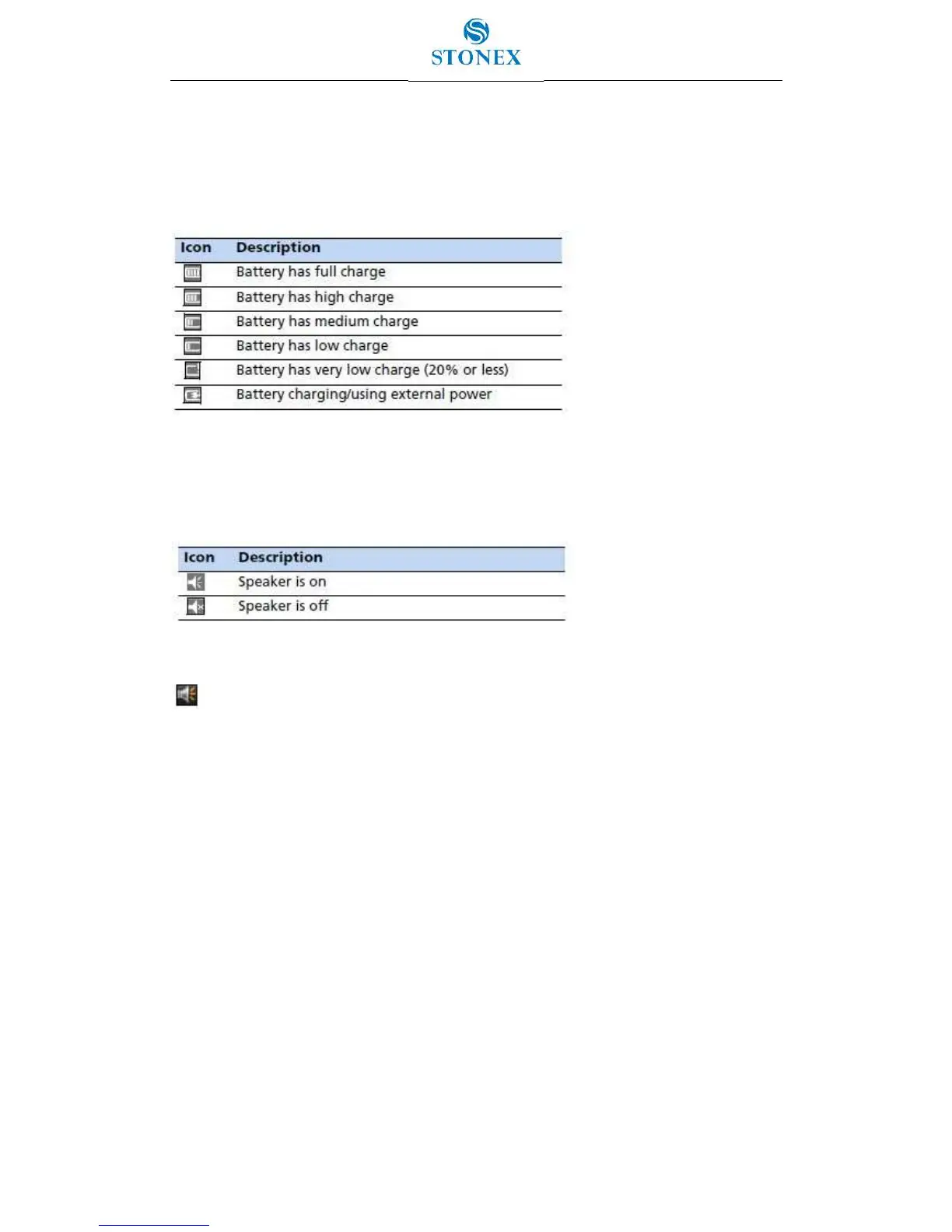
Status indicators that appear in the title bar at the top of the screen are as follows:
Table 3.1.1 - Battery status indicators
The battery status icon on the title bar of the Home screen or the Start screen shows the
status of the battery charge. Tap the title bar and then on the pull-down list tap the icon to
access the Power control dialog.
Table 3.1.2 - Speaker status indicators
The speaker status icon on the title bar of the Home screen or the Start screen shows
the status of the speaker. Tap the title bar and then on the pull-down list tap the
icon to adjust the volume and to turn the speaker on or off.


 To Next Page