Stonex S900A GNSS Receiver – User Manual 10
Rover Mode
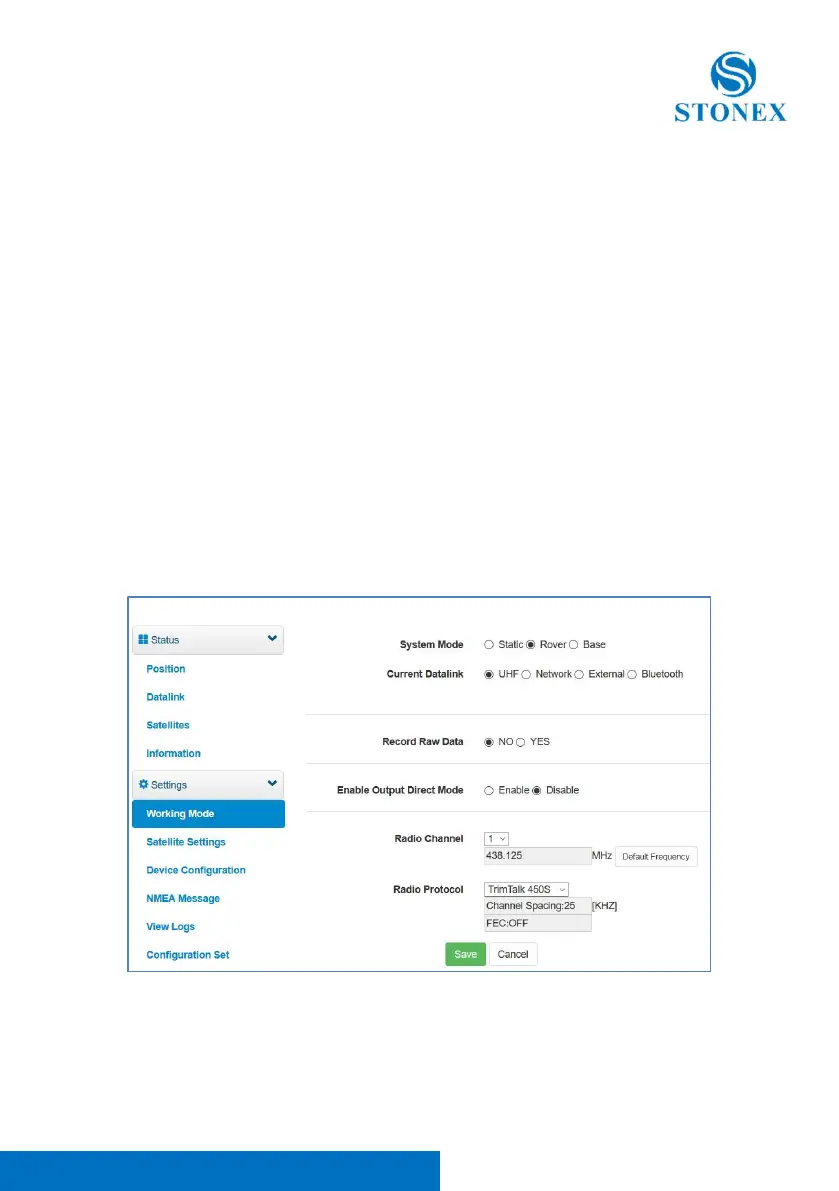
In rover mode, you can select different datalink. Different datalink also has
different options can be edited. The datalink includes UHF, Network, External
and Bluetooth.
If you select UHF mode, then you can select radio channel and radio protocol
as you want. You also can select whether store the raw data. One important
thing, channel 8 is used for inputting, you can input the frequency you want,
but channel 1-7 can’t be edited.
If you select Network, then besides select aRTK timeout and record raw data,
the most important is you can input CORS information, such as IP, account.
If you select External, then it can connect to external radio. There is a very
important thing, the external serial port band rate, this should be same with
external radio.
Then the last it’s Bluetooth, after selecting the datalink as Bluetooth, there are
little option that you can configure.



 To Next Page