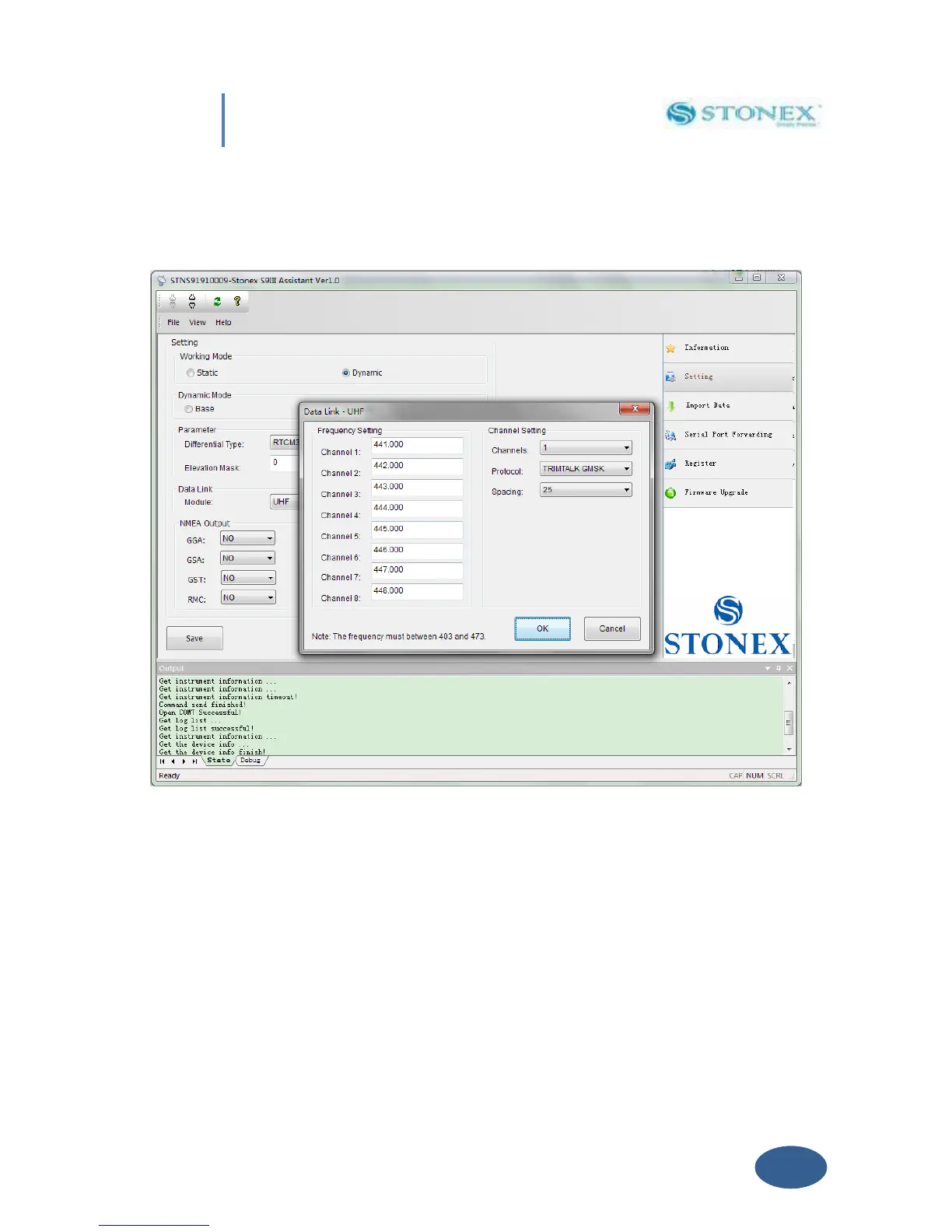
By Clicking now the “Setting ” Button will open a new form where you can introduce following
data : Frequency settings , Station name , Channel number , Protocol and Channel Spacing .
Fig. 5.13- UHF Radio Settings
a) Frequency setting: insert the frequency , expressed in Mhz , of the radio link associated
to each channel .There are 8 channels available in the internal UHF radio .
b) Name : You can associate a name to each Radio .
c) Channels : Selected the “default” Radio channel active after power on .
d) Protocol : Select the type of Radio protocol . For internal Radio, Select TrimTalk GMSK.
e) Spacing : Select Minimum Channel Spacing ( use 25KHZ like default ) .



 To Next Page