1. Auto symbol appears.
2.
3. Auto symbol will flash.
4. Auto symbol goes out.
26
Semi-automatic cooking
(example)
You have started cooking a meal or
dish in the oven, and want to set the
time for the oven to switch off
.
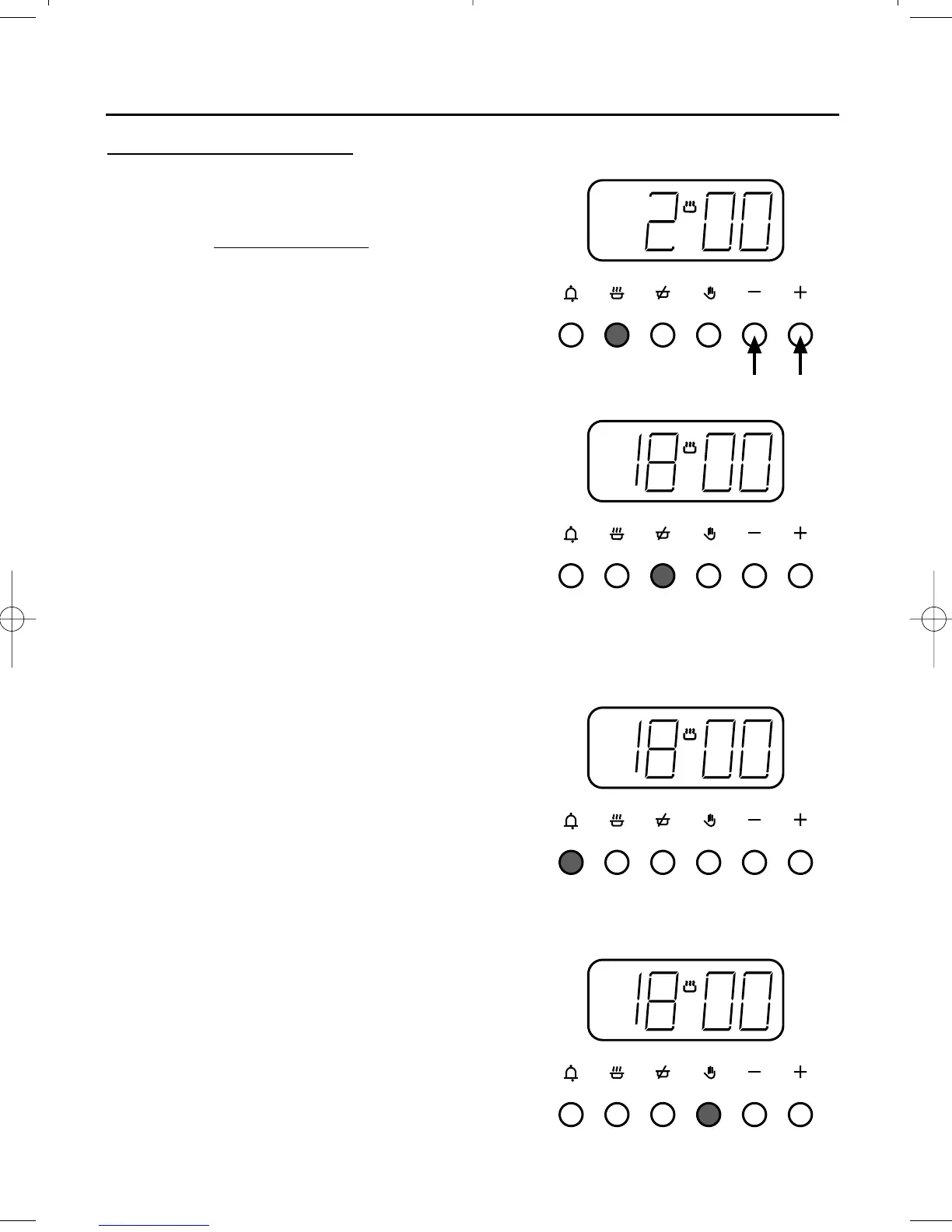
Press the cook time button, then use
the plus and minus buttons to set the
display to show the length of cooking
time required, eg; 2 hours as shown (1).
After setting, the display will revert to
show the time of day, but you can
press the cook time button and the
display will show how much cooking
time still remains on the clock.
Press the ready time button, and the
display will show the actual time the
oven is going to switch off - eg; 18.00
(6.00 pm) as shown (2).
At the end of the cooking time, the
alarm will sound.
To switch off the alarm, press the
minute minder button (3).
When the oven has switched off, return
the oven knob to the off position,
and press the manual button (4).
If you wish to cancel the automatic
setting or to cancel any remaining
cooking time left on the clock before
the alarm sounds, press the manual
button (4).



 To Next Page