User Manual for X7-E1608
For more information, please visit our website www.en.streamaxtech.com
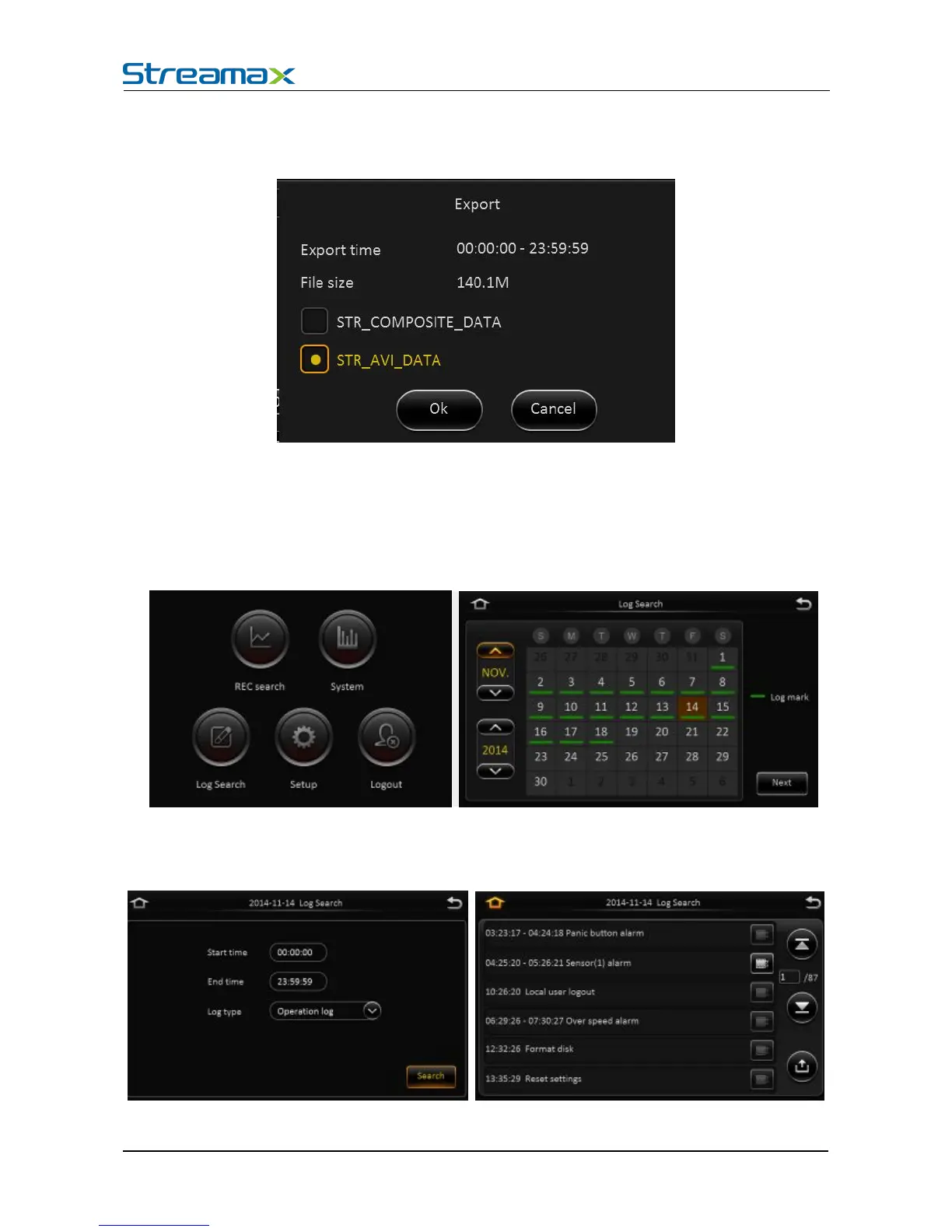
Video export: Select the channel that has the video files, click this button, all the video files in
the effective time period will be exported to the external USB peripherals, file format can
be.264<comprehensive file >, also can be avi format.
User can also pull out the hard drive or SD card, export and playback the video by professional software.
4.3. LOG SEARCH AND EXPORT
In the log search interface, it records and displays all alarm events and login operation log. Enter the
"log query”, the interface will be shown as following :
Log Search interface instruction:
Calendar: the date with log will be marked on the calendar with green color.
Remark: There is no color classification in the “log mark”, and all are green ones.



 To Next Page