User Manual for X7-E1608
For more information, please visit our website www.en.streamaxtech.com
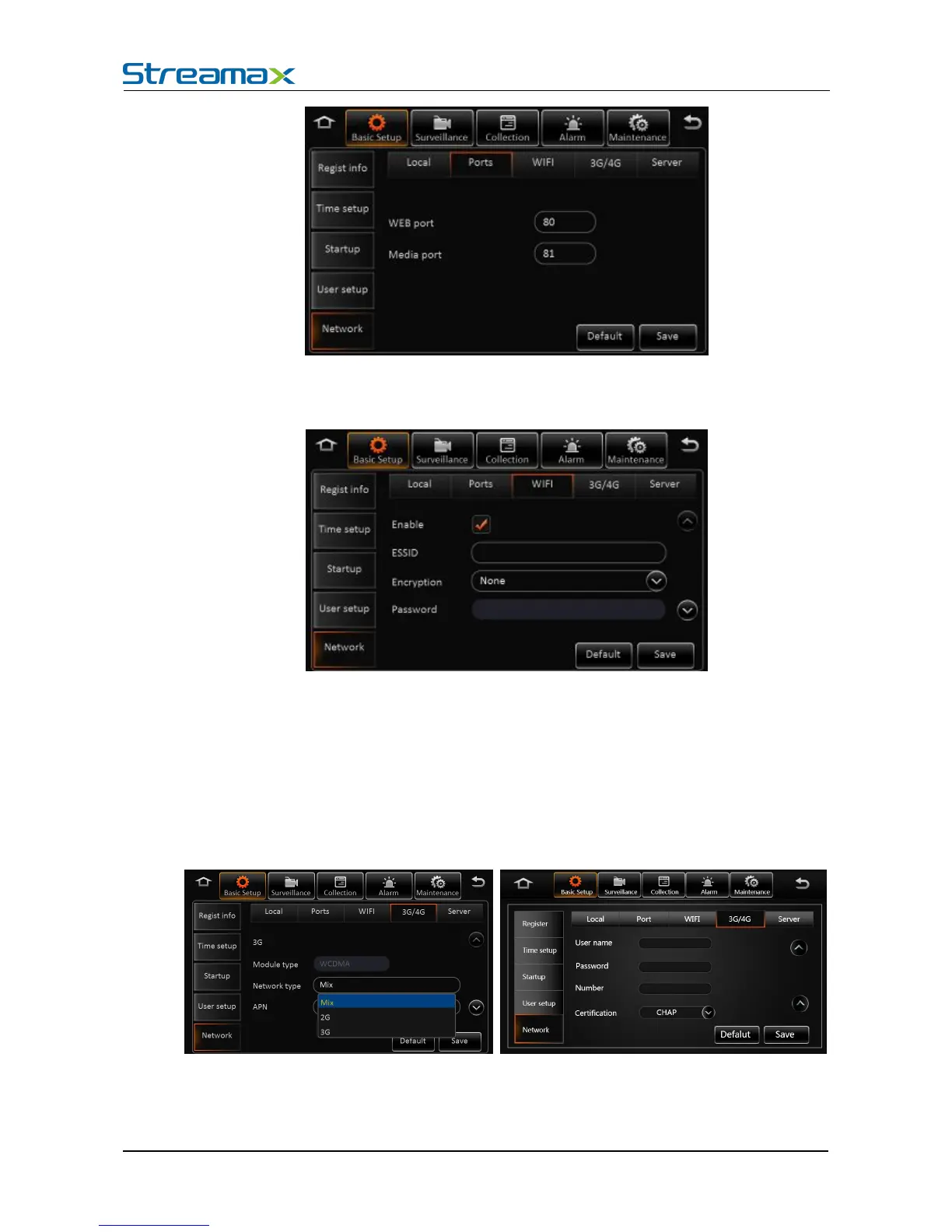
WEB port No.: The default is 80, will be used in IE to access this port.
Media Port No.: The default is 81, the forwarding server will use this port.
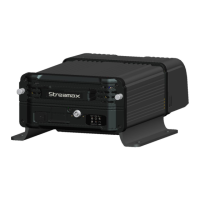
Net working settings- Instruction of wifi network:
Enable : Select to enable WIFI
ESSID:Manually input the address of AP
Encryption: It supports NONE, WEP and WPA
Password: Manually input
Static IP: Select to use static IP, or MDVR will get dynamic IP
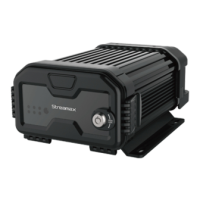
Network-3G/4G network interface:
Dialing wireless network, user needs to choose the module type and setup dialing parameters
No Service. When entering the dialing setup interface, it search the wireless module type
automatically. It shows No Service when ther is no module.



 To Next Page