12
Operation
8
System Set Up (Link camera with WIFI Network)
1.1 Link camera with Smart phone/Tablet (AP Mode)
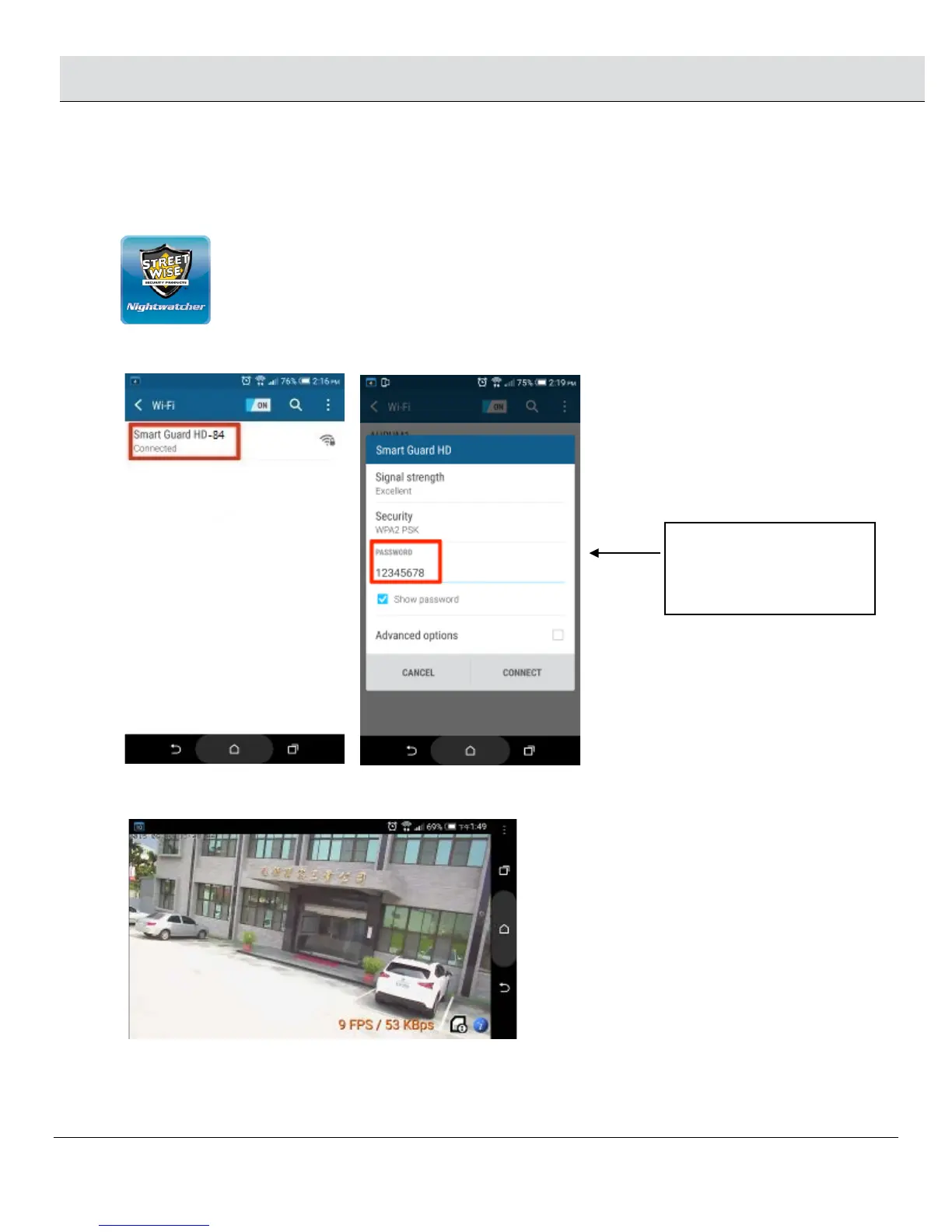
□ Using smartphone or tablet to launch “Streetwise NightWatcher” APP from APP store (iOS) or Google Play store (android). Download.
□ Go to smart phone’s Wi-Fi setting and site survey UID “Smart Guard HD-XX”. (-XX stands for serial number, it varies according to
different unit.)
□ Once the connection is established, open “Streetwise NightWatcher” app and the camera screen will appear on your smart phone or
tablet.
※
Note if the message “Cannot connect to internet through Smart Guard HD-XX” or “Internet connection
unstable Smart Guard HD-XX“ appears on the screen, please disregard the message, you still can continue
to the next step. Different smartphones/tablets may show a different message.
Connect “Smart Guard HD-XX”
with default password
“12345678”


 To Next Page