14
Operation (continued)
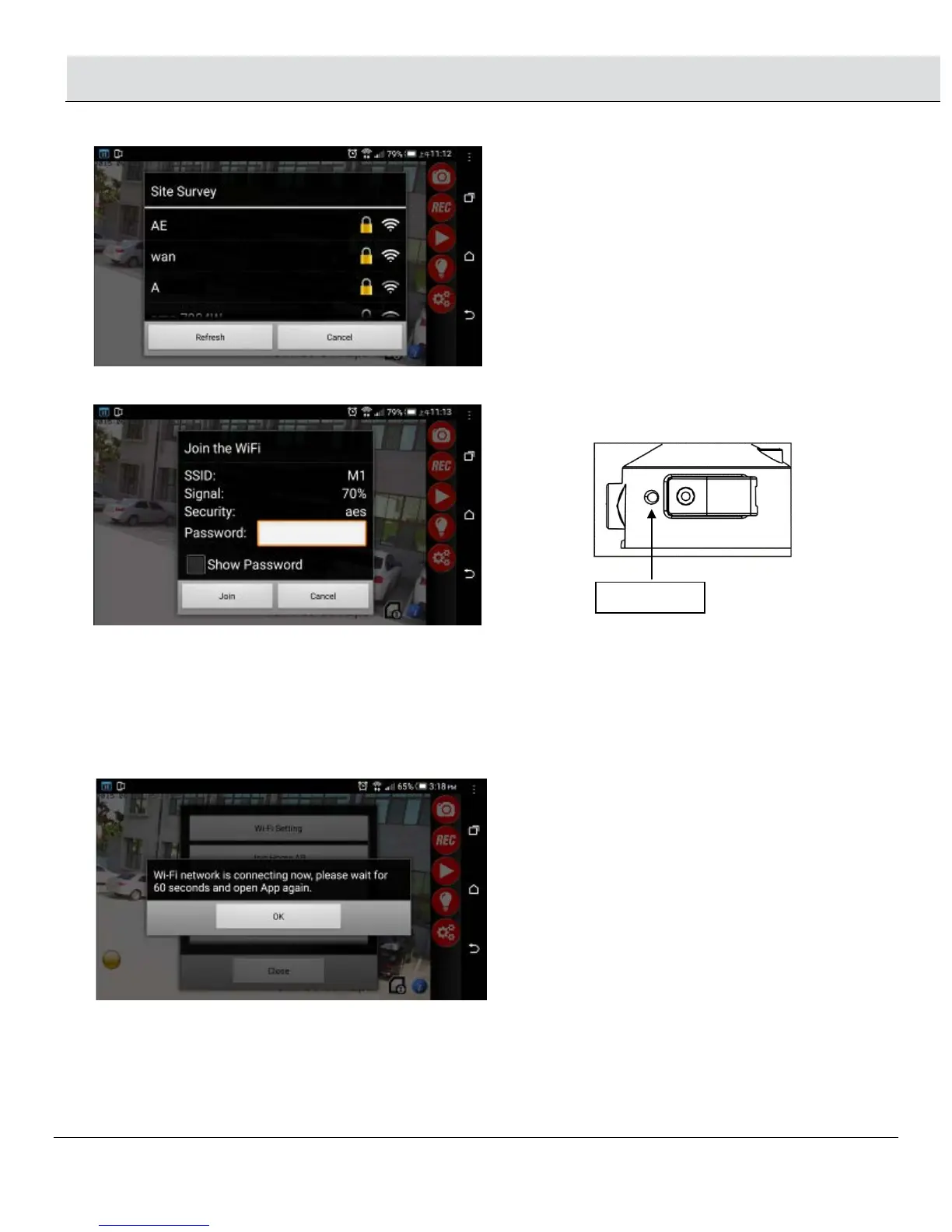
□ Select your home AP from the Site Survey menu.
□ Enter Home AP password if is encrypted, and click “Join”
□ Click “OK” and exit the app.
□ Wait for 60 seconds for the camera to boot up again and link to WIFI AP router.
If Join home AP connection is successful, LED indicator next to the weatherproof cover will display a RED light.
If Join home AP connection has failed, LED indicator besides weatherproof cover will flash quickly in Red & Green
light.
Press Reset button for 30 seconds on the light and re-in put all information from step 1.1 (page 12) to return to AP
mode and follow the steps. Make sure your router account and password is correct.


 To Next Page