21
Operation (continued)
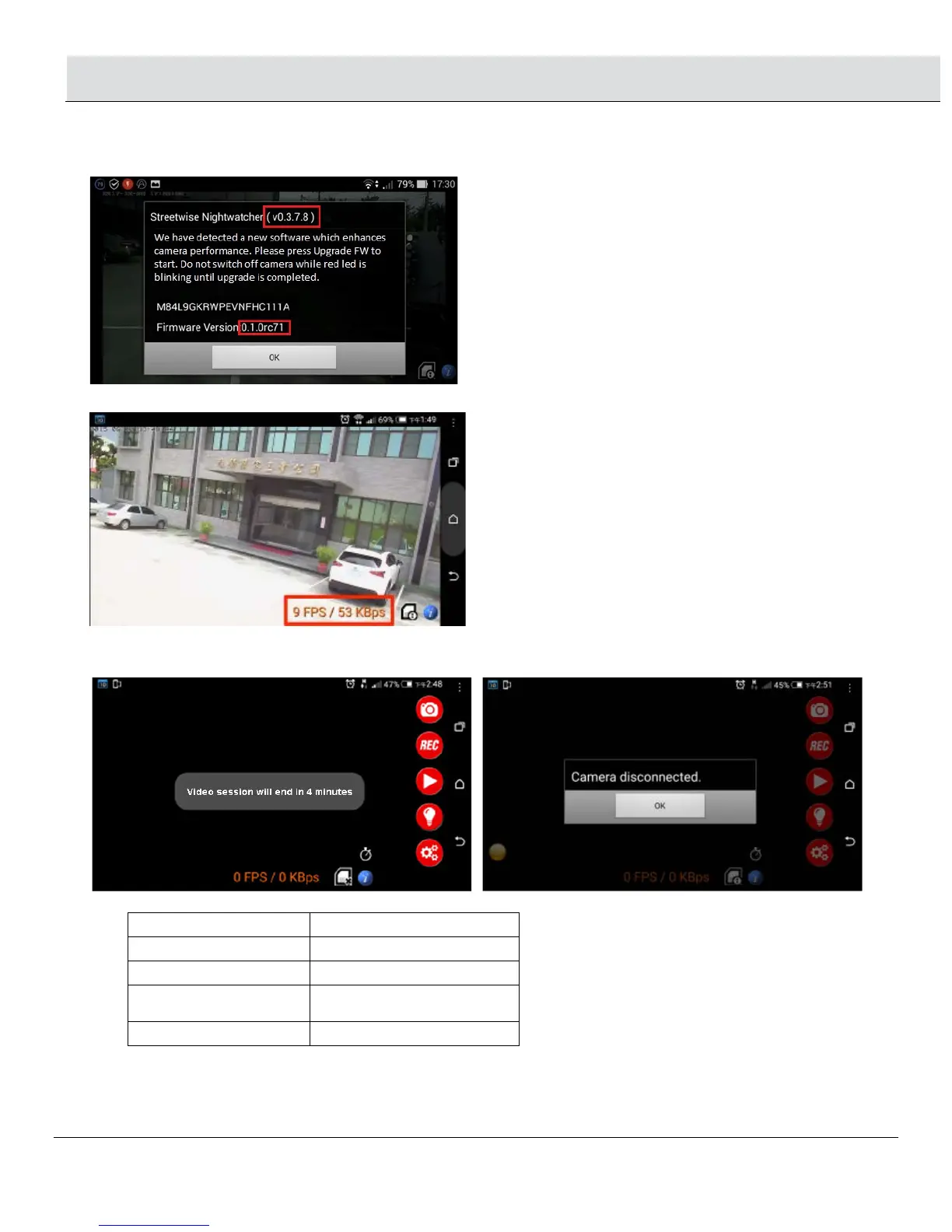
• Firmware Online Update
NOTE: Press Upgrade FW and your APP will close. There is no need to turn off the NightWatcher. Wait for approx. 3
minutes until upgrade is completed, then open the APP again. Make sure your APP is the newest version
2.8 The speed is shown on the right bottom corner of the screen.
• When the network speed is getting slow or unstable, the screen will display “Video session will end in 4 minutes.” After
4 minutes the screen will show “Camera disconnected”, press OK to go back to the Camera List.
2.9 LED indication on the NightWatcher:
Incorrect Router
password
Flash quick in RED and
GREEN
System Error Flash quick in RED
2.10 Reset button:
□ Press this Reset button and the camera will return to AP mode.
□ Press this Reset button for 6 seconds and the camera will restore the functions to the default setting.


 To Next Page