20
Operation (continued)
2.6 Check APP version
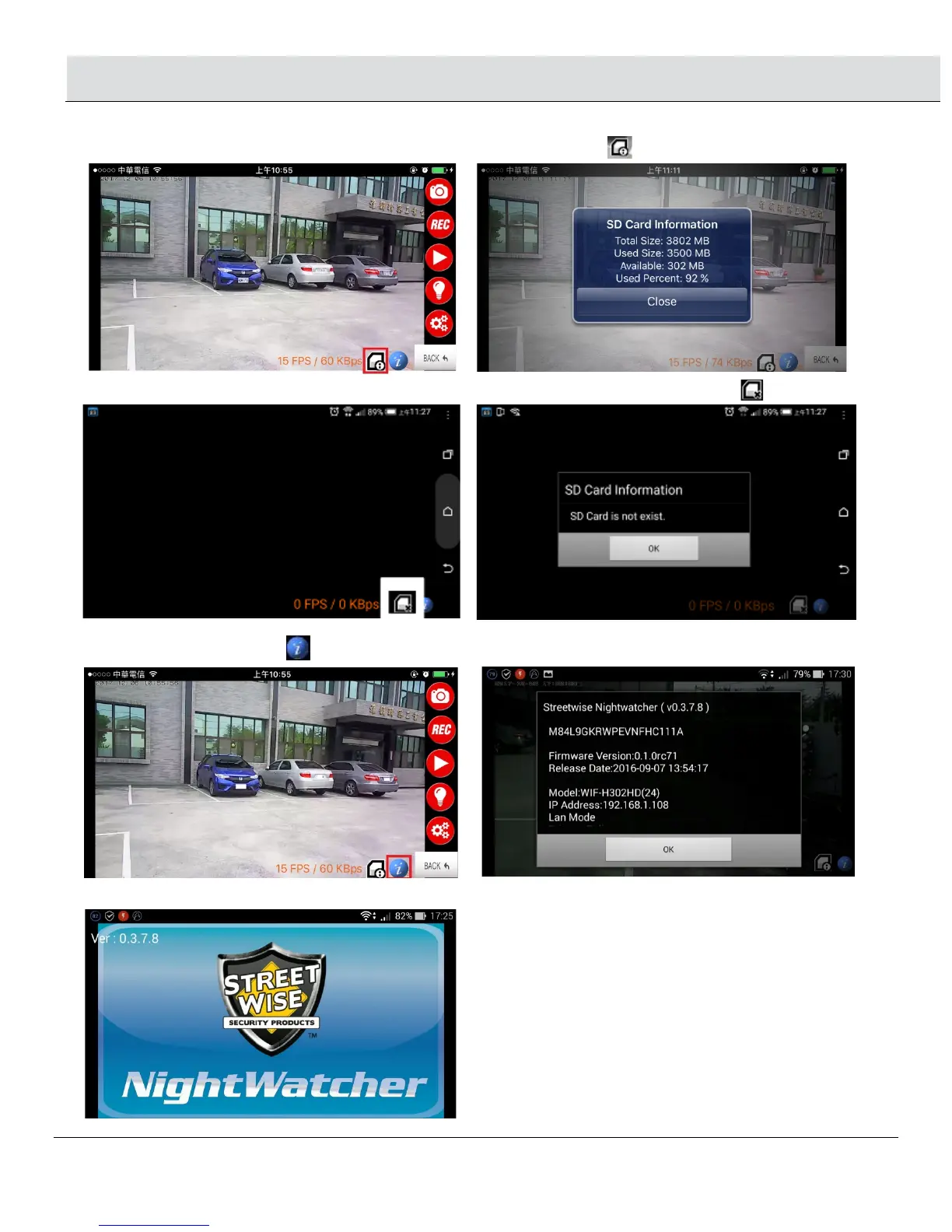
• If there is an micro card inside the NightWatcher, the screen will show this icon
• If there has no micro card inserted or the micro card can not be read, the screen will show this icon
2.7 Check APP version
• Pressing the bottom icon , will show APP version and Firmware version.
\\
• When you open the APP software, it also will show APP version in the top left corner.


 To Next Page