23
F.A.Q. (Frequently Asked Questions) Section
Q. How many videos does the memory card hold?
It depends on the size of the memory card. A 4 GB card is included with the unit but it can operate with cards up to 32 GB (sold separately).
In addition, the size of each 20-second video clip will vary depending on the amount of brightness, color, and movement in each video clip.
The included 4 GB micro card will hold approximately 1200 20 second videos. Higher capacity micro cards may be used
for added storage, up to a maximum storage capacity of 32GB (SDHC)
Q: What happens when the card is full?
A: It automatically overwrites the oldest file with the latest video clip – this means you do not have to remove the memory
card unless you wish to review or save the video files.
Q: Can I change the “light illumination time”?
A: No, it has been programmed to illuminate for 3 minutes per motion detection. If movement continues in the area, the
light will continue to illuminate.
Q. Can I transfer pictures from the camera via cable?
A: No. You will need to remove the micro card and use the micro card adapter (included) or USB card reader (sold
separately). Please see Section 7 (Viewing Recorded Videos).
Q: Can the Lux setting be changed?
A: No. This is fixed for optimum performance.
Q: Why does the camera LED indicator stay red when the micro card is already inserted?
A: The micro card is not properly inserted in the unit, remove and insert it again. If the light remains red, check it by
inserting the micro card in the card slot on your PC/laptop. If your PC/laptop can’t read or locate the micro card, the micro
card may be damaged.
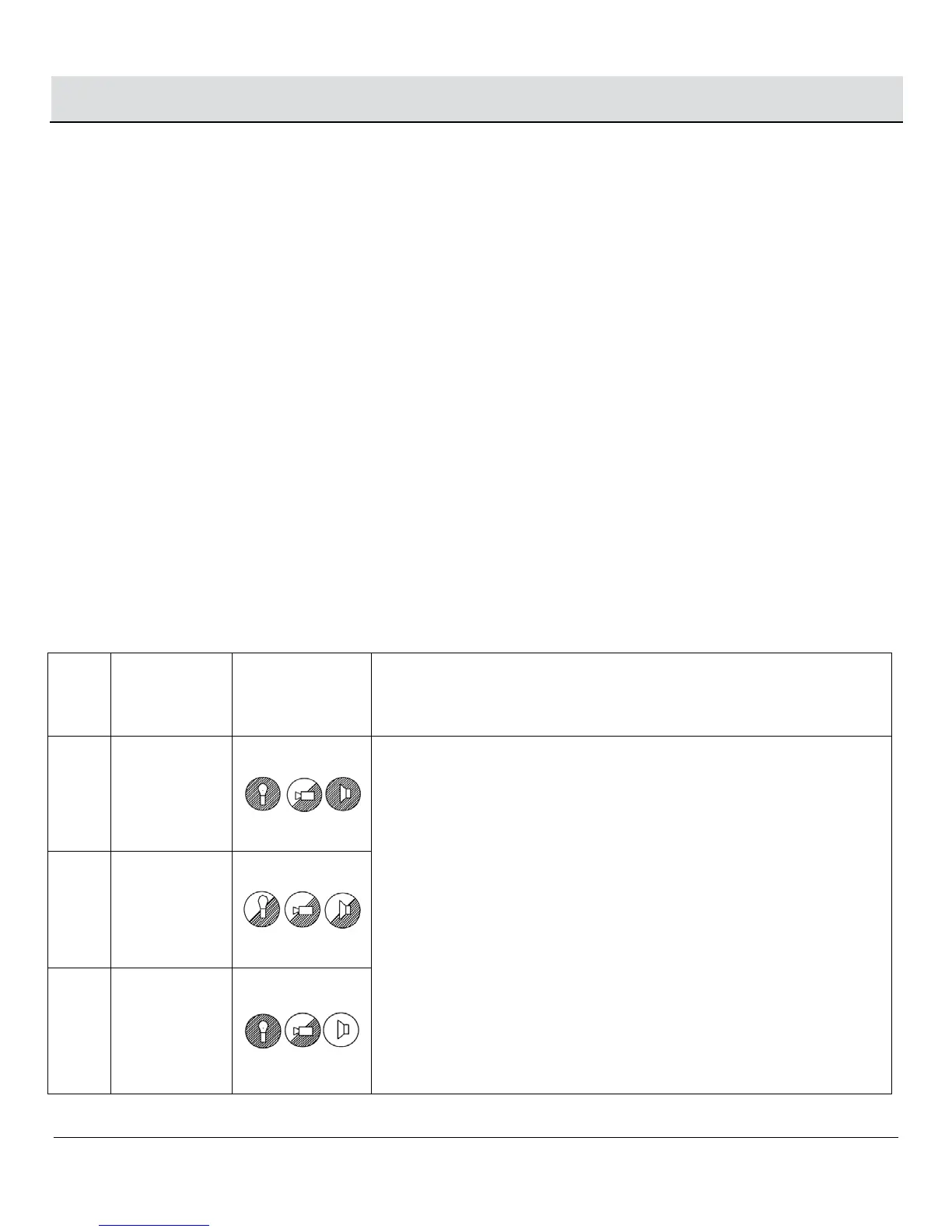
Q: How to select and use the fixed (or stationary) LED head light mode
indicator
(Hidden inside
Symbol Fixed (or stationary) LED head light mode
Mode
1
RED
The default setting is Mode 1. Under mode 1, if you want to select motion
override function, press the mode-button located at the bottom of the unit
for 3 seconds and a noticeable red LED light will flash rapidly through the
front PIR lens cover to confirm this mode selection.
To switch from Mode 1 to the other 2 modes for the motor override
function (light and camera will remain in a fixed position), press the
mode-button for 1 second and an orange LED light or green LED light
will flash rapidly through the front PIR lens cover to confirm this mode.
(Note: repeat the same steps if the working mode in the beginning is
mode 2 or 3)
In the above modes, the light and camera will be set in a fixed position.
When motion is detected the LED light will turn on and remain in a fixed
or stationary position (the middle position).
To resume the normal light and camera rotation, press the mode-bottom for 3
seconds.
Mode
2
ORANGE
Mode
3
GREEN


 To Next Page