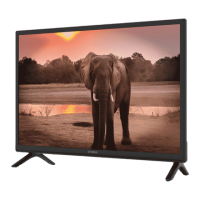
1. Power indicator /remote sensor
2. Speakers
3. Buttons: Input source, Menu, V-/V+, CH-/CH+, Standby/ON.
4. Power switch ON/OFF*
* Except 24”
2.3 Rear panel
NOTE: The graphics are for representation only.
2.3.1 24 inch
Fig. 3a
1. USB Connect a USB device for playback of multimedia files
2. HDMI 2 (ARC) Connect HDMI input signal from a signal source such as DVD, Blu-ray player
or game console or directly to a Digital Amplifier that supports the ARC
function. This input is equipped with the ARC (Audio Return Channel) feature
to implement audio connections and for a full Dolby audio support.
3. HDMI 1 Connect HDMI input signal from a signal source such as DVD, Blu-ray player
or game console.
4. VGA Connect a VGA source computers may have
5. SCART Connect devices like DVD or VCR using SCART cable
6. S/PDIF (coax. output)
Use an RCA cable to connect your TV to a compatible digital amplifier or
Home theatre set.
2.3.2 32 inch
Fig. 3b
1. AC INPUT (FIXED CABLE)
Main power cable (100 - 240 V ~ 50/60 Hz)
2. VIDEO/AUDIO L/R
Connect AUDIO and VIDEO input signals from a signal source such as DVD.
3. S/PDIF(coax. output)
Use an RCA cable to connect your TV to a compatible digital amplifier or
Home theatre set.
4. SCART Connect devices like DVD or VCR using SCART cable
2.3.3 39 inch
1. SCART Connect devices like DVD or VCR using SCART cable
2. HDMI 2 (ARC) Connect HDMI input signal from a signal source such as DVD, Blu-ray player
or game console or directly to a Digital Amplifier that supports the ARC
function. This input is equipped with the ARC (Audio Return Channel) feature
to implement audio connections and for a full Dolby audio support.
3. HDMI 1 Connect HDMI input signal from a signal source such as DVD, Blu-ray player or
game console.
4. VGA Connect a VGA source computers may have
5. USB Connect a USB device for playback of multimedia files
5
English












 To Next Page