30
TROUBLESHOOTING: COMPRESSOR NOT ON / NO DISPLAY ON CONTROLLER
Troubleshooting
Troubleshooting Issue: Compressor will not turn on
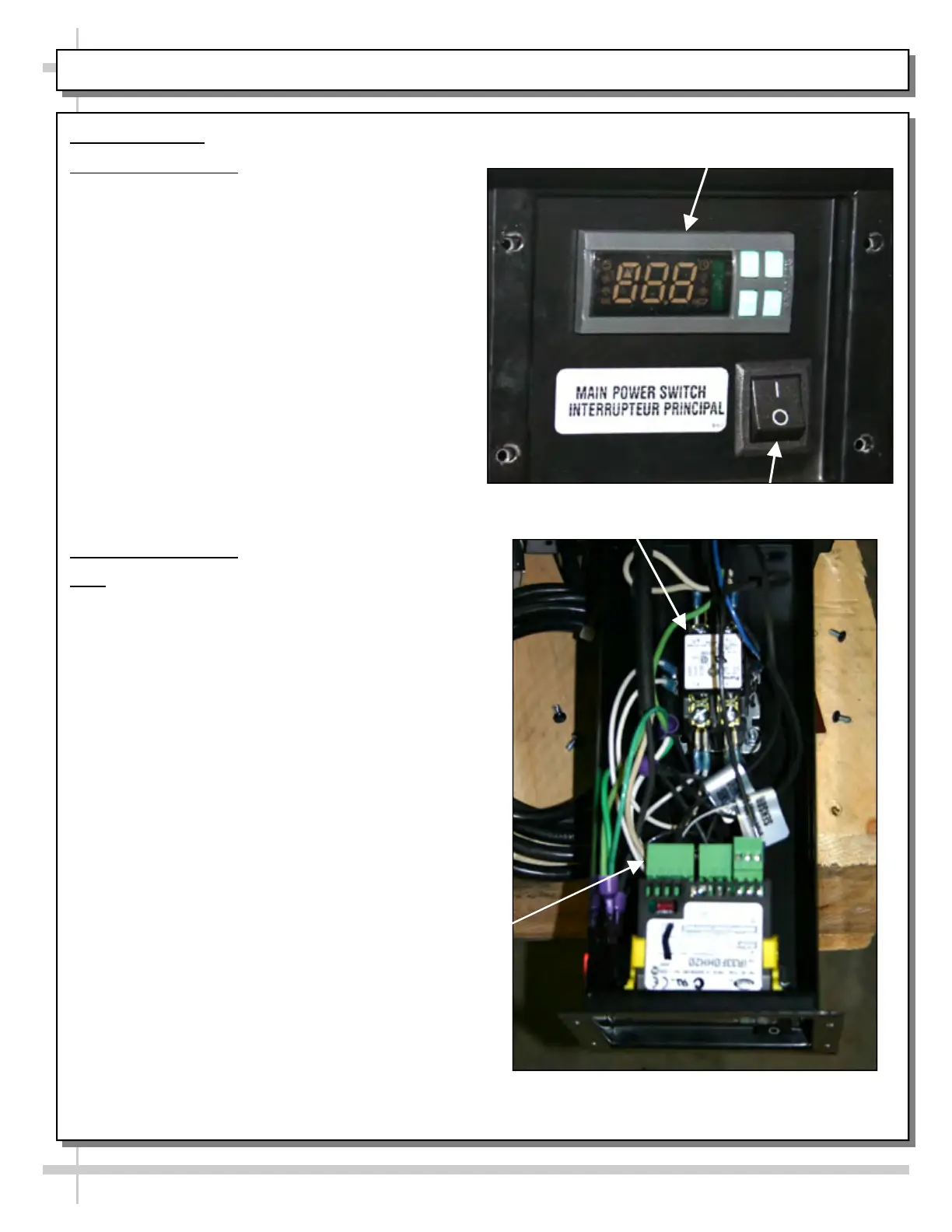
1. Confirm that main power switch is ON (at case
rear). See photo at right.
2. Check for proper voltage. Make certain wall
outlet is energized and providing proper voltage
(as specified on serial label).
3. Determine where power is lost (see wiring
diagram in this Troubleshooting Guide).
A. Check for loose wires/connectors.
B. Check power going into temperature
controller.
C. Check power coming from temperature
controller.
D. Check power at contactor.
E. Check power at start components.
F. Check power at compressor.
G. Check continuity through pressure
controls’ high and low pressure.
Troubleshooting Issue
: No display on controller.
Note: Settings are programmed at factory.
No adjustments should be required.
Set point will be below freezing.
4. Check that power switch is turned on.
5. Check for loose connections at the back of the
temperature controller.
Temperature
Controller
1 & 4. Main Power
Switch
Top View of LED Controller
in LED Controller Box
5. Temperature
Controller
Connectors
3.D. Contactor


 To Next Page