Minitom
Instruction Manual
17
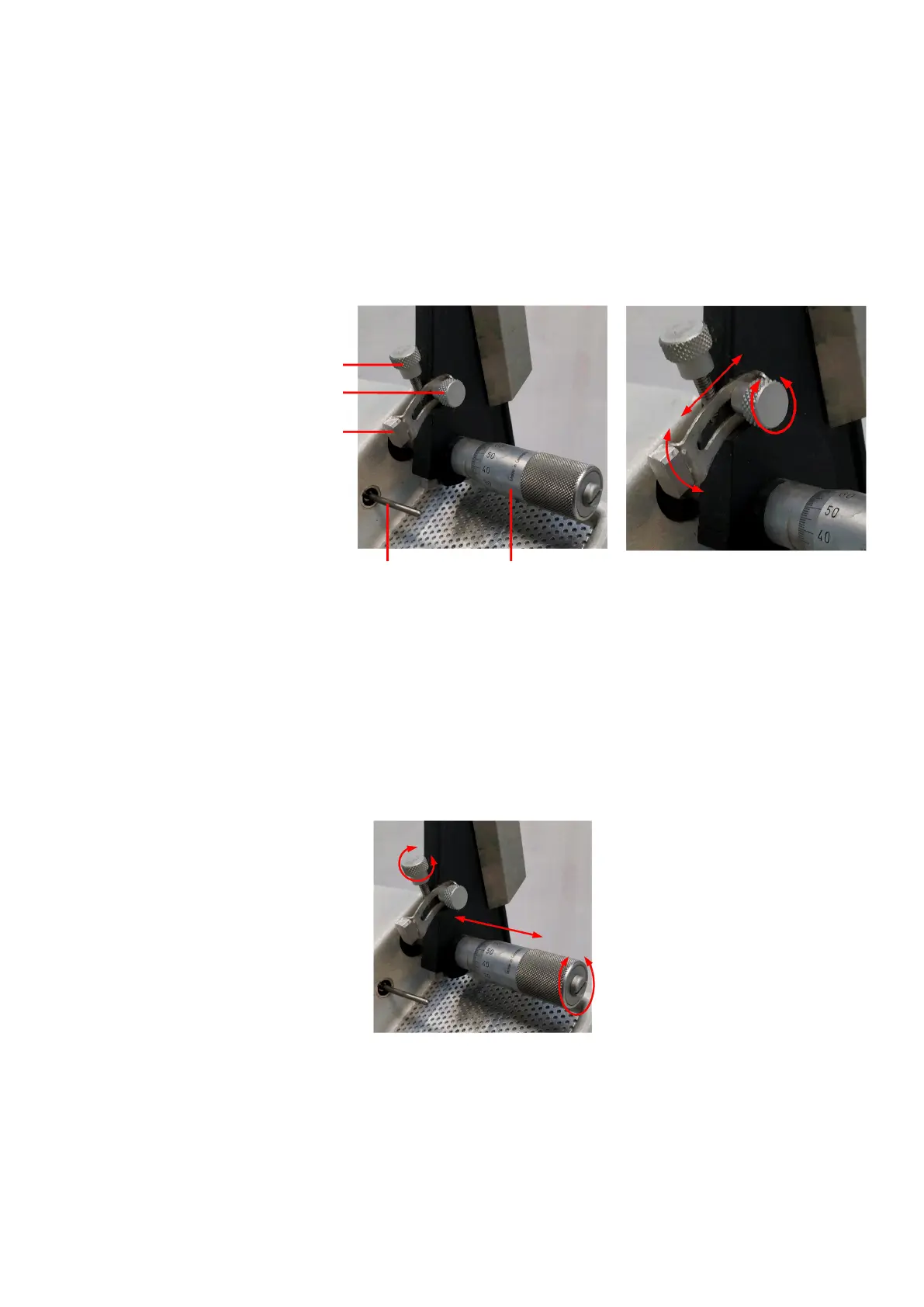
Minitom stops when the stop plate comes into contact with the stop
pin. Adjust the stop plate so that Minitom stops when the specimen
has been cut through.
Adjust the stop plate position:
Loosen the locking screw.
Move the stop plate until it
rests on the stop pin.
Tighten the locking screw.
Locking screw –
micrometer
Locking screw – stop plate
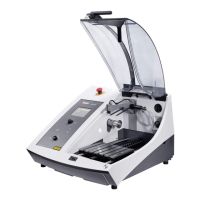
Loosen the micrometer locking screw.
Adjust the position of the cut by turning the micrometer screw.
After adjustment, tighten the locking screw.
Push the weights of the specimen holder arm back.
Adjust the rear weight so that the arm with specimen holder and
specimen are in balance.
Adjust the cutting pressure with the front weight.
Tilt the arm carefully back to a vertical position.
Mechanical Settings
Stop Position


 To Next Page