EENN
www.stryker.com 2971-109-0 01 REV B 1-35
Service
Cover replacement, bottom
Tools required:
• Zipper pull tool or equivalent
Prerequisite: Minimum of two operators are required to replace the bottom support surface cover.
Procedure:
1. Apply the InTouch brakes.
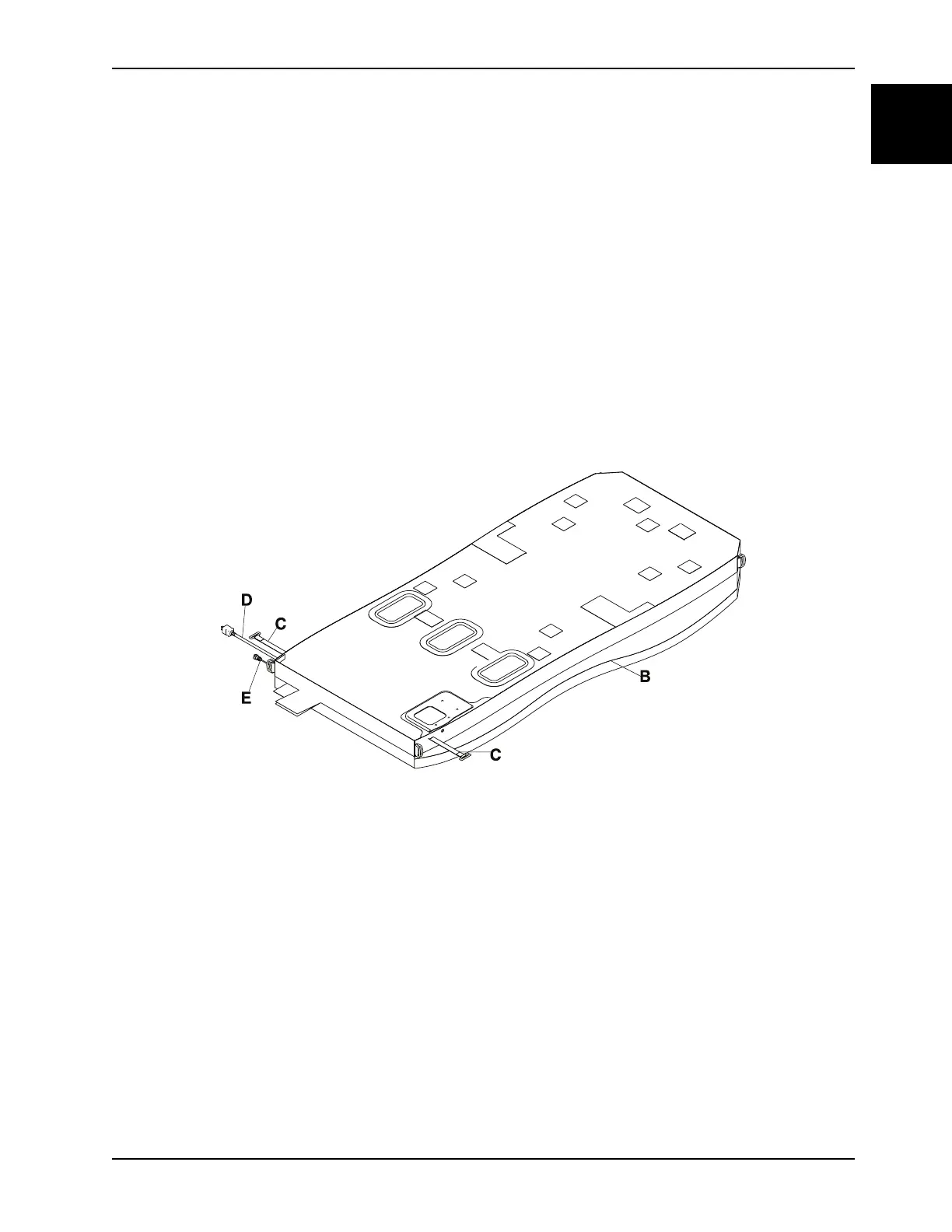
2. Unplug the support surface power cord (D) (Figure 1-10 on page 1-35).
3. Disconnect the support surface integration cable (E) (Figure 1-10 on page 1-35) from the bed.
4. Make sure that the InTouch platform is flat.
5. If powered, unplug the InTouch from the wall outlet and turn the battery switch to off.
6. Remove the headboard and footboards.
7. Lower all the siderails.
8. Before turning, place a protective sheet on the surface that the support surface top cover will rest.
9. Using two operators, turn the support surface over (Figure 1-10 on page 1-35).
Figure 1-10: Bottom support surface cover
10. Unsnap the four corner cover snaps.
11. Unsnap the two secure snaps at the right and left foot end corners.
12. Insert a zipper pull tool or equivalent through the hole in the zipper slider to unlock.
13. Grasp the zipper pull tool or equivalent and pull to unzip the bottom cover from the top cover (B) (Figure 1-10 on
page 1-35).
14. Feed the CPR release straps (C), power cord (D), and integration cable (E) through the bottom cover (Figure 1-10
on page 1-35).
15. Lift the foot box assembly slightly toward the head end and separate the two foot box Velcro® retainer straps from
the top of the foot box cover.
Note: During reinstall, make sure to align the foot box with the lines on the bottom cover.
16. Starting at the head end of the support surface, separate the six Velcro® patches from the bottom cover (F) (Figure
1-11 on page 1-36).
17. In a gentle motion, unsnap the twelve snaps and separate the Velcro® from the left and right sides of the turn
bladder (G) (Figure 1-11 on page 1-36).














 To Next Page