EENN
1-36 2971-109-001 REV B www.stryker.com
Service
Cover replacement, bottom (Continued)
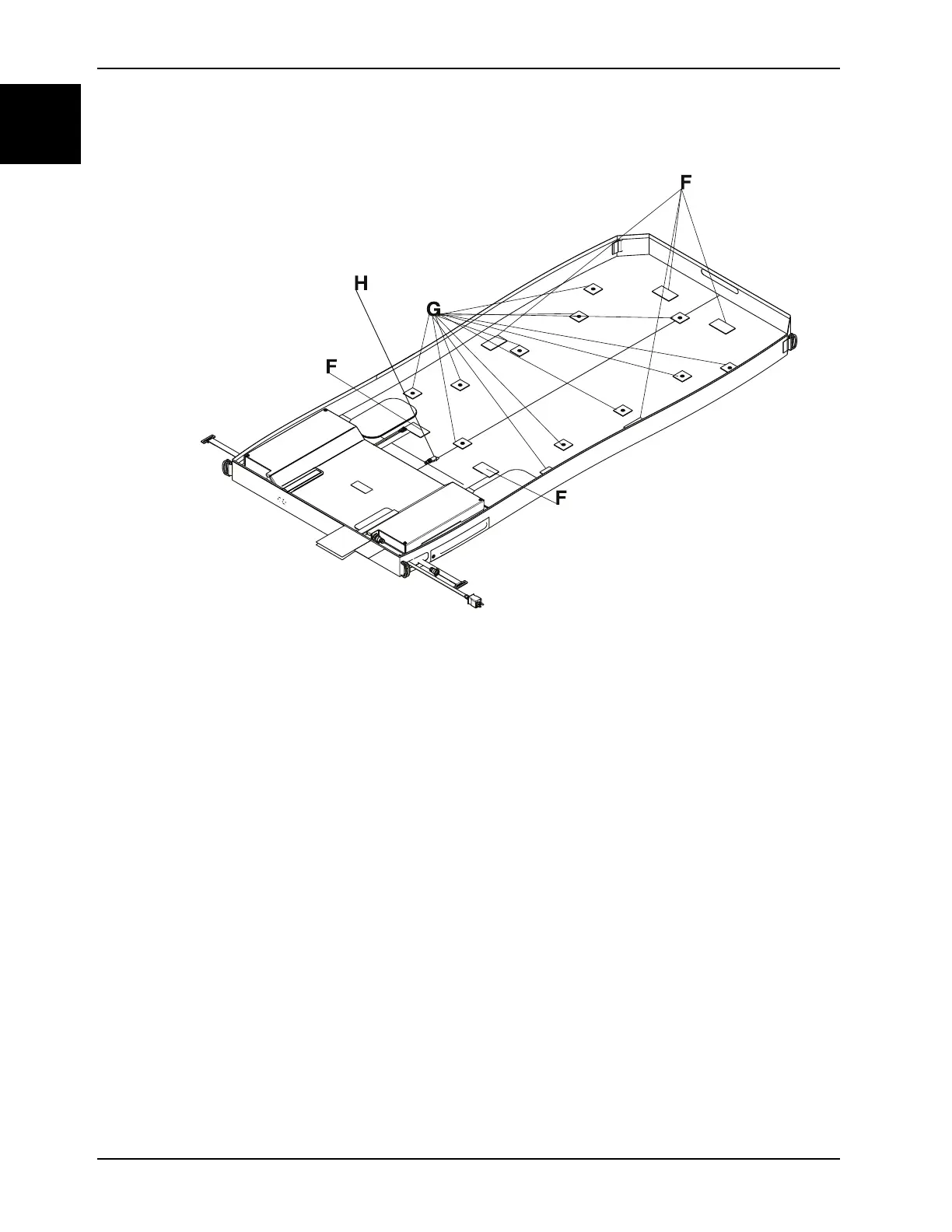
Figure 1-11: Pod Velcro® and snap retainers
18. Detach the foot end foam crib from the bottom cover.
19. Disconnect the exhaust tube quick disconnect (H) from the bladder assembly (Figure 1-11 on page 1-36).
20. Remove and discard the bottom cover.
21. Reverse to install the new bottom cover.
Notes
• During reinstall, make sure to align the Velcro® patches, snaps and the foot box cover.
• Connect the corner retainers by placing the strap below each D-ring and snaps to the cover. Repeat for the
other three corners.
• After installation, remove the zipper pull tool or equivalent from the zipper.
• Make sure that the watershed covers the zipper.
22. Verify proper operation before returning the product to service.














 To Next Page