EENN
1-62 2971-109-001 REV B www.stryker.com
Service
Turn bladder assembly replacement (Continued)
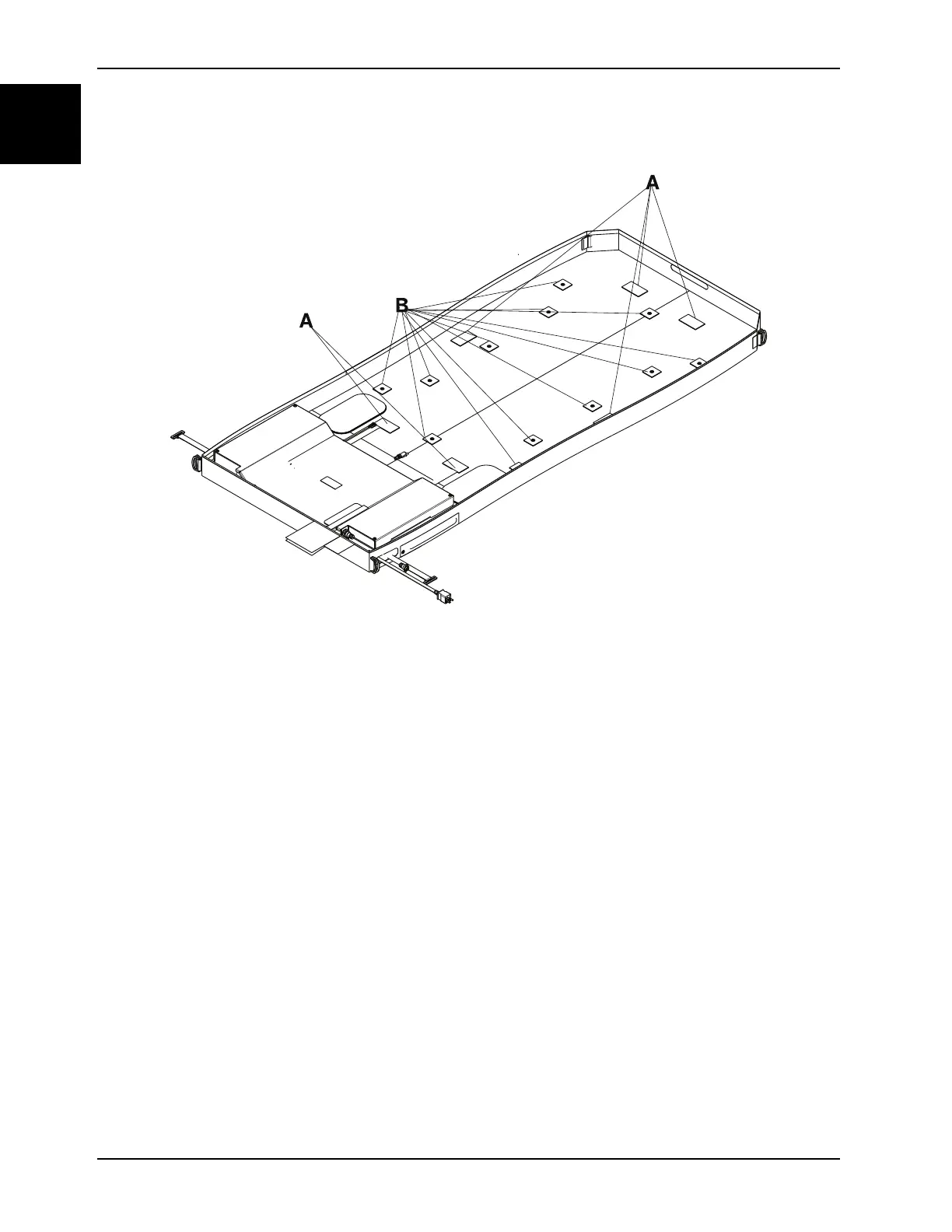
Figure 1-33: Pod Velcro® and snap retainers
8. Remove and discard the turn bladder assembly.
9. Reverse steps to reinstall.
Notes
• During reinstall, make sure to align the Velcro® patches.
• After installation, remove the zipper pull tool or equivalent from the zipper.
• Make sure that the watershed covers the zipper.
10. Run the leak diagnostic test (see Accessing the Isolibrium Diagnostic Menu in the InTouch maintenance manual).
11. Verify proper operation before returning the product to service.














 To Next Page