6. Press the RECORD button.
7. Press the PLAY/PAUSE
button to start to play.
8. Release the PAUSE button to begin recording.
9. Adjust the VOLUME, if necessary.
10. To stop recording, press STOP/EJECT button. When the tape operate to the end recording
will be stop automatically.
Recording from the Bluetooth
1. Slide the FUNCTION switch to "BT
“position. The POWER indicator will light.
2. Follow the Bluetooth operation section to pair the unit and external BT device
3. Play the song through the SB2140 unit.
4. Insert the cassette into the Cassette Compartment.
5. Press the PAUSE button.
6. Press the RECORD button.
7. Press the PLAY/PAUSE
button to start to play.
8. Release the PAUSE button to begin recording.
9. Adjust the VOLUME, if necessary.
To stop recording, press STOP/EJECT button. When the tape operate to the end recording will
be stop automatically.
LED LIGHT SHOW
- To turn off the LED light show, press and hold the LIGHT SHOW button.
- To turn on the LED light show, press and hold the LIGHT SHOW button once again.
Note: If the brightness is glaring, turn on room lights or turn off LED light show.
RESETTING THE UNIT
In case of malfunction due to electrostatic discharge, reset the unit by slide the FUCTION switch
to POWER OFF position to reset the unit. Wait for 30 seconds before power on the unit again.
CARE AND MAINTENANCE
About Cassette Tape
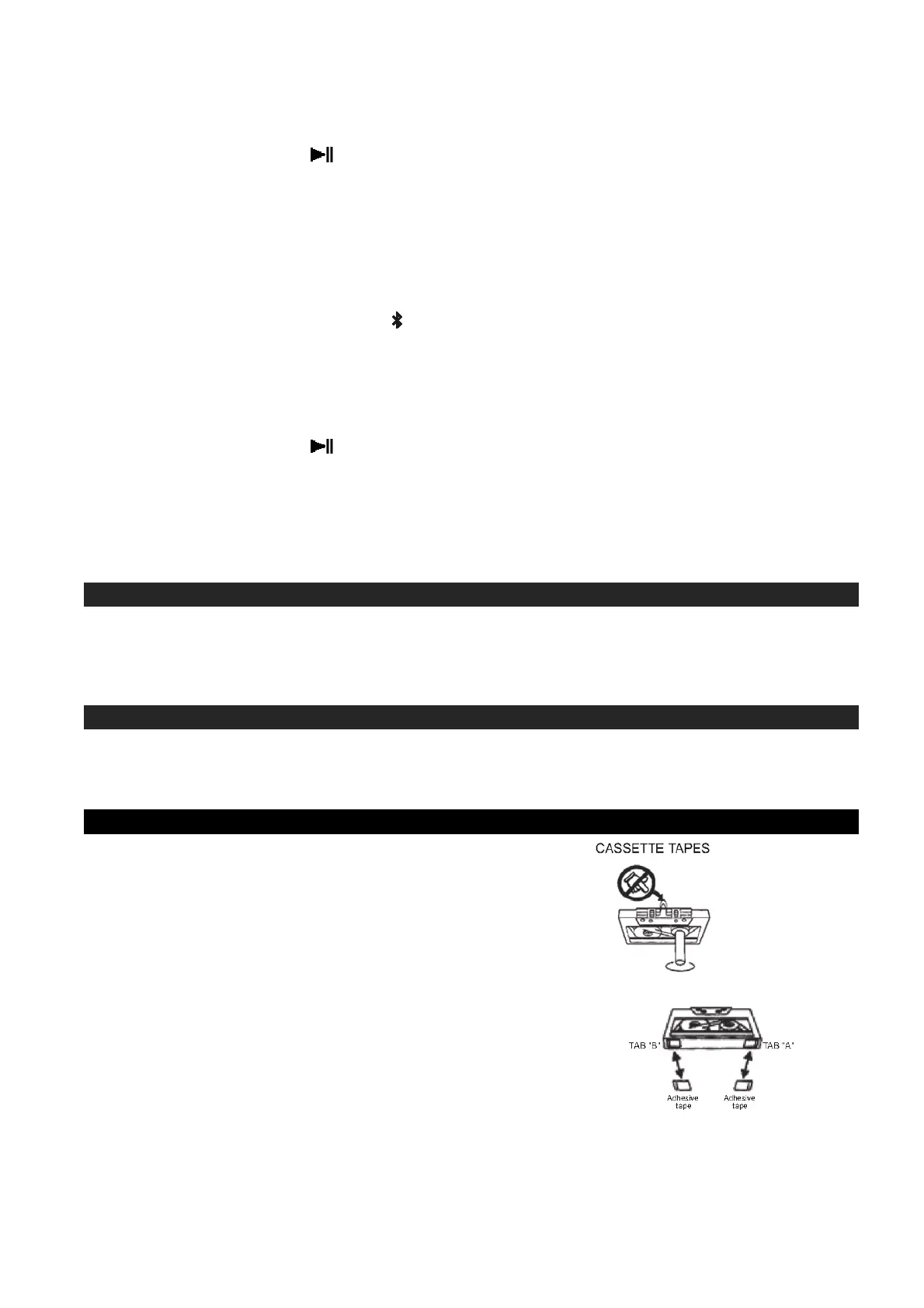
If the tape is loose in its cassette, take up the slack by
inserting a pencil in one of the reels and rotating.
If the tape is loose it may get stretched, cut or
caught in the cassette player.
Do not touch the tape surface.
To prevent recordings from being erased accidentally, remove
the tab(s) A and B.
To record after the tabs have been broken off, reseal the A
and B with a piece of adhesive tape.


 To Next Page