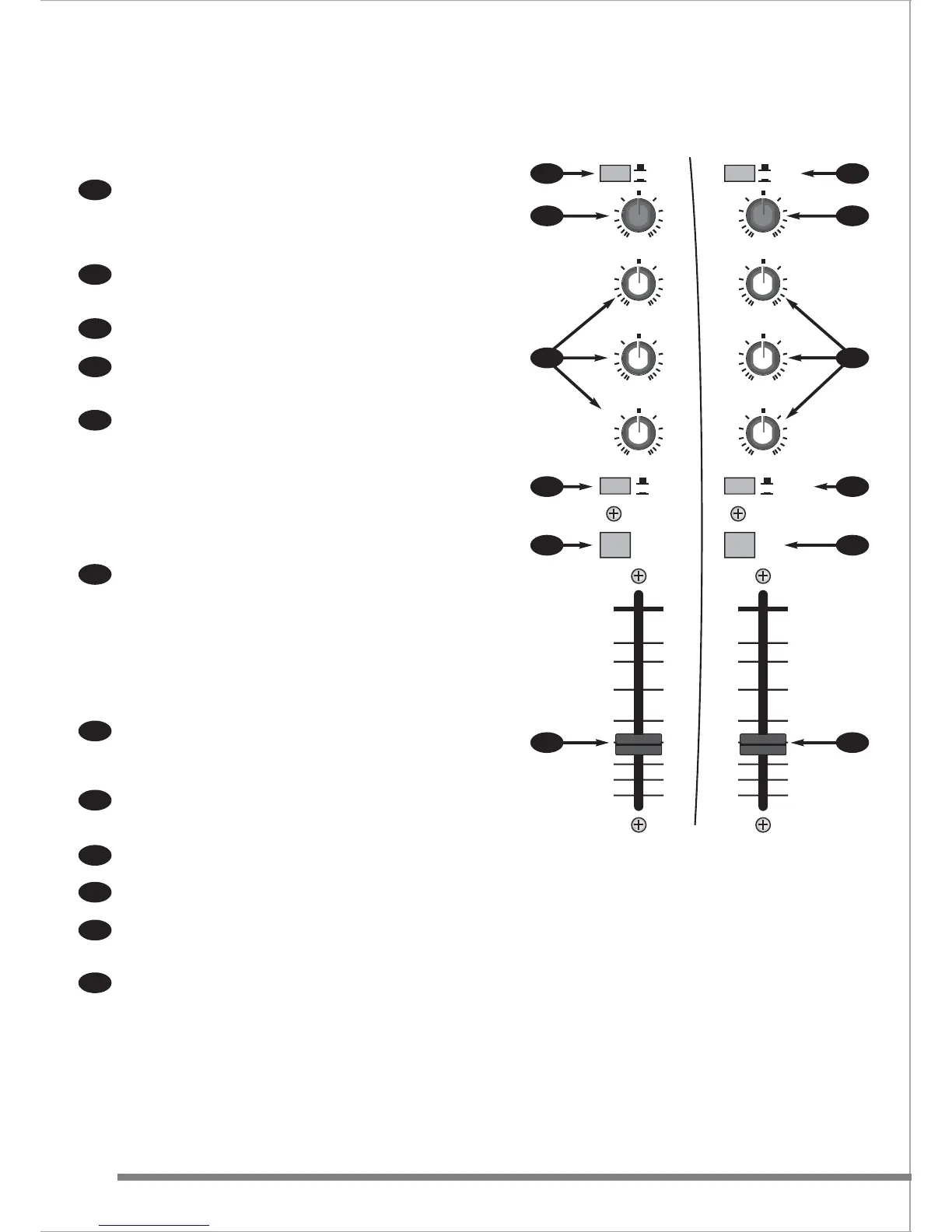
STEREO CHANNELS 4/5 & 6/7
The first two stereo channels have two sets of input connectors with a
selector switch (LINE A/LINE B). This means that two stereo signals
can be permanently connected and selected using the switch on the
front panel. Perhaps a CD and a minidisc player or any two sources
that never need to be operating at the same time.
The Gain control is used to match the incoming signal level to the
internal operating levels of the Fusion. This ensures the best
performance, reduces noise and avoids distortion.
The EQ (equalisation) is a three-band design +/-10dB at 12kHz (HI),
1.5kHz (MID) & 45Hz (LO).
Both channels can be assigned directly to the main output or to the
VCA cross-fader. Channel 4/5 routes the signal to "X" or left side of
the cross fader and channel 6/7 to "Y" or right side of the cross fader .
CUE routes the channel signal to the CUE led meter and the
PHONES/BOOTH outputs. This has no effect on the signal going to
the Left/Right output.
Note - when any CUE button is pressed the signal source displayed
on the meters changes from the post output fader to pre-fader. This
means that instead of the meters showing the actual signal level
leaving the Fusion it shows the mix of signals before the master fader.
This is very useful as it allows a comparison between the cue
bargraphs signal and the mix (output) signal.
The fader adjusts the level from the channel to the main output. For
normal operation always operate these faders at the top (0dB)
position. This gives the best audio performance and gives maximum
fader travel for smooth fade outs.
STEREO CHANNELS 8/9 & 10/11
These channels have a rear mounted switch ("PHONO") (44) allowing
record decks to be connected.
The front panel MPX/STEREO switch allows the use of "multiplex"
type CD's for karaoke use. When a "mutiplex CD" is used and the
switch is in MPX position, the vocals are removed, leaving just the
backing track for singing to.
The Gain control is used to match the incoming signal level to the
internal operating levels of the Fusion. This ensures the best
performance, reduces noise and avoids distortion.
EQ is tailored to the creative DJ with up to 36dB of cut and 10dB of
boost. Frequencies are set at 12kHz (HI), 1kHz (MID) & 45Hz (LO).
Both channels can be assigned directly to the main output or to the
VCA cross-fader.
CUE routes the channel signal to the CUE led meter and the
PHONES/BOOTH outputs if selected. This has no effect on the signal
going to the Left/Right output.
The fader adjusts the level from the channel to the main output. For
normal operation always operate these faders at the top (0dB)
position. This gives the best audio performance and gives maximum
fader travel for smooth fade outs.
Connectors for stereo channels are all RCA/phono type.
10
11
12
13
14
15
16
17
18
19
20
21
10
11
12
13
14
15
16
17
18
19
20
21














 To Next Page