FORESTER (NA) A8050BE–A (ENG.)
5-20
B How to preset stations
1. Press the “FM/AM” selection button to select AM, FM1 or FM2 re-
ception.
2. Press the “SCAN” button
1 or tune the radio manually until the de-
sired station frequency is displayed.
3. Press one of the preset buttons
5 for at least 2 seconds to store
the frequency. The frequency of the station will flash once on the dis-
play at this time. If the button is pressed for less than 2 seconds, the
preceding selection will remain in memory.
NOTE
If the connection between the radio and battery is broken for any
reason such as vehicle maintenance or radio removal, all stations
stored in the preset buttons are cleared. If this occurs, it is neces-
sary to reset the preset buttons.
Compact disc player operation
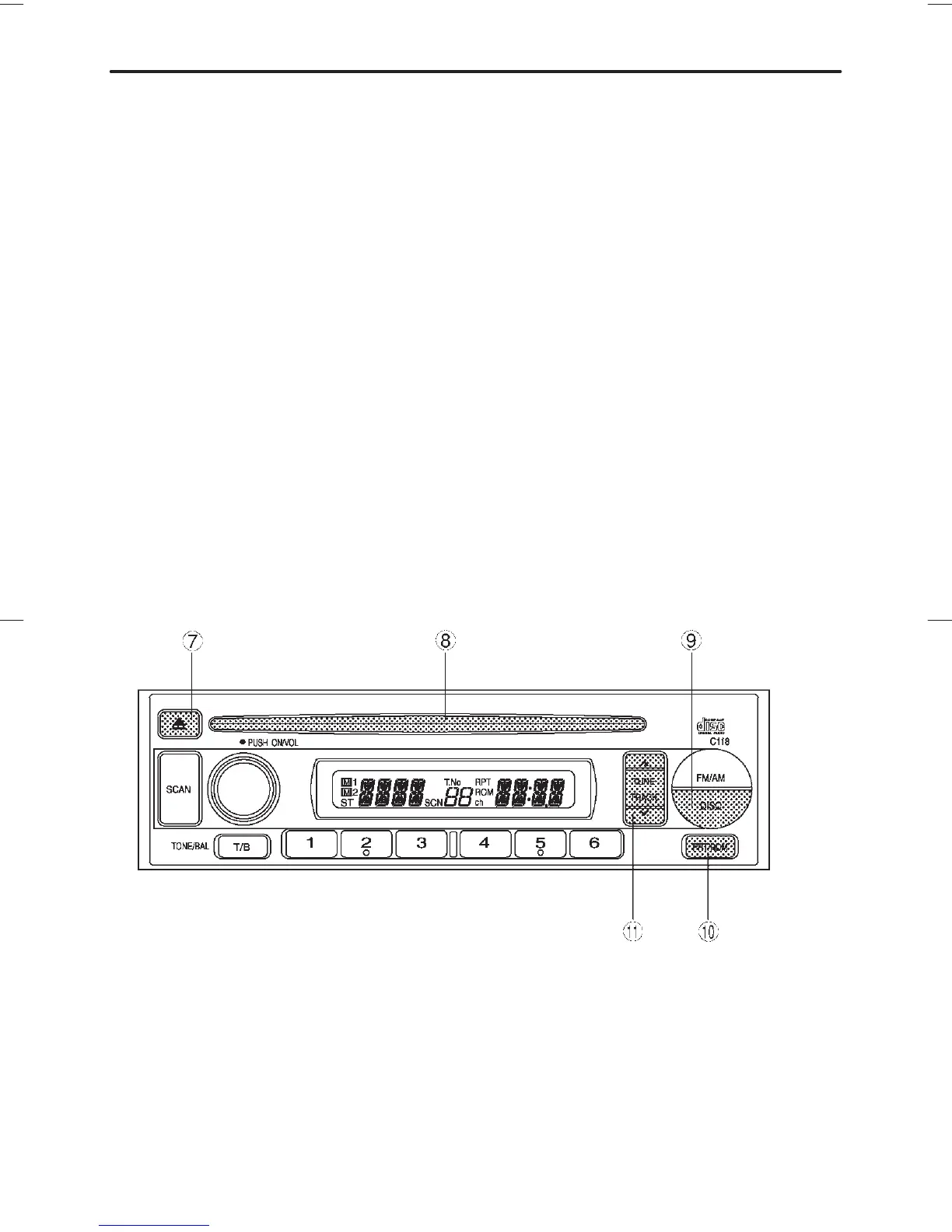
HG5008CC
7 Eject button
8 Disc slot
9 DISC button
Q Repeat/Random button
W Track selection buttons













 To Next Page