FORESTER (NA) A8050BE–A (ENG.)
5
Audio
5-23
– CONTINUED –
CD changer control
(If optional in-dash CD changer is connected)
An optional CD changer can be connected to this audio unit. See your
SUBARU dealer for more information.
HG5008DC
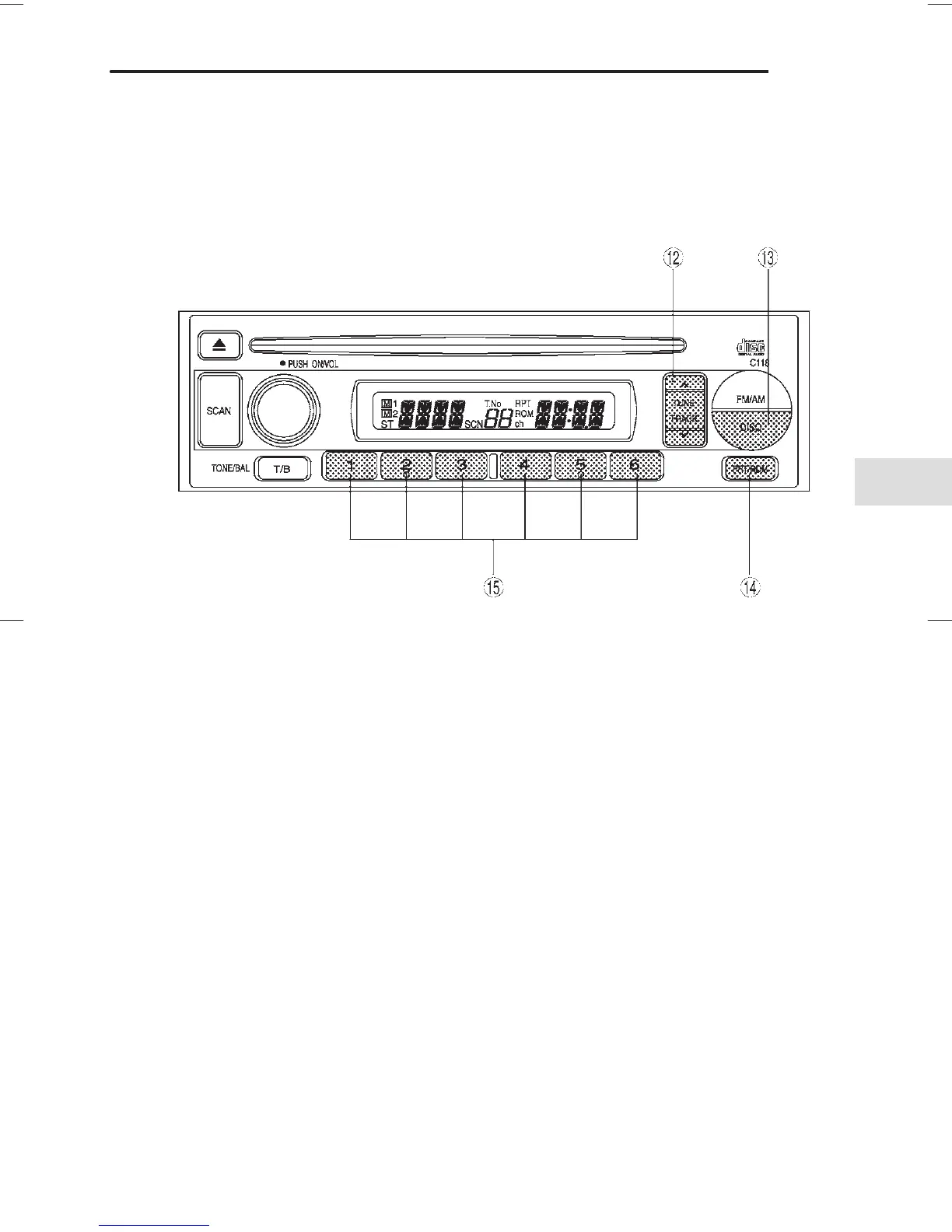
E Track selection buttons
R DISC button
T Repeat/Random button
Y Disc selection button
B To start playback
When the “CD” button
R is pressed, the CD changer will start play-
back. The display shows the current disc number, track number and
the elapsed time during playback.
NOTE
D If a disc is in the player, the “DISC” button is used to change
from CD player operation to DISC changer operation. Each time
the “DISC” button is pressed, the operating mode will change al-
ternately.
D At the end of the disc, the player automatically continues with
the next disc.
D After playback on the last disc finishes, playback will automat-
ically return to the first disc.






 To Next Page