iPod
When an iPod is connected, you can play iPod music les.
On this unit, you can perform operations such as selecting
a le from a list or changing to the random playback mode.
OVERVIEW
The iPod operation screen can be reached by the following
methods:
● Connect an iPod. (→P.37)
● Select
(iPod (DEVICE
NAME)) on the “Select Audio Source (Select Audio
Source)” screen. (→P.51)
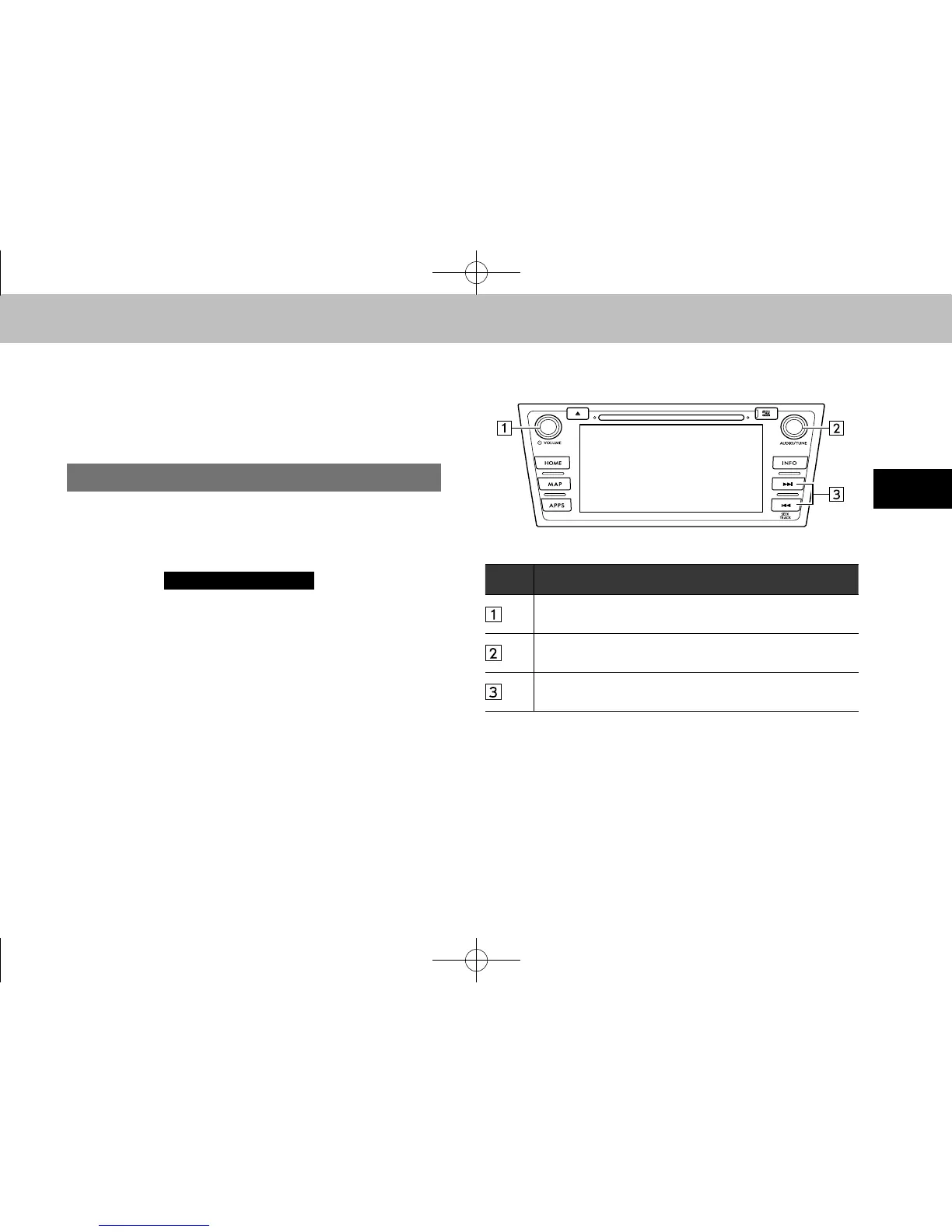
XControl panel
No. Function
Turn to adjust volume.
Press to turn the audio system on/off.
Turn to select a track.
Press to select an audio mode.
Select to select a track.
Select and hold to fast forward/rewind.
docstructure.indb 75 2014/08/20 17:34:32














 To Next Page